

HubSpot offers SMS, but almost certainly not the way your revenue team needs it. HubSpot sells a Marketing SMS Add-On that costs $49/mo for 1,000 message segments and requires Marketing Hub Professional, which starts around $800/mo. It handles marketing broadcasts to opted-in marketing contacts. It was never designed for the thing most B2B teams actually want: reminder texts for booked demos, discovery calls, and kickoff meetings, sent through Sales Hub, tied to the rep who owns the deal.
We hear this question constantly from B2B teams watching prospects book demos through HubSpot meeting links and then no-show them.
Book a Demo
Message IQ, built by Integrate IQ, a HubSpot Diamond Solutions Partner with 300+ platform integrations behind it, exists because the honest answer to “does HubSpot offer SMS” has a lot of fine print.
This guide covers what the native add-on includes, why it fails B2B booking reminders specifically, the full setup, the cadence for every meeting type, and how to measure whether it’s working.
Does HubSpot Offer SMS? The Short Answer
HubSpot offers SMS through a paid Marketing SMS Add-On, available only on Marketing Hub Professional and Enterprise plans.
The add-on costs $75/mo for 1,000 message segments, runs on Twilio’s infrastructure, provides a single US-based 10DLC phone number, and sends to opted-in marketing contacts.
HubSpot does not offer SMS for Sales Hub or Service Hub, which means demo reminders, rep-to-prospect texting, and deal-stage triggers sit outside what it can do. B2B teams that need those connect a third-party SMS integration from the App Marketplace instead.
That’s the featured-snippet version. Now the details that determine which route your team takes.
The B2B Booking Problem: Why Demo No-Shows Cost More Than You Think
In B2C, a missed appointment costs a time slot. In B2B, the math is uglier.
Count what goes into one booked demo: SDR hours across calls and emails to get the meeting, an AE blocking prep time and reviewing the account, sometimes a solutions engineer on standby.
Industry benchmarks routinely put the fully loaded cost of a single booked B2B meeting in the hundreds of dollars, and inbound demo no-show rates commonly run 20 to 40% for teams relying on email reminders alone.
The reason is structural, not personal. Your calendar invite sits in the prospect’s work inbox next to 40 internal threads. The day of the demo, something urgent lands, your meeting becomes the most skippable thing on their calendar, and the reschedule email they meant to send never happens. Meanwhile, 98% of text messages get opened vs roughly 20% for email, and MessageIQ customers report click rates over 4× what they see with email. That’s the gap a morning-of text with a one-tap reply option exploits, converting a silent no-show into a reschedule that keeps the deal alive.
There’s a second-order cost too. Every no-show scrambles a rep’s day and drags average sales cycle length, because the rebooked meeting usually lands one to two weeks later. Compress those gaps across a quarter and reminder texts start looking less like a nice-to-have and more like pipeline hygiene.
That’s the specific problem B2B teams are trying to solve when they ask whether HubSpot offers SMS. So let’s look at what the native tool provides.
What HubSpot’s Native SMS Add-On Actually Includes
Credit where due: the add-on is a real product. Here’s what $49/mo buys on top of your Marketing Hub subscription:
- One 10DLC phone number for US-based sending, reaching US and Canadian (+1) numbers only. Registration approval takes 6 to 8 business days for a standard number, or 8 to 12 weeks for a short code.
- 1,000 message segments per month. A segment is 160 characters, longer messages consume multiples, unused segments don’t roll over, and extra blocks run $15/mo per 1,000.
- Workflow integration for marketing sends to contacts opted into the SMS subscription type.
- Compliance basics. Automatic STOP handling, consent tracking with timestamps, and quiet hours based on the recipient’s local time.
For a marketing team on Enterprise sending event promos and product announcements, that package works. The gaps appear the moment sales gets involved.
Why the Native Add-On Fails B2B Booking Reminders
Four walls, and B2B teams hit all of them:
It lives in the wrong Hub. Demo bookings happen through HubSpot Meetings links and Sales Hub. The SMS add-on lives in Marketing Hub and sends to marketing contacts. Your prospect who booked a demo through a rep’s meeting link isn’t necessarily a marketing contact, and the add-on has no concept of rep-owned conversations, deal stages, or meeting outcomes.
One number for the whole company. B2B reminders work best when they come from the rep running the meeting, because the prospect recognizes the relationship. A single company-wide marketing number turns “your call with Sarah at 2pm” into an anonymous broadcast. Message IQ’s IQ Autoscaling gives you the choice: run the whole team on one business number with a shared inbox, or provision a number per rep or per team, and your contacts never see a number change as volume grows.
Reminder timing needs hour-level precision. HubSpot’s date-centered workflow delays operate in day increments at fixed times. The highest-impact reminder in any B2B sequence, the one-hour-before text with the meeting link, needs a tool that handles that timing itself.
Replies are the whole point, and they have nowhere to go. In B2B, a reminder reply is rarely just “confirmed.” It’s “can we push 30 minutes, my CFO wants to join” or “can you resend the agenda.” Those replies carry deal signal. MessageIQ routes every response into a shared team inbox inside HubSpot and can assign the thread to the contact owner, so the AE sees the reply, the reply logs to the deal record, and your pipeline reporting reflects reality.
And the cost math is upside down. The native route’s real floor is roughly $875/mo ($800 Hub + $75 add-on), and that’s before per-seat considerations. A dedicated integration starts at $49/mo for 1,000 messages with unlimited users, every feature included, on whatever HubSpot plan you already run. No feature gates, no add-on ladder, no per-rep fees.
Does HubSpot Support SMS Marketing Automation?
Yes, with the caveat that runs through this whole article. HubSpot supports SMS marketing automation through its workflow engine: enrollment triggers, delays, branches, and personalization tokens all work with text messages. The question is where the sending happens.
With the native add-on, automation is confined to marketing contacts and marketing workflows, capped by segments. With an integration like MessageIQ, the same workflow engine gains a Send SMS action that works across contacts, deals, tickets, and meetings, so automation fires from demo bookings, deal stage changes, lifecycle updates, and custom properties. For B2B specifically, that Sales Hub reach is the difference between a marketing channel and a revenue tool.
One distinction B2B teams ask about: workflows vs sequences. Sequences are rep-initiated, semi-manual touchpoint series. SMS reminder automation belongs in workflows, which fire on triggers without a rep remembering anything. Our guide to SMS automation in HubSpot covers the patterns, and our native add-on reality check breaks down pricing line by line.
How to Send B2B Booking Reminders from HubSpot
Here’s the working setup with MessageIQ connected to your HubSpot portal, built around a demo booked through a HubSpot Meetings link:
- Enrollment trigger: Meeting booked (meeting date property is known), AND “SMS opt-in” is true. Collect the opt-in checkbox on the meeting booking form itself, which is also where you capture the mobile number.
- Action: Send an instant confirmation text, signed by the rep who owns the meeting.
- Delay + action: The day before, send a reminder that includes one useful thing: the agenda, a one-line prep note, or who should join from their side. In B2B, a reminder that adds value gets confirmed; a bare reminder gets ignored.
- Branch logic: If the contact replied to confirm → update the meeting-confirmed property and exit. If silent → send the 1-hour text with the join link.
- No-show branch: If the meeting outcome logs as No Show → fire a rebooking text within the hour, while the miss is still awkward enough to act on, and create a task for the rep.
- Re-enrollment: Set the workflow to re-enroll whenever the meeting date changes, so reschedules get reminders for the new slot instead of the dead one.
Reminder Cadence by Meeting Type
Not every B2B meeting deserves the same sequence. Calibrate intensity to how likely the no-show is and how much it costs:
Inbound demos (highest no-show risk). Full sequence: instant confirmation, day-before with prep question, 1-hour with join link, no-show rebook. Inbound bookers are often early-stage and low-commitment, so this is where reminders earn the most.
Discovery calls booked by SDRs. Confirmation plus 1-hour reminder is usually enough. The SDR conversation happened recently, so the day-before touch can feel like overkill. Add it back if your show rates say otherwise.
Onboarding kickoffs. Confirmation and day-before, sent from the CSM’s number. New customers rarely no-show intentionally, but kickoff slippage delays time-to-value, and a day-before text that lists what to have ready (“admin access, your current process doc”) makes the meeting itself better.
QBRs and renewal calls. One day-before reminder, personal in tone, no join-link nag. These are relationship meetings with people who know you. Over-automating them reads as exactly that.
Group demos with multiple stakeholders. Text the champion only, and use the reminder to help them wrangle their own side: “anything I should prep for your CFO?” The rest of the committee lives in the calendar invite. Texting five stakeholders you’ve never spoken to is how you get marked as spam.
The pattern underneath all five: reminder intensity scales with booking recency and commitment level, and every message comes from the human running the meeting.
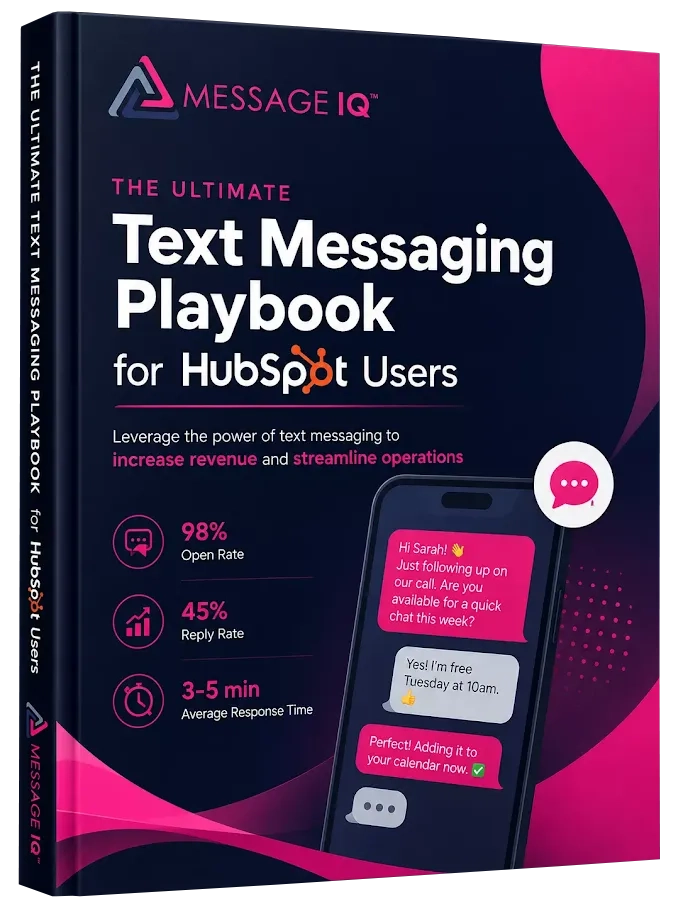
Get Your Ultimate HubSpot Text Messaging Playbook for FREE
Discover how top HubSpot teams use SMS to boost engagement, close deals faster and streamline operations.
Instant download
Expert insights from certified HubSpot professionals
Ultimate Text Messaging Playbook
B2B Reminder Templates You Can Copy
Merge tags pull from HubSpot contact and meeting properties. First message in any sequence carries opt-out language, and each 160-character message uses one credit, so these all stay single-segment.
Use case: Demo booking confirmation
“Hi {{first_name}}, {{rep_name}} from {{company}}. You’re confirmed for our demo on {{meeting_date}} at {{meeting_time}}. Reply STOP to opt out.” (143 chars)
Use case: Day-before reminder with prep value
“Hi {{first_name}}, looking forward to tomorrow at {{meeting_time}}. I’ll tailor the demo to your workflow questions. Anyone else joining from your team?” (152 chars)
Use case: 1-hour reminder with join link
“{{first_name}}, our call starts in an hour. Join link: {{meeting_link}}. Need a few extra minutes? Just reply here. {{rep_name}}” (128 chars)
Use case: No-show rebooking
“Hi {{first_name}}, sorry we missed each other today. No stress, calendars happen. Grab a new time here: {{booking_link}}” (120 chars)
Use case: Onboarding kickoff prep
“Hi {{first_name}}, kickoff is tomorrow at {{meeting_time}}. Have admin access handy and we’ll get you fully set up on the call. {{rep_name}}” (140 chars)
Use case: QBR reminder
“Hi {{first_name}}, looking forward to our review tomorrow at {{meeting_time}}. I’ve pulled your Q2 numbers, come with questions. {{rep_name}}” (141 chars)
Use case: Group demo, champion coordination
“Hi {{first_name}}, demo’s tomorrow at {{meeting_time}}. Anything I should prep for your leadership side? Happy to tailor it. {{rep_name}}” (137 chars)
Notice how many of these ask a question. That’s deliberate: in B2B, a reminder that surfaces stakeholders or requirements early doubles as discovery, and a reply of any kind is the strongest show-rate predictor you can get.
What Breaks in B2B Reminder Workflows (and How to Fix It)
The setup guide above works. These are the failure modes that surface in week two:
Office landlines eat your sends. B2B contact records are full of company switchboard numbers. A text to a landline either fails or silently disappears, and either way you’re paying for it. Validate for mobile numbers before sending, or use a platform that flags non-mobile numbers at the workflow level.
Timezone chaos on distributed teams. HubSpot delay steps run on your portal’s timezone. If your reps sell across US regions or into Europe, an “8am reminder” fires at 5am somewhere. Anchor reminder timing to the meeting time itself (1 hour before is 1 hour before, everywhere) rather than fixed clock times.
Reschedules text the dead slot. Without re-enrollment on the meeting date property, a prospect who moves the demo gets reminded about the old time, which is worse than no reminder. This is the single most common misconfiguration we see in portal audits.
The wrong contact gets enrolled. On group meetings, HubSpot can associate multiple contacts. Scope your enrollment to the meeting organizer’s counterpart (usually the champion who booked) unless you genuinely want every attendee texted.
“Sent” doesn’t mean “arrived.” Most SMS tools report sent status and stop there, so carrier-filtered messages look successful in your reports while never reaching a phone. MessageIQ’s IQ Advanced Delivery confirms at the carrier level that the message reached the device, which is the number your show-rate analysis should trust.
Replies go to a tool nobody opens. If reminder replies land in a standalone SMS app instead of HubSpot, reps miss reschedule requests and your CRM lies about deal activity. Two-way sync to the contact and deal timeline is the non-negotiable feature, and it’s the default in MessageIQ rather than an upsell. For a deeper look at how sales teams should evaluate this, see our guide to two-way SMS software for sales teams.
Texting B2B Prospects: Etiquette and Compliance
Two things trip up B2B teams here. First, the etiquette. Text a prospect the way a good rep would: business hours in their timezone, tied to a real meeting or request, one message where one will do, and always from an identifiable human. SMS reaches the champion on their phone; the rest of the buying committee still gets the calendar invite and email thread. Use each channel for its job.
Second, the legal misconception that costs money: “TCPA is a consumer law, we’re B2B, it doesn’t apply.” Wrong. The TCPA covers automated texts to mobile numbers regardless of whether the human behind them holds a job title, and violations run $500 to $1,500 per message, multiplied across every send in a workflow. Before launch: collect written opt-in via an unchecked checkbox on your booking and demo-request forms, gate every SMS workflow’s enrollment on that property, and complete carrier registration, since US carriers block unregistered automated traffic outright. Our guides to TCPA consent language for SMS and 10DLC brand registration have the exact wording and steps. MessageIQ processes STOP replies automatically and syncs suppression back to HubSpot, so no workflow can text an opted-out contact.
Measuring Whether Reminders Actually Move Show Rates
Don’t take the channel’s word for it. HubSpot gives you everything needed to prove or kill this in 60 days:
- Baseline first. Before launch, pull your trailing 90-day show rate: completed meetings divided by booked meetings, per meeting type. Without this number, you’ll never know what changed.
- Track four properties. “Meeting confirmed via SMS” (set by the reply branch), “SMS reminder sent,” meeting outcome, and rebooked-after-no-show. All four become report filters.
- The reports that matter. Show rate for SMS-enrolled meetings vs non-enrolled, reply rate on the day-before text, and no-show recovery rate (what percentage of no-shows rebook within 48 hours of the rebooking text). Recovery rate is the sleeper metric: even a mediocre show-rate lift plus strong recovery adds meetings back to the calendar every week.
- Use delivered, not sent, as your denominator. Carrier-confirmed delivery numbers keep your reply-rate math honest, which is exactly what IQ Advanced Delivery reports.
- Watch opt-out rate as your guardrail. If it climbs past low single digits, your cadence is too aggressive or your consent collection is sloppy. Fix the sequence before scaling it.
Run the comparison for one full quarter and the decision makes itself, in either direction.
A Three-Week Rollout Plan
For the RevOps person tasked with making this real:
Days 1 to 2: Install MessageIQ from the App Marketplace. Your account goes live within one business day, and brand registration, which MessageIQ manages for you, usually clears the same day. Submit carrier campaign registration for automated sending; that approval takes about two weeks, so this clock starts now. Add the SMS opt-in checkbox to your demo booking form.
Days 3 to 5: Build the demo reminder workflow in draft: triggers, branches, re-enrollment on meeting date changes. Create the tracking properties. Write and internally review templates.
Week 2: While campaign approval processes, pull your baseline show-rate numbers and brief the sales team, especially on how replies arrive in the shared inbox and who owns responding. One-to-one texting can start immediately, so reps can begin manual meeting confirmations while automation waits on carriers.
Week 3: Campaign approved. Turn the workflow on for one meeting type only, ideally inbound demos, your highest no-show category. Let it run two weeks, check the numbers, then expand to discovery calls and kickoffs.
Piloting one meeting type first isn’t caution for its own sake. It gives you a clean before/after read and surfaces the configuration bugs on low volume.
Native Add-On vs SMS Integration for B2B Teams
| Factor | HubSpot Native SMS Add-On | MessageIQ Integration |
| Monthly cost floor | ~$875 ($800 Hub + $75 add-on) | $49 for 1,000 messages, any HubSpot plan |
| Per-user fees | Tied to Hub seats | None, unlimited users on every plan |
| Plan requirement | Marketing Hub Pro or Enterprise | Works with existing plan |
| Feature access | Add-on model | Every feature on every plan |
| Sales Hub / deal triggers | No | Yes, all objects |
| Meeting-based reminders | Poor fit, day-level delays | Hour-level timing, reschedule re-enrollment |
| Sender identity | One company number | One shared number or per-rep numbers, your choice |
| Delivery reporting | Sent status | Carrier-level delivered confirmation |
| Reply handling | Marketing-oriented, limited | Shared inbox, routes to contact owner |
| Contract | Annual Hub terms | Month-to-month, cancel anytime |
The honest decision rule: already on Marketing Hub Professional and only need occasional marketing texts? The add-on is fine. Running a B2B sales motion with booked meetings, deal stages, and multiple reps who need to see replies? An integration wins on capability and price, and the unlimited-users model means the gap widens with every rep you add. For where email still beats SMS in the B2B cycle, see HubSpot SMS vs email.
FAQ: Does HubSpot Offer SMS for B2B Booking Reminders?
Does HubSpot have built-in text messaging?
Yes, through the Marketing SMS Add-On at $49/mo for 1,000 message segments, available only on Marketing Hub Professional and Enterprise. It’s built for marketing communications, so demo reminders, sales texting, and service texting typically run through an App Marketplace integration instead.
Can HubSpot text reminders for meetings booked through HubSpot Meetings links?
Not well natively. The add-on lives in Marketing Hub and has no clean trigger tied to meeting bookings or hour-before timing. An integration like MessageIQ triggers off the meeting date property, handles hour-level delays, and re-enrolls contacts when meetings get rescheduled.
Does the TCPA apply to texting B2B prospects?
Yes. The TCPA covers automated texts to mobile numbers regardless of whether the recipient is a business contact. Collect written opt-in through your forms, store it as a HubSpot property, and require it for enrollment in every automated SMS workflow.
Should B2B reminder texts come from a rep’s number or a company number?
Either works, and MessageIQ supports both: one shared business number with a team inbox, or a number per rep, with replies routed to the contact owner either way. For meeting reminders specifically, rep-signed messages perform best because prospects confirm meetings with people, not phone numbers.
Should SMS reminders run through HubSpot workflows or sequences?
Workflows. Sequences are rep-initiated and semi-manual, which recreates the human bottleneck you’re trying to remove. Workflows fire automatically off the meeting booking and handle branching, delays, and re-enrollment without anyone remembering to act.
How much does an SMS integration for HubSpot cost?
MessageIQ starts at $49/mo for 1,000 messages with unlimited users and every feature included, on month-to-month terms with no contracts. Plans scale by volume only: $99/mo for 2,500 messages, $399/mo for 10,000, and up. Overage runs $0.035 per 160-character segment.
How do we measure whether SMS reminders improve show rates?
Pull your trailing 90-day show rate before launch, then compare SMS-enrolled meetings against non-enrolled over a quarter. Track reply rate on day-before texts and rebooking rate after no-shows, use carrier-confirmed delivery as your denominator, and watch opt-out rate as the guardrail for cadence intensity.
How long does setup take for a B2B team?
Message IQ accounts go live within one business day and brand registration usually clears the same day. Carrier campaign approval for automated sending takes about two weeks, and MessageIQ manages the entire registration process while you build workflows, so most teams launch inside three weeks.
Protect the Meetings Your Team Fought to Book
Every no-show demo burns SDR hours, AE prep, and a pipeline slot you don’t get back. HubSpot’s native SMS wasn’t built to fix that, and now you know exactly why. MessageIQ adds two-way SMS to the HubSpot plan you already pay for: meeting-triggered reminders with hour-level timing, rep-branded conversations, replies routed to deal owners, carrier-confirmed delivery, and TCPA compliance handled at the platform level. Every feature on every plan, unlimited users, no contracts.
Put a reminder workflow in front of your next booked demo. Plans start at $49/mo.
See how much revenue SMS could add to your HubSpot stack
Five inputs. Industry-backed benchmarks. Get your projected annual SMS revenue in under 30 seconds.
Calculate My SMS ROI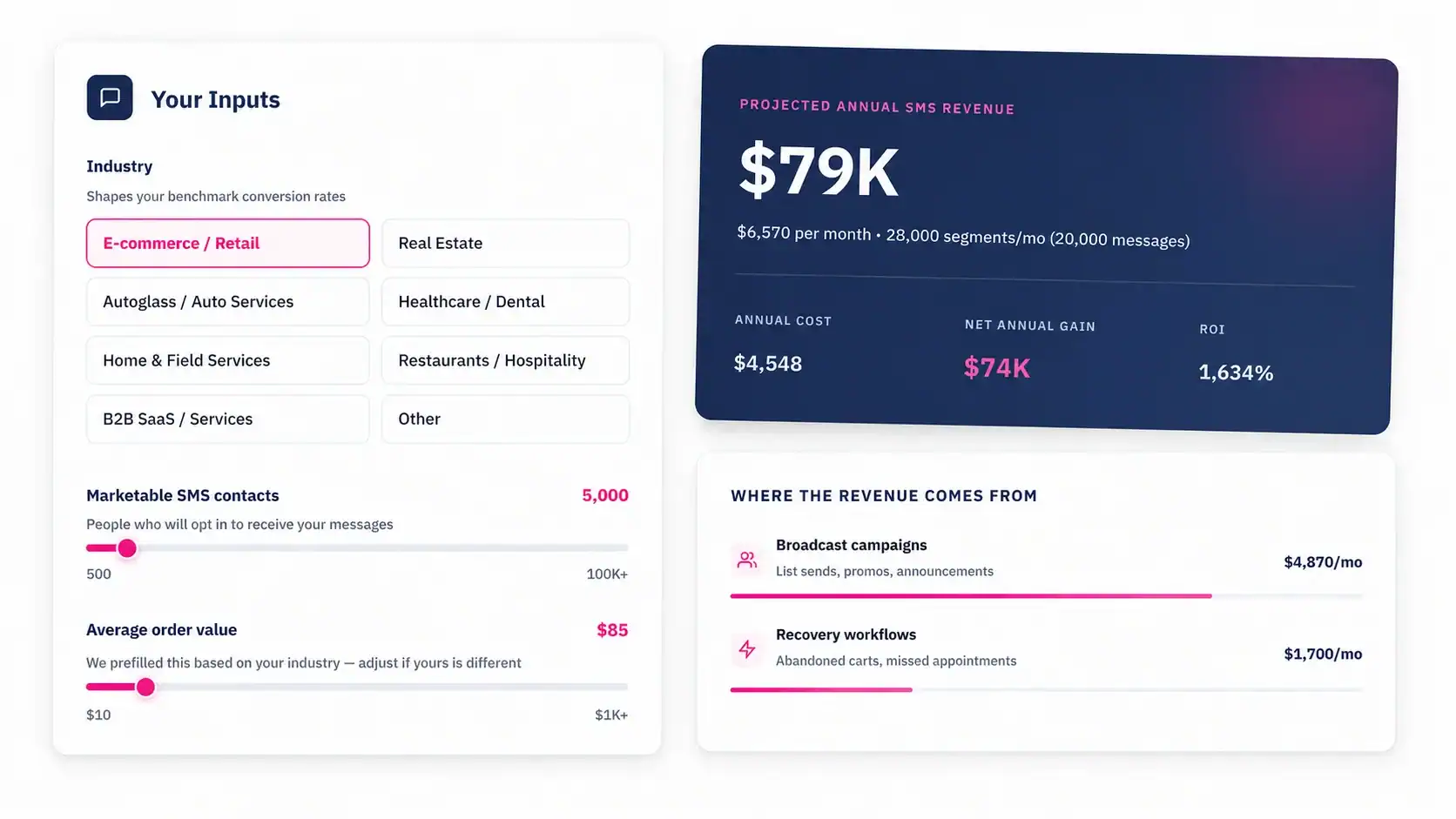
Start Free Trial