
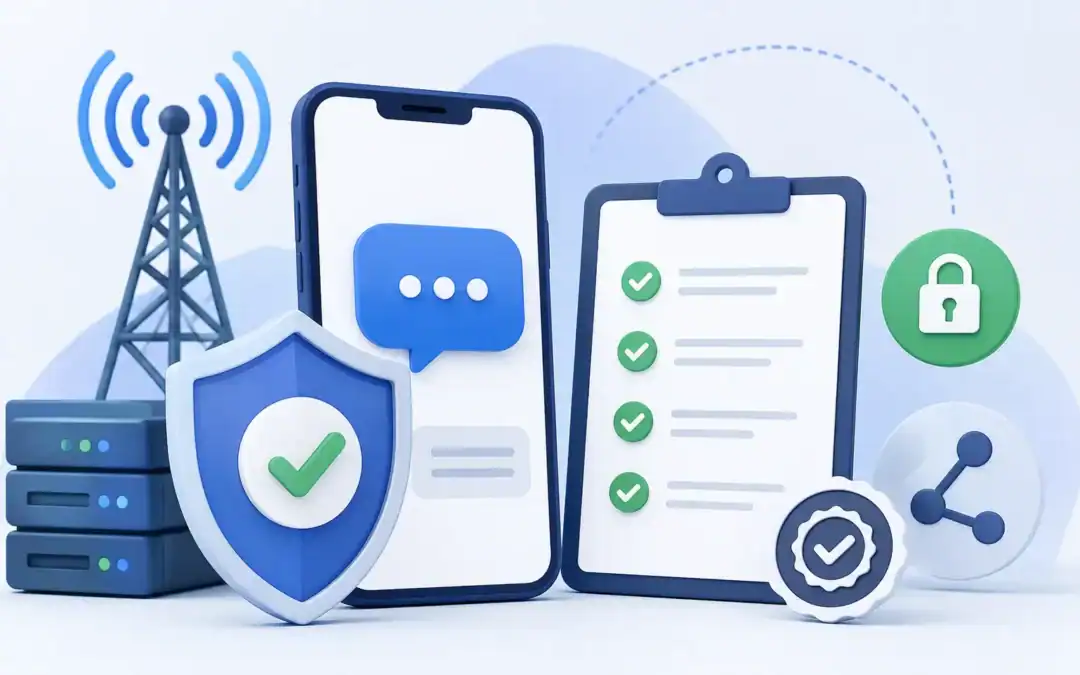
Your text messages aren’t being filtered. They’re being blocked entirely. As of February 2025, every major US carrier AT&T, T-Mobile, and Verizon stopped delivering unregistered A2P business SMS. Not throttled, not delayed: blocked. If your business sends automated texts and you haven’t completed 10DLC registration, your messages aren’t reaching anyone.
10DLC Registration Support: Protect Your Deliverability
10DLC registration SMS compliance is the mandatory process that lets carriers verify your business and approve your messaging use cases before your texts go out. This guide covers what 10DLC actually is, who needs it, how to register correctly, why campaigns get rejected, and what ongoing compliance looks like after you’re approved. Message IQ handles this registration process for HubSpot teams during onboarding but whether you use Message IQ or any other SMS platform, understanding the framework
What Is A2P 10DLC?
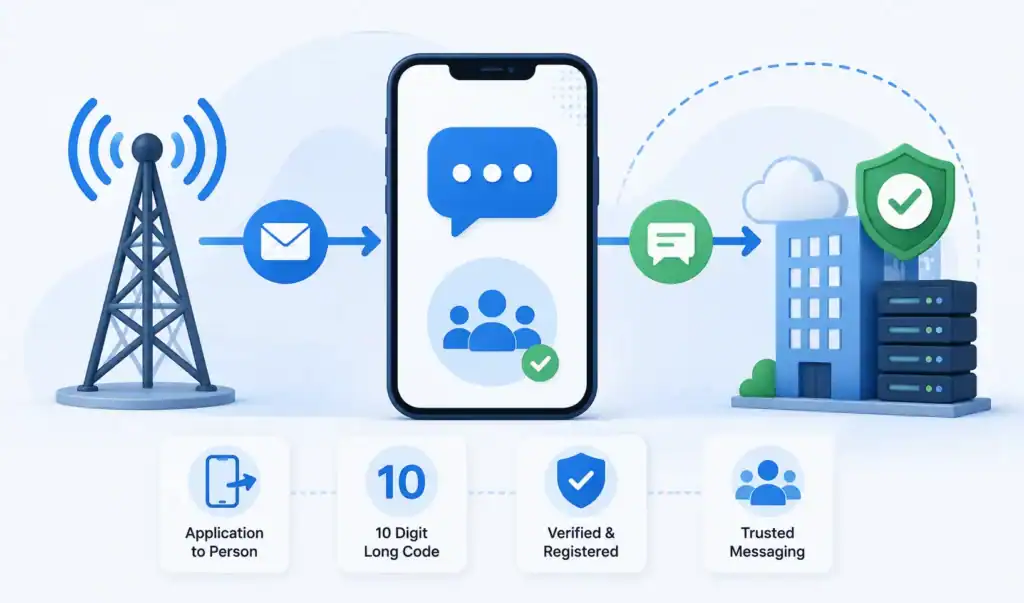
A2P stands for Application-to-Person. It describes any text message sent from a software application to a person’s mobile phone as opposed to P2P (Person-to-Person) messaging between two individuals. Every automated business text is A2P: appointment reminders, lead follow-ups, order notifications, marketing campaigns, two-way CRM-triggered messages.
10DLC stands for 10-Digit Long Code. These are standard local-looking phone numbers (like 415-555-0182) that businesses use to send A2P messages. Before 10DLC existed, businesses either used short codes (5–6 digit numbers costing $500–$1,000/month) or sent from unvetted 10-digit numbers alongside personal texting traffic which created the spam problem carriers needed to solve.
The Campaign Registry (TCR) is the centralized system carriers use to vet A2P senders. Businesses register their brand (who they are) and their campaigns (what they’re texting about and why) through TCR. Carriers use that verified data to allow, throttle, or block your messages.
10DLC Messaging vs Toll-Free vs Short Codes: Which Fits Your Sends?
10DLC messaging is business texting from a standard local number registered through TCR. It’s the default for most US businesses because it costs less than a short code, supports two-way conversations, and looks like a local number to the person receiving it. Here’s how it compares with the other two options:
| 10DLC | Toll-Free | Short Code | |
|---|---|---|---|
| Number format | 10-digit local number | 8XX toll-free number | 5 to 6 digit number |
| Registration | Brand + campaign through TCR | Toll-free verification | Carrier short code application |
| Setup time | 2 to 5 days (brand), 3 days to 4 weeks (campaign) | Typically 3 to 6 weeks | Slowest to provision |
| Cost | ~$4 to $48 brand, ~$15 campaign, ~$10/month per campaign | Varies by provider | $500 to $1,000/month |
| Throughput | Set by your Trust Score | Set by verification status | Highest |
| Best for | Two-way sales, service, and CRM-triggered texts | High-volume one-way notifications | National mass campaigns |
For HubSpot teams sending two-way, workflow-triggered texts, 10DLC is the right fit. The trade-off: your sending speed depends on your Trust Score, which the Trust Score section below breaks down.
Who Needs 10DLC Registration?
Any US business sending automated text messages from a standard 10-digit number needs to be registered. The scope is broader than most people expect:
- Sales and marketing teams sending automated follow-up sequences, lead nurture texts, or promotional campaigns
- Customer service teams sending appointment reminders, order status updates, or support confirmations
- Businesses running two-way SMS conversations triggered by CRM events even if the messages feel conversational
- Small businesses sending a handful of automated texts per month volume doesn’t exempt you
- Teams using any SMS platform (Twilio, Message IQ, Salesmsg, SimpleTexting, etc.) to send from a 10-digit number
The only alternative to 10DLC for US business texting is a short code (expensive, slow to provision) or a toll-free number (a different registration process through individual carrier portals, typically 3–6 weeks, and generally a better fit for high-volume one-way sends). If you’re using a local-looking 10-digit number for any automated business texting, 10DLC registration applies.
10DLC Registration for Insurance Agents and Regulated Industries
Just as any business, insurance agents, financial advisors, healthcare providers and other teams in regulated industries need to account for the 10DLC requirements, as well as other considerations specific to their compliance environment.
Captive insurance agents (agents who work for one carrier, such as State Farm or Allstate) typically enrolll under their parent company’s brand. The registration is under the parent company’s EIN and legal name, not the individual agent’s. Independent agents sign up under their own legal entity agency. If you are doing business under a DBA that is different than your legal name, use your legal name on the registration and include the DBA in the campaign description.
Campaigns in regulated industries have to be more detailed. The phrase “Insurance leads marketing texts” is too generic.”Renewal reminder notifications sent to active policyholders who opted in during policy binding” passes review because it identifies the use case, audience and consent mechanism.
HIPAA-regulated entities (healthcare providers, health insurance) should check with their SMS platform that message content will not contain protected health information (PHI). Appointment reminders are OK, but clinical results are not, because SMS is not a HIPAA-secure channel.
Message IQ provides insurance, healthcare and financial services teams with industry-specific onboarding guidance that speaks to these regulatory overlaps.
The Three Parties in the 10DLC System
Most businesses try to register directly with TCR and get confused when they can’t. The system doesn’t work that way. There are three parties involved and understanding their roles prevents a lot of wasted time.
| Party | Role | What you interact with |
|---|---|---|
| TCR (The Campaign Registry) | Vets and approves brands and campaigns on behalf of carriers | Indirectly through your CSP |
| CSP (Campaign Service Provider) | Your SMS platform (Message IQ, Twilio, etc.) that submits registration on your behalf | Directly your platform’s onboarding flow |
| Carriers (AT&T, T-Mobile, Verizon) | Enforce registration and control message delivery based on TCR data | Indirectly they receive TCR data |
You register through your CSP your SMS platform. Your CSP submits your brand and campaign data to TCR. TCR reviews and either approves or rejects. Carriers pull that approval data and use it to decide whether your messages deliver. If your CSP has strong relationships with Downstream Connectivity Aggregators (DCAs) the intermediaries between TCR and carriers your campaign approvals come faster.
This matters when choosing an SMS platform. A provider with established DCA relationships and clean compliance history gets campaigns approved faster than one without. Message IQ’s registration process is built by Integrate IQ, HubSpot Diamond Solutions Partners, with compliance tooling that walks HubSpot teams through every required step.
Trust Score and Message Throughput: What Determines Your Sending Speed
Brand registration doesn’t just get you approved or rejected. It also assigns your business a standing that controls how fast you can send. Understanding this upfront saves a second round of guesswork after you’re already live.
Every brand lands in one of three identity states: Unverified (usually caused by a business name or EIN mismatch, and it blocks all 10DLC messaging until fixed), Verified (the baseline needed to register campaigns), or Vetted Verified (Verified plus a third-party review that unlocks higher throughput).
If your business isn’t on the Russell 3000 index, you’re automatically capped at a lower throughput tier unless you complete third-party vetting. Standard vetting is an automated review, similar to a credit check, run by Aegis Mobile or WMC Global and typically costs around $40. Enhanced vetting is a manual, deeper review usually pursued only if you’re unhappy with your Standard vetting score.
Your resulting Trust Score (0-100) maps to a Message Class on AT&T (A through F) and a Tier on T-Mobile (Low, High, Top). Higher scores unlock significantly more messages per second. The table below shows the general pattern:
| Vetting Status | Typical Trust Score | What It Unlocks |
| Unverified | N/A (blocked) | No 10DLC messaging until brand details are corrected |
| Verified (no vetting) | Not scored | Lowest throughput tier (AT&T Class E/F, T-Mobile Low) |
| Verified + Standard vetting | 0-100 score assigned | Mid-to-high throughput depending on score |
| Verified + Russell 3000 | Automatic top tier | Highest throughput (AT&T Class A/B, T-Mobile Top) |
Carrier Filtering, Throughput Caps and Why Your Messages Get Throttled
Even after a successful registration, carriers actively filter messages by content pattern, sending velocity, and trust score. Understanding the filtering layers helps you diagnose delivery problems that registration won’t fix.
Each outbound message is scanned for spam patterns, including shortened URLs from public shorteners (bit.ly, tinyurl), excessive capitalization, certain keyword combinations, and links to domains that don’t match your registered website. Carrier filters are constantly changing and are not publically documented so a message that got through fine last month can be filtered today.
Your carrier tier and trust score are directly related to throttling your throughput. AT&T has a Message Class system that limits your messages per minute per campaign. A Class E brand (the lowest verified tier) could send 10 messages a minute. Class A (top) can push 4,500+ per minute. T-Mobile employs a similar tier system with Low, Standard and High throughput bands.
If you’re hitting throughput limits on time-sensitive sends (speed-to-lead, appointment reminders 1 hour prior), here are your options: complete standard vetting to boost your trust score, split sends across multiple registered campaigns on separate numbers, or move to a provider with higher DCA-tier carrier relationships that unlock faster throughput at the same trust score.
Authentication+ Verification for Public Companies
If your business is publicly traded, there’s now an extra verification layer on top of standard or Russell 3000 vetting, called Authentication+. It adds a $12.50 fee and requires additional documentation to confirm the brand’s public-company status directly with TCR, rather than relying on Russell 3000 index matching alone. It doesn’t replace Standard or Enhanced vetting; it stacks on top of whichever tier you already qualify for. Most small and mid-sized HubSpot teams will never encounter this requirement, but if your business is public or a subsidiary of one, confirm with your CSP whether Authentication+ applies before you submit
If your Trust Score comes back lower than expected, the most common cause is a data mismatch: your registered address, legal name, or EIN doesn’t exactly match official records. Fixing the mismatch and resubmitting is usually faster and cheaper than paying for Enhanced vetting.
SMS Registration Requirements for 10DLC in 2026: The Full Checklist
To register for 10DLC in 2026, you need a verified brand, an approved campaign for each use case, and documented consent. Here’s everything your SMS platform will ask for.
Brand requirements
- Exact legal business name that matches your EIN records, punctuation included
- EIN (sole proprietors without one use the separate sole prop path)
- Physical business address that matches your Secretary of State filing
- Live website with a visible privacy policy that covers SMS data and states you don’t share opt-in data with third parties
- Reseller ID if you’re registering on behalf of another business (mandatory since January 2025)
- Authentication+ if you’re a public company or a subsidiary of one
Campaign requirements
- One registered campaign per use case
- A specific description naming the use case, audience, and consent method
- Your opt-in method, with the exact form language or keyword
- 2 to 5 sample messages that include your business name and STOP language
- Confirmed opt-out handling for STOP replies
- Links only on your registered domain, with no public shorteners
What’s different in 2026
- Granular error codes: since March 23, 2026, TCR returns specific codes instead of generic rejection reasons, so each rejection points to the exact fix.
- One-to-one consent expectations: the FCC rule was vacated, but carriers and reviewers still expect consent documented per brand.
- No grace period: carriers block unregistered A2P traffic outright.
Miss one item and TCR rejects the campaign, and you pay the campaign fee either way. Check every line before you submit.
Step-by-Step: How 10DLC Registration Works
Step 1: Brand Registration
Brand registration tells the carriers who you are. Your SMS platform walks you through a form that captures:
- Legal business name must match your EIN/tax documents exactly, character for character
- EIN (Employer Identification Number) sole proprietors without an EIN use a different sole prop registration path
- Business address and website URL the website must be live, working, and contain a visible privacy policy
- Industry vertical and business type
- Contact information for the business
Brand registration typically takes 2–5 business days. The one-time fee runs roughly $4 for sole proprietors and $48+ for standard brands (including secondary vetting fees that some carriers require). Once your brand is approved, you move to campaign registration.
What Brand Verification Actually Checks (and What Triggers a Rejection)
When you submit a brand registration, TCR runs your business details against multiple data sources. Here’s what specifically gets verified and where mismatches cause problems.
Your legal business name is checked against IRS records tied to your EIN. “Acme LLC” on your registration versus “Acme, LLC” in IRS records (note the comma) can trigger a mismatch. Use the exact legal name from your EIN letter, including punctuation.
Your business address is cross-referenced against public databases. A PO Box will sometimes pass, but a physical address matching your Secretary of State filing is more reliable. Virtual office addresses occasionally flag for manual review.
Your website is checked for three things: that it resolves (no 404s or “coming soon” pages), that it has a visible privacy policy, and that the business name on the site matches the registration. Reviewers also check that the site looks like a real operating business, not a single-page placeholder.
The EIN itself is verified against IRS records. Sole proprietors without an EIN follow a separate registration path with lower throughput limits. Standard vetting, which assigns your trust score, typically adds 1 to 3 business days on top of the initial brand approval.
Reseller ID: When You’re Registering on Behalf of Another Business
If you’re registering a brand or campaign on behalf of a different legal entity — an agency handling 10DLC for clients, for example:- TCR requires a Reseller ID on that registration. This has been mandatory since January 2025, and it’s strictly enforced: once a reseller ID is attached to a registration, it generally can’t be changed afterward. This mostly matters for agencies and CSPs, not for a single HubSpot team registering its own brand. If you’re registering under your own business name for your own SMS sending, Message IQ handles this classification automatically during onboarding and you won’t need to do anything extra.
Step 2: Campaign Registration
A campaign in 10DLC terms is a messaging use case a specific category of texts you’ll send and the opt-in method you use to collect consent. You register a separate campaign for each distinct use case. Common examples:
- Marketing promotional texts, announcements, offers sent to opted-in subscribers
- Customer care service updates, support confirmations, account notifications
- 2FA / OTP one-time passcodes for account authentication
- Appointment reminders scheduling and confirmation messages
- Mixed / conversational two-way business conversations not fitting a single narrow category
Campaign registration requires:
- A clear description of what you’re texting and why (specific, not vague carriers reject vague descriptions)
- Your opt-in method how contacts agreed to receive texts from you, with exact form language or keyword example
- 2–5 sample messages that represent actual content you’ll send
- Confirmation of opt-out handling how STOP requests are managed
- Your website URL where the opt-in occurs
Campaign approval can take anywhere from a few days to 4 weeks depending on your CSP’s DCA relationships and whether your submission passes first review without issues.
Step 3: Number Assignment
Once your brand and campaign are approved, your SMS platform assigns your 10-digit number to the approved campaign. From that point forward, messages sent from that number under that campaign use case are cleared for delivery by carriers.
One number can be linked to one campaign. If you run multiple distinct use cases, you typically need multiple numbers or a special mixed-use campaign approval, depending on your CSP’s setup.
How to Document Opt-In Consent
Carriers and plaintiffs’ attorneys both ask the same question after the fact: how did this person agree to receive texts? A registered campaign only protects you if the consent behind it is documented, not just true.
- Website form opt-in: an unchecked checkbox with disclosure language such as “I agree to receive text messages from [Company]. Msg & data rates may apply. Reply STOP to opt out.”
- SMS keyword opt-in: a contact texts a word like JOIN to your number, creating a timestamped consent record.
- Verbal consent script: for phone or in-person signups, a consistent line such as “May I send you text reminders? Msg & data rates may apply, reply STOP anytime to opt out.”
- Terms of Service clause: a dedicated SMS section covering consent, frequency, and opt-out instructions.
Whichever method you use, log the timestamp, the method, and the exact language the contact agreed to. That three-field record is what a carrier re-vetting cycle or a TCPA inquiry will ask you to produce.
Get your FREE SMS compliance kit
15-point compliance checklist + state-by-state SMS law reference card. Everything your team needs before sending a single text.
- Printable checklist
- 10 state laws covered
- 50 free SMS credits
What Carriers and Reviewers Check
Campaign reviewers evaluate five things. Getting all five right on the first submission is the difference between a 3-day approval and a 3-week rejection cycle.
1. Business legitimacy. Your brand name, website, and EIN need to be consistent and verifiable. A website with placeholder text, missing About or Contact pages, or broken links reads as a non-legitimate business. Reviewers check that your website looks like a real operating company.
2. Opt-in clarity. This is where most campaigns fail. Reviewers want to see exactly how contacts opted in the specific form, the exact checkbox language, or the keyword they texted. Vague opt-in descriptions like ‘users opted in on our site’ get rejected. What passes: ‘Users enter their phone number at [URL] and check a box that reads: I agree to receive text messages from [Company Name]. Message and data rates may apply. Reply STOP to unsubscribe.’
3. Privacy policy. Your website must have a working privacy policy that’s easy to find (linked in the footer or main navigation). It must specifically address how you collect and use mobile phone numbers, and must state that SMS opt-in data and consent are not shared with third parties for their marketing purposes.
4. Sample message quality. Sample messages must match the use case you registered, include your business name, and include opt-out language (Reply STOP to unsubscribe). Don’t include URLs that resolve to different domains than your registered website. Don’t use link shorteners like bit.ly carriers flag them.
5. Content category compliance. Certain content falls under what carriers call SHAFT (Sex, Hate, Alcohol, Firearms, Tobacco), plus a broader restricted list: cannabis, payday loans, gambling, adult content, third-party lead generation, and multi-level marketing. If your business touches any of these categories, your campaign needs special handling or may not be registerable under standard 10DLC at all.
Most Common Rejection Reasons and How to Fix Them
This is the section most compliance guides skip. Campaign rejections are common, and TCR only tells you the first problem it finds meaning you can fix one issue, resubmit and get rejected again for something else. Fix all of these before your first submission.
| Rejection Reason | What Went Wrong | Fix |
|---|---|---|
| Vague opt-in description | Said ‘users opted in on website’ with no specifics | Include the exact form URL, exact checkbox language, exact opt-out instruction shown to users |
| Missing or unfindable privacy policy | Policy exists but isn’t linked in footer/nav, or doesn’t mention SMS | Add footer link to privacy policy; add clause specifically about SMS opt-in data handling and third-party sharing prohibition |
| Sample messages don’t match use case | Registered as ‘appointment reminders’ but samples include promotional offers | Rewrite samples to strictly match registered use case; one use case per campaign |
| URL mismatch | Links in sample messages go to different domain than registered website | Use only your registered domain in samples; no link shorteners |
| Brand name doesn’t match EIN records | Legal name on registration doesn’t exactly match tax documents | Use your exact legal business name as it appears on your EIN no abbreviations, no DBA variations |
| No opt-out language in sample messages | Samples don’t include ‘Reply STOP to unsubscribe’ or equivalent | Add STOP instruction to every sample message; carriers require it |
| Website not live or incomplete | Site under construction, placeholder text, or broken pages | Launch a complete site with About, Contact, and Privacy Policy pages before submitting |
If your campaign gets rejected, fix every item in this table, not just the one mentioned in the rejection code. In general, TCR terminates at the first encountered problem. Just fix that one thing and resubmit and there is a good chance you get rejected again for the next thing on the list.
TCR has replaced its generic rejection reasons with granular error codes that indicate the exact problem, rather than a vague category. This began on March 23, 2026. Here are some you’ll actually see: code 30886, when a campaign description doesn’t match the registered use case or includes disallowed content (loan marketing, third-party debt collection, gambling, cryptocurrency, credit repair); code 30882, when there’s a mismatch in Terms and Conditions; code 30898, when there’s rampant EIN reuse across too many brands. If you registered before March 2026 and are flagged in a re-vetting cycle, you will see one of these specific codes rather than the older generic rejection language — and treat the code as a direct pointer to the fix, not just a label.
10DLC Registration Costs and Timeline
| Cost Item | Typical Amount | Notes |
|---|---|---|
| Sole prop brand registration | ~$4 one-time | For businesses without an EIN |
| Standard brand registration | ~$48+ one-time | Includes secondary vetting fee; required for most businesses |
| Campaign registration | ~$15–17 one-time | Per campaign use case; charged even if rejected |
| Monthly campaign fee | ~$10/month per campaign | Recurring; passed through by most platforms |
| Carrier surcharges | $0.003–$0.005 per SMS | AT&T, T-Mobile, Verizon all charge pass-through fees per message |
| Brand approval timeline | 2–5 business days | Faster with a CSP with strong DCA relationships |
| Campaign approval timeline | 3 days to 4 weeks | Depends on submission quality and CSP DCA tier |
The campaign registration fee applies even if your campaign is rejected. This is why getting your submission right the first time matters financially. Some platforms bundle these fees into their plan pricing; others pass them through as line items. Check how your SMS platform handles this before submitting.
Ongoing Compliance After Registration
Registration is not a one-time checkbox. Carriers monitor active campaigns and can throttle or suspend them for ongoing violations. Most businesses that pass initial registration create problems for themselves in the months that follow.
Send only what you registered for. If your campaign is registered as ‘appointment reminders,’ send appointment reminders. Sending promotional offers from that same number violates your approved use case and can trigger carrier filtering or campaign suspension. Different use cases need separate campaigns on separate numbers.
Honor opt-outs within the same message cycle. When a contact texts STOP, they must be removed from all future automated sends on that campaign immediately. Continuing to text someone who opted out is a TCPA violation on top of a carrier compliance issue. Message IQ handles opt-out processing automatically and logs it to the HubSpot contact record.
Don’t import unvetted contact lists. Texting a purchased list, a scraped list, or contacts who never opted in to receive texts from your business creates opt-out spikes. High opt-out rates signal spam behavior to carriers and can get your campaign suspended even if the initial registration was clean.
Keep your website and privacy policy current. If your registered website URL changes, goes down, or removes the privacy policy, your campaign can be flagged during a re-vetting cycle. Carriers periodically re-verify registered brands.
Watch your trust score. TCR assigns a trust score based on your brand verification, sending behavior, and opt-out rates (see the Trust Score section above for how the scoring tiers work). Higher trust scores unlock higher message throughput scores between 75 and 100 allow significantly more messages per second than lower scores. A clean compliance record compounds over time.
Telecom Compliance Services That Handle A2P Registration and Opt-Out for You
Not every team wants to manage carrier compliance internally. Several categories of service providers handle 10DLC registration, opt-out management, and ongoing carrier compliance as part of their platform.
CRM-native SMS platforms walk you through brand and campaign registration during onboarding, manage opt-out keyword handling automatically, and keep your sending compliant without a separate compliance vendor. Message IQ’s onboarding flow covers brand submission, campaign description guidance, sample message review, and opt-out property sync to HubSpot, all as part of the standard setup.
CPaaS (Communications Platform as a Service) providers give you API access to build your own compliance layer. They handle carrier connectivity and 10DLC submission but leave opt-in documentation, opt-out processing, and consent management to your development team.
Dedicated compliance vendors focus specifically on registration vetting, trust score optimization, and carrier relationship management. These make sense for enterprises managing dozens of brands or agencies registering clients at scale.
For most HubSpot teams sending under 50,000 messages per month, a CRM-native platform that bundles compliance into the product is the fastest path to compliant sending. You don’t need a separate compliance vendor unless you’re managing multiple brands or operating in SHAFT-adjacent categories that require specialized vetting.
TCPA Fines and State SMS Laws to Watch in 2026
10DLC registration and TCPA compliance are separate requirements that both apply at once. Registration is about whether carriers deliver your message. TCPA is about whether you were legally allowed to send it, and it carries its own financial exposure that a compliant registration does nothing to reduce.
TCPA statutory damages run $500 to $1,500 per message, with no cap on total class-action liability. A single campaign sent to 10,000 non-consenting contacts can create theoretical exposure in the millions. Separately, National Do Not Call Registry violations carry fines up to $43,792 per call or text.
On top of federal law, several states have added their own layers in 2025 and 2026. Virginia’s SB 1339 requires businesses to honor a STOP or UNSUBSCRIBE reply for at least 10 years, with fines of $500 to $5,000 per violation. Texas SB 140, effective September 2025, classifies marketing texts as telephone solicitations and lets consumers sue directly, with penalties up to $1,500 per violation and treble damages for willful violations.
Global A2P Compliance: Registration Requirements Outside the US
10DLC is a US only framework. If your business sends SMS internationally, each country has its own registration and compliance requirements and they don’t match up with US standards.
Australia requires sender ID registration with the Australian Communications and Media Authority (ACMA) and enforces the Spam Act 2003 which requires express consent and functional unsubscribe mechanisms. Serious breaches can result in penalties of up to AUD 2.22 million a day.
In the UK, GDPR applies alongside the Privacy and Electronic Communications Regulations (PECR). Business SMS must have opt-in consent with clear disclosure language and the Information Commissioner’s Office (ICO) can impose penalties of up to 4% of global annual revenue.
Canada’s Anti-Spam Legislation (CASL) requires express or implied consent for commercial SMS. MessageIQ natively supports sending to the US and Canada. Some CPaaS providers have global carrier networks that handle multi-country registration for other countries.
In the case of a multi-country contact list, you need either a single global CPaaS provider that lets you register on a per-country basis or a US-centric CRM-native tool (for domestic sends) and a global provider for international sends. Most HubSpot teams begin with US/Canada and only go international if dictated by contact list geography.
Where the FCC’s One-to-One Consent Rule Actually Stands
You’ll see plenty of guides claiming the FCC’s one-to-one consent rule, which would have required each business to collect its own separate consent rather than relying on shared lead-generation forms, “took effect” in January 2026. That’s out of date. The rule was vacated by the 11th Circuit, so there’s currently no live federal one-to-one consent requirement in force. That doesn’t make shared-consent lead lists safe: carriers and TCR reviewers have moved toward one-to-one consent expectations on their own, independent of whether a federal rule is in effect, and plaintiffs’ attorneys are still litigating consent quality under existing TCPA law. Document consent per brand regardless of the rule’s federal status.
10DLC registration doesn’t satisfy these requirements on its own. Consent documentation, opt-out handling, and state-specific rules sit alongside carrier registration as a separate compliance track. For the full breakdown of TCPA and state SMS law requirements, see our guides on SMS marketing laws and avoiding TCPA and CAN-SPAM fines.
How Message IQ Handles 10DLC for HubSpot Teams
10DLC registration is the part of business SMS setup that most teams dread because the requirements are technical, the rejection feedback is vague, and a mistake costs both time and money. Message IQ removes that friction for HubSpot users by walking through the entire registration process during onboarding.
- Brand registration is handled inside the Message IQ onboarding flow you provide your business details, Message IQ submits to TCR through its CSP relationship
- Campaign registration guidance covers which use case to select, how to write a compliant opt-in description, and what sample messages need to include
- Opt-out management runs automatically STOP replies remove contacts from future sends and log the opt-out to their HubSpot contact record so no one gets accidentally re-enrolled
- Compliance runs in the background once registered, your HubSpot SMS workflows fire through the approved campaign channel without your team managing carrier rules manually
Once registration clears, you add Message IQ from the HubSpot App Marketplace and SMS becomes a native workflow action inside HubSpot. Enrollment triggers, deal stage changes, form submissions, contact property updates any event that fires a HubSpot workflow can now fire a compliant two-way SMS. Every thread logs to the contact timeline. Replies land in a shared team inbox.
Plans start at $49/month. The compliance infrastructure 10DLC registration support, opt-out management, TCPA-aware tooling is part of the platform, not an add-on.
How Different Types of SMS Platforms Handle 10DLC Registration
The way each SMS platform handles 10DLC registration varies. The approach is divided into three categories, and knowing which model your provider is using will help you understand how much work will be on your plate.
Concierge registration sites guide your team through the entire process. Your account manager will review your business details, opt-in language and sample messages before submitting anything to TCR. The goal is first time approval, which avoids the resubmission fee and the 1 to 4 week delay a rejection creates. MessageIQ uses this model: Registration is done through a guided onboarding call where the team goes through every field before submission.
The product UI includes a registration form in self-service dashboard platforms, along with documentation and templates. Your team enters the brand details, writes the campaign description, and submits it directly. There is help if you get stuck but the default is self-guided. This model is good for experienced HubSpot admins who have registered before and know what passes TCR review.
API driven registration platforms expose the TCR submission process through programmatic APIs. Developer teams can automate registration of brands and campaigns across multiple numbers and use cases. This model offers the most control but requires engineering resources to implement and maintain.
Before you decide on any platform, ask two questions: does the provider do registration as part of onboarding or do they defer it to you as a configuration task? And does the provider have established DCA (Downstream Connectivity Aggregator) relationships that expedite campaign approvals?
What the Best 10DLC Support Looks Like After Setup
Easy setup gets you approved once. Good 10DLC support keeps you delivering after that. When you compare SMS providers, judge support on what happens after approval, because that’s where most problems show up:
- Rejection handling: Does the provider read the TCR error code, fix every issue on the rejection list, and resubmit for you? Or does it forward the code and leave the fix to your team?
- Re-vetting: When carriers re-verify your brand, does the provider catch website or privacy policy changes before they fail the check?
- Trust Score guidance: Does it tell you whether Standard vetting is worth the cost for your volume, and spot data mismatches that drag your score down?
- Delivery diagnosis: When messages get filtered, can support tell you whether the cause is content, a throughput cap, or a use-case mismatch?
- Opt-out enforcement: Does the platform process STOP replies automatically, so no opted-out contact gets another text?
Message IQ runs registration through a guided onboarding call and processes opt-outs automatically, logging each one to the HubSpot contact record. Whichever provider you evaluate, ask how it handles every item on this list before you sign.
Frequently Asked Questions
Which SMS Provider Has the Easiest 10DLC Setup?
Choose platforms that offer guided registration on onboarding rather than self-service forms for non-technical teams. The MessageIQ team will review your business details, opt-in language and sample messages with you on a live onboarding call before submitting anything to TCR. Message IQ will handle the registration. Other CRM-native platforms have flows for registration through self-service in their dashboards with guidance in documentation.
If “easiest” means the least amount of steps for your team, a concierge approach where you give the business details and the platform does the rest is the least friction. If by “easiest” you mean fastest self-serve, look for platforms with simple dashboard sign-up flows that seasoned HubSpot admins can complete in less than 20 minutes.
Which Type of Platform Is Best for 10DLC Campaign Registration and Throughput in 2026?
It is contingent upon the technical abilities of your team. For teams at HubSpot without resources to build integrations, a CRM-native SMS platform with concierge onboarding offers the most guided registration experience. MessageIQ’s onboarding team reviews your submission, fixes common rejection triggers before filing, and handles carrier relationship post-approval. If you are a developer team building custom SMS infrastructure, API-driven platforms can help you automate programmatic submission of your brand and campaigns across multiple numbers. Enterprise teams with 10+ brands get the most control from dedicated compliance platforms or direct TCR access at a high-tier CSP.
Once you register, your throughput depends on your trust score, not your platform. A provider with good relationships with DCA might get you faster approval times, but the real limit on your messages per second depends on the trust score of your brand, no matter what tool you use.
What happens if I send business SMS without 10DLC registration?
Since February 2025, all major US carriers AT&T, T-Mobile, and Verizon block unregistered A2P traffic from 10-digit numbers outright. Your messages don’t get delivered. They don’t sit in a filter or arrive late they simply don’t reach the recipient. There’s no grace period in 2026. If you’re sending now without registration, your campaigns are failing silently.
Do I need a separate 10DLC registration for each SMS use case?
Yes. Each distinct messaging use case requires its own campaign registration. If you send appointment reminders and promotional marketing texts, those are two separate campaigns ideally on separate numbers. Mixing use cases on a single registered campaign is a common reason for post-approval filtering and suspension.
Can I use my existing business phone number for 10DLC?
If your existing number is a standard 10-digit US number, it can be registered under 10DLC but the process depends on your SMS platform and whether they support porting and registering existing numbers. Some platforms provision new numbers that you then register. Check with your CSP before assuming your existing number can be used as-is.
How long does 10DLC approval take?
Brand registration typically takes 2–5 business days. Campaign approval ranges from 3 business days to 4 weeks depending on your CSP’s DCA tier, how clean your submission is, and current TCR review volume. Getting the submission right the first time opt-in language, privacy policy, sample messages, website is the most reliable way to land in the faster approval window.
What is a trust score and how does it affect my sending?
TCR assigns each registered brand a trust score based on business verification completeness, sending behavior, opt-out rates, and time in the system. Trust scores between 75 and 100 allow up to 225 messages per second through some carriers. Lower scores reduce throughput significantly. A clean compliance history builds your trust score over time high opt-out rates, spam complaints, or sending outside your registered use case erode it.
What is SHAFT content and why does it matter for 10DLC?
SHAFT is carrier shorthand for Sex, Hate, Alcohol, Firearms, and Tobacco, the content categories carriers restrict or block regardless of consent status. If your business touches any SHAFT category, expect additional vetting requirements and confirm eligibility with your CSP before registering.
Does Message IQ handle 10DLC registration for me?
Yes. Message IQ walks HubSpot teams through brand and campaign registration during onboarding, provides guidance on compliant opt-in language and sample message requirements, and manages opt-out handling automatically inside the platform. Once approved, your HubSpot SMS workflows run through the registered campaign channel without manual compliance management from your team.
Do I need to worry about the FCC’s one-to-one consent rule?
Not as a live federal requirement right now — the rule was vacated by the 11th Circuit, so it isn’t currently in force. That said, don’t treat this as a green light for shared or purchased consent lists. Carriers and TCR reviewers increasingly expect one-to-one consent regardless of the rule’s federal status, and existing TCPA law still exposes you to per-message statutory damages for weak consent. Document consent per brand as if the rule were active.
Get Compliant and Start Texting From HubSpot
Unregistered business SMS is a dead channel in 2026. Getting registered takes a week or less when the submission is done right. Message IQ handles the registration process for HubSpot teams during onboarding no wrestling with TCR forms, no guessing what opt-in language passes review. Once you’re approved, every SMS workflow you build in HubSpot fires through a compliant, carrier-vetted channel. Two-way by default, opt-out managed automatically, timeline-logged on every contact record. Plans starting at $49/month.
Start your Message IQ setup and get your 10DLC registration underway
See how much revenue SMS could add to your HubSpot stack
Five inputs. Industry-backed benchmarks. Get your projected annual SMS revenue in under 30 seconds.
Calculate My SMS ROI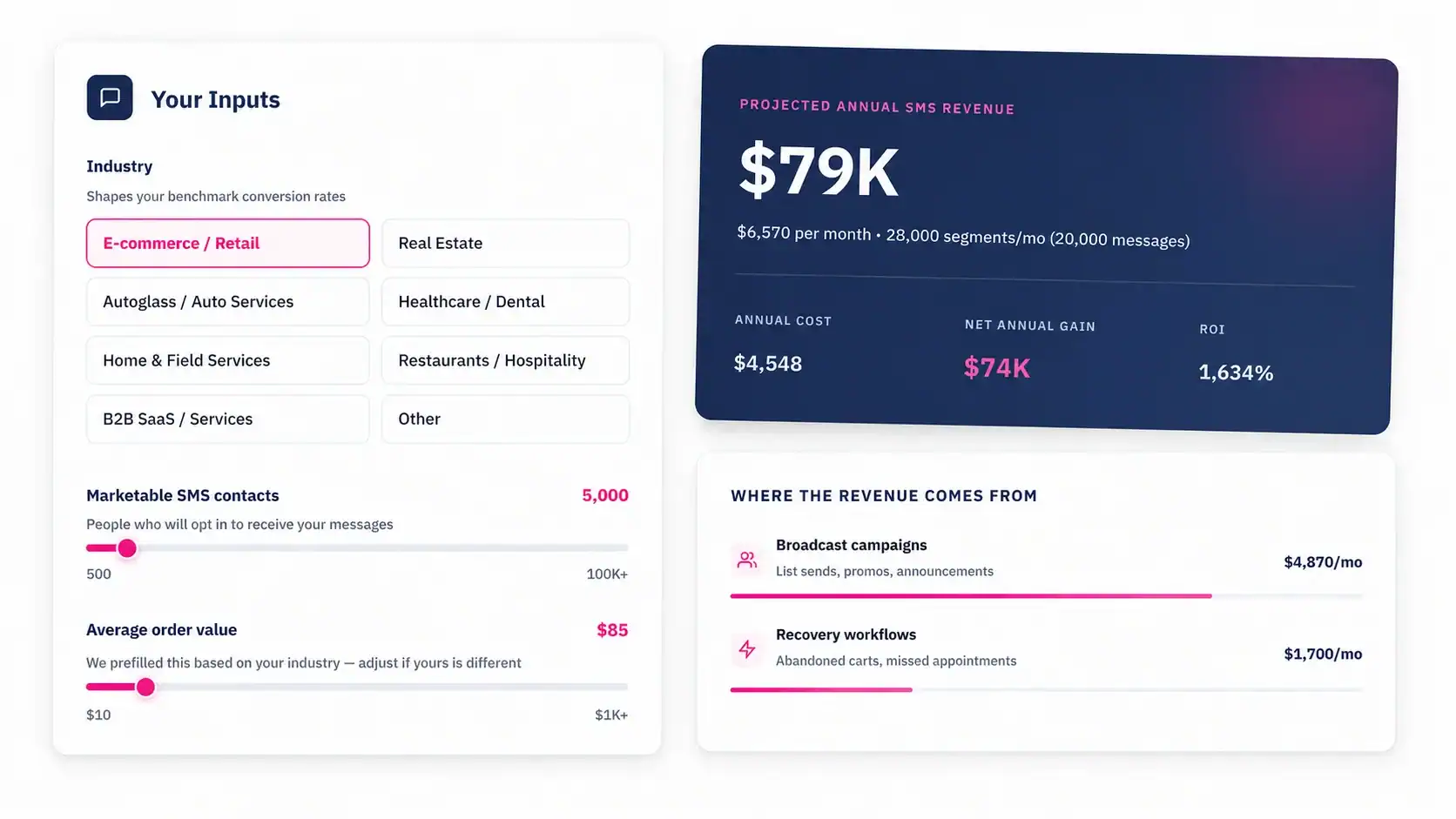
Book a Free Consultation