

If you’re looking to text from HubSpot Starter, you will soon hit a wall: With that plan, HubSpot won’t sell its own SMS tool. You can still text leads and customers from a Starter account. You just need another way.
Texting with HubSpot Starter means sending and receiving SMS from your HubSpot records via a third-party app from the HubSpot App Marketplace. HubSpot’s native Marketing SMS Add-On requires Marketing Hub Professional or Enterprise, so it’s not available for Starter accounts. A marketplace app has its own carrier delivery and writes all texts back to HubSpot.
Starter covers most of the day-to-day text messaging. Works. One-to-one texts. Sends to lists. Two-way replies on the contact timeline. The texts produced automatically within workflows need an upgrade, but the upgrade is less than you might think. Below, we’ve broken down what each HubSpot plan includes, how much it costs, and the mistakes that hold Starter teams back.
Can you text from HubSpot Starter? The short answer
Yes, through an SMS app from the HubSpot App Marketplace. HubSpot’s own SMS tool is off the table. HubSpot’s knowledge base says you need Marketing Hub Professional or Enterprise to buy the Marketing SMS Add-On. Starter isn’t on that list. In a December 2023 community AMA, HubSpot’s product team also said it had no plans to bring SMS to Starter.
Here’s how texting works on each HubSpot plan when you use an SMS app that supports all tiers:
| HubSpot plan | HubSpot’s native SMS add-on | One-to-one texts from records (app) | Sends to lists (app) | Texts inside workflows (app) |
|---|---|---|---|---|
| Free CRM | Not available | Yes | Yes | No |
| Starter | Not available | Yes | Yes | No |
| Professional | Marketing Hub Professional only | Yes | Yes | Yes |
| Enterprise | Marketing Hub Enterprise only | Yes | Yes | Yes |
The last column is according to HubSpot’s own tier rules for workflows, which are used in every SMS app. The middle columns are app dependent so check the application’s marketplace listing before installing.
Why HubSpot Starter can’t use HubSpot’s own SMS
HubSpot has native SMS as a paid add-on for Marketing Hub Professional and Enterprise. A Starter team would need to first upgrade the entire Marketing Hub and then purchase the add-on on top.
That jump is expensive. The add-on costs about $75 a month for 1,000 message segments, and Marketing Hub Professional starts around $890 a month, so native SMS starts near $965 a month before you send a single text. Our HubSpot SMS pricing breakdown walks through the segment math and extra fees.
The upgrade also leaves some limits in place. According to HubSpot’s SMS setup guide:
- Each account gets a single number for marketing SMS.
- You can send only from US-based numbers.
- Sole proprietors can’t use HubSpot SMS.
- 10DLC registration takes six to eight business days before you can send.
HubSpot also built the add-on for marketing. To get automated texts, contacts must be opted in and set as marketing contacts. That fits campaigns, but it’s a poor match for a sales rep following up on a quote or a support team updating a ticket. We cover the rest of the native add-on’s limits in our guide to HubSpot SMS marketing.
What you can text from HubSpot Starter with an SMS app
Starter does the bulk of your everyday texting with an SMS app. Inside of HubSpot, you can text one-on-one, text a list, have two way conversations, and manage opt-outs.
One-to-one texts from records
A rep opens a contact record, types a message in the app’s sidebar card and sends it. Good apps allow you to drop in HubSpot personalization tokens like first name or company and choose from saved templates. Emails and calls have a contact timeline next to them.
Sends to lists
You can text a HubSpot list for an event reminder, an offer, or a service update. Build the list on the filters you already use, such as lifecycle stage or last activity date. If you need help splitting your database, see our guide to building SMS segments in HubSpot.
Two-way replies
If a contact responds to the text, that response is added to their record in HubSpot, and the app’s inbox. Your team responds from there and the whole thread lives in HubSpot for whoever opens the record next.
Opt-out handling
A contact that replies STOP should automatically be removed from all future sends. Apps syncing opt-outs to a HubSpot contact property can filter on that contact property, preventing accidental texts to an opted-out contact.
What HubSpot Starter can’t automate
Starter can’t run texts as steps inside HubSpot workflows. HubSpot keeps its full workflows tool for Professional and Enterprise subscriptions, and its developer documentation lists Professional as the minimum tier for custom workflow actions. That’s the feature SMS apps use to add a “send text” step to a workflow.
Starter does include simple workflows on forms and marketing emails. In Marketing Hub Starter, you can add up to 10 actions to each simple workflow on a form, but you choose from a fixed list of HubSpot actions. Check that list before you plan an SMS step around it.
On Starter, these common workflow texts are out of reach:
- An instant text when someone submits a form
- A follow-up text when a deal sits in one stage for too long
- A status text when a support ticket changes
- A reminder sequence that sends at set times before an appointment
You can still send any of these messages by hand from a record or a list. You just can’t trigger them automatically from a HubSpot workflow.
Do you need Marketing Hub Professional to automate texts?
No.You only need to have a Professional tier subscription on the hub that owns the records you want to automate and that doesn’t have to be Marketing Hub.
| You want to automate texts from | Hub you need at Professional or higher |
|---|---|
| Contacts (lead response, nurture, reminders) | Marketing Hub, Sales Hub, or Service Hub |
| Deals (stage changes, stalled deals, closed won) | Sales Hub |
| Tickets (status updates, support follow-up) | Service Hub |
| Companies (updates to every associated contact) | Marketing Hub, Sales Hub, or Service Hub |
Sales Hub and Service Hub Professional are sold per seat, so for a small team you’ll often be paying much less than you would for Marketing Hub Professional. Before you make up your mind, check out HubSpot’s pricing page for the price of your actual seat count.
Message IQ is included in this model. One-to-one texts and list sends are available on any HubSpot plan, including Starter and free CRM. If you upgrade one hub to Professional, you’ll see the Message IQ action in that hub’s workflow builder, along with Send Email and Create Task. You never have to use HubSpot’s SMS add-on thanks to Message IQ’s own carrier delivery. See how the Message IQ HubSpot SMS integration works on each object.
Get Your Ultimate HubSpot Text Messaging Playbook for FREE
Discover how top HubSpot teams use SMS to boost engagement, close deals faster and streamline operations.
Instant download
Expert insights from certified HubSpot professionals
Ultimate Text Messaging Playbook
What to look for in an SMS app for HubSpot Starter
Use this checklist when you compare apps. Each point decides whether the app works on your plan today and still fits after you upgrade.
- Starter support. The marketplace listing shows which HubSpot plans the app works with. Skip any app that needs a Professional plan for basic texting.
- Texting from records. Reps can send and reply from the contact, deal, or ticket record without switching tabs.
- List sends. You can text a HubSpot list, not only one contact at a time.
- Reply logging. Every inbound reply writes to the contact timeline automatically.
- Opt-out sync. STOP replies update a HubSpot property you can filter on.
- Registration help. The vendor guides or handles 10DLC brand and campaign registration.
- Pricing model. You know whether you pay per user, per message, or per segment, and whether replies count.
- Workflow action for later. The app adds a native workflow step once you upgrade a hub, so you don’t switch tools.
Common mistakes when texting from HubSpot Starter
Upgrading Marketing Hub just to get SMS
Some teams jump straight to Marketing Hub Professional just to get the HubSpot add-on. If texting is your primary reason, an app on Starter will have you sending for a fraction of the cost. Upgrade Marketing Hub when you want its other features.
Planning automations Starter can’t run
Sometimes teams build a texting plan around form-fill triggers, only to find that Starter workflows can’t run them. Decide early on which texts you will send by hand and which will need automation. That split tells you if and which hub you should upgrade.
Texting without documented consent
The Telephone Consumer Protection Act (TCPA) requires consent before you send marketing texts, and the plan you’re on doesn’t change that. Record when and how each contact opted in. Our guide to TCPA consent language for SMS has wording you can adapt.
Skipping 10DLC registration
US carriers filter business texts from unregistered 10-digit numbers. Register your brand and campaign before your first send. Our A2P 10DLC registration guide covers what carriers ask for.
How to start texting from HubSpot Starter
- Decide what you need now. List the texts you plan to send. If they’re one-to-one or list sends, Starter is enough. If they need workflow triggers, note which hub you’d upgrade.
- Install an app that supports Starter. Check the marketplace listing for plan support, then connect your HubSpot portal.
- Register your brand and campaign. Submit your 10DLC details through the app. With Message IQ, your account is live within one business day, and carrier approval for your campaign typically takes about two weeks. You can set up templates and lists while you wait.
- Send your first texts. Start from a contact record or a small list of opted-in contacts. Our first-send walkthrough shows each screen.
- Add automation when it pays off. Once manual texting proves its value, upgrade the one hub you need to Professional and move your repeat texts into workflows.
FAQ
Does HubSpot Starter include SMS?
No. HubSpot’s Marketing SMS Add-On is only available with Marketing Hub Professional or Enterprise, so Starter accounts can’t buy it. You can add texting to Starter with a third-party SMS app from the HubSpot App Marketplace .
How much does it cost to text from HubSpot Starter?
HubSpot’s native route will require you to upgrade to Marketing Hub Professional, which starts at around $890 per month, plus around $75 per month for the SMS add-on. A SMS app is much cheaper. Message IQ starts at $49 a month for 1,000 messages with unlimited users, month to month, cancel anytime.
Can I automate texts on HubSpot Starter?
Not in HubSpot Workflows You need a Professional or Enterprise hub to use workflow automation and custom workflow actions. That hub doesn’t need to be Marketing Hub, because Sales Hub or Service Hub Professional also lets you automate texts within their workflows.
Can I text from HubSpot’s free CRM?
Yes, provided your SMS app supports free accounts. Message IQ is available for free CRM and all other HubSpot plans and allows 1:1 texts from records and sends to lists.
Do I need 10DLC registration to text from HubSpot Starter?
Yes. US carriers require brand and campaign registration for business texts from 10-digit numbers and filter out unregistered traffic. Message IQ walks you through registration during setup, and campaign approval typically takes about two weeks.
Can I text Canadian contacts from HubSpot Starter?
Yes, with an app that supports Canada. Message IQ sends and receives texts in both the US and Canada. It doesn’t support other countries today.
See how much revenue SMS could add to your HubSpot stack
Five inputs. Industry-backed benchmarks. Get your projected annual SMS revenue in under 30 seconds.
Calculate My SMS ROI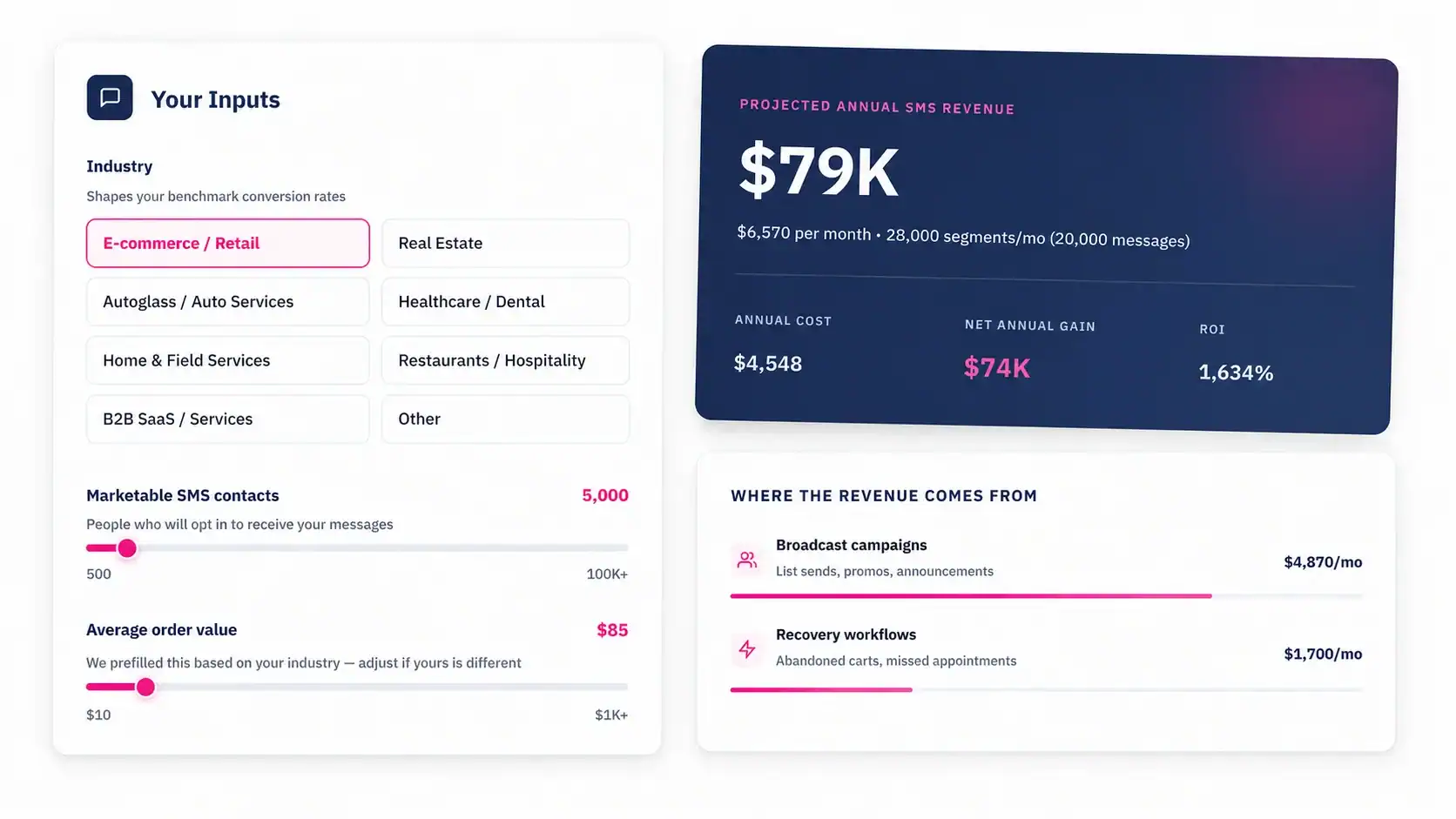
Start with what Starter can do today
You don’t have to change HubSpot plans to start texting. A Starter account with the right app covers one-to-one conversations, list sends, and two-way replies, and you can add workflow automation later on one hub. Message IQ starts at $49 a month, works on every HubSpot plan, and covers the US and Canada. Compare plans by message volume on our pricing page.