

HubSpot SMS pricing starts at $75 per month for 1,000 message segments through the native Marketing SMS Add-On. That add-on requires Marketing Hub Professional ($890/month) or Enterprise ($3,600/month), which puts the real floor at $965 per month before you send a single text. Your total cost is a stack: platform fee, messaging usage, number/registration costs, compliance overhead, and operations. The most accurate way to estimate budget is to model cost per qualified conversation and cost per booked meeting, not cost per message alone.

HubSpot SMS marketing software. Every text logged to the contact record.
Message IQ runs inside HubSpot, not next to it. Workflows trigger the send, replies land in the timeline, and your team never leaves the CRM.
- Free 15-minute strategy call, live demo inside your CRM
- 300+ SMS templates, instant download
- No pitch, no pressure
Plans from $49/mo. Setup and 10DLC registration handled for you.
Book a Free Demo
This guide is written as an operator-level pricing framework for B2B and growth teams implementing SMS with HubSpot. It uses current market pricing patterns and workflow economics, but exact vendor rates can change. Use this model to pressure-test options before procurement and final legal/compliance approval.
What HubSpot’s Native SMS Add-On Actually Costs
The Marketing SMS Add-On costs $75 per month and includes 1,000 message segments. Each additional block of 1,000 segments costs $15 per month. Unused segments do not roll over to the following month.
That $75 is not standalone. You need Marketing Hub Professional (starting at $890/month for 3 seats and 2,000 marketing contacts) or Marketing Hub Enterprise ($3,600/month for 5 seats and 10,000 marketing contacts) to purchase the add-on. HubSpot Starter plans are not eligible.
The practical cost floor for a team using HubSpot’s native SMS is $965 per month ($890 Marketing Hub Pro + $75 SMS add-on), before seats, contact overages, or onboarding fees. For a team sending 10,000 messages per month, the SMS portion alone costs $210 per month ($75 base + 9 additional 1,000-segment blocks at $15 each).
HubSpot’s native SMS runs on Twilio infrastructure. You do not need a separate Twilio account, but the pricing, carrier registration, and deliverability rules all flow through Twilio’s backend.
How HubSpot Counts Message Segments
HubSpot bills by message segment, not by message. Understanding segment math is the difference between an accurate budget forecast and a surprise overage.
A standard SMS using GSM characters (basic letters, numbers, and common punctuation) allows 160 characters per segment. Messages over 160 characters split into multiple segments: a 200-character message costs two segments, a 400-character message costs three.
Messages containing emojis, accented characters, or special symbols trigger Unicode encoding, which drops the limit to 70 characters per segment. A 140-character message with a single emoji costs two segments instead of one.
MMS messages (images, GIFs, or rich media) count as 3 to 5 segments each, depending on file size. Both outbound and inbound messages count against your monthly cap. A reply from a contact uses your allotment the same way a send does.
For a team sending 5 messages per contact to a list of 250 contacts, that is 1,250 segments burned in a single campaign send, exceeding the base 1,000-segment plan on day one.
What HubSpot’s Native SMS Cannot Do
HubSpot’s native SMS is built for marketing, not sales. Understanding the boundaries helps you decide whether the add-on fits your team or whether a third-party integration makes more sense.
The add-on is marketing-only. Sales reps cannot send texts from Sales Hub, deal records, or sales sequences. Contacts must be opted-in marketing contacts before you can text them, which means cold outreach and deal-stage follow-ups are off the table.
Each HubSpot account gets a single 10DLC phone number. Teams with multiple brands, regions or reps who need individual sender numbers cannot use the native tool for that.
SMS messages can only be sent from US-based phone numbers to +1 country codes (US and Canada). International messaging is not supported.
Two-way messaging exists but is limited. Inbound replies route to the Marketing Conversations inbox, not to individual sales reps. There is no shared team SMS inbox, no conversation routing by rep, and no SMS actions in sales workflows or deal-stage automation.
These limitations matter for pricing because they determine whether you will need a separate tool on top of the native add-on, which changes your total cost calculation.
10DLC Registration: Timeline and Cost
Before you send a single message from HubSpot, your business must complete A2P 10DLC registration. This is a carrier mandate, not optional.
Brand registration costs $4 for sole proprietors, but $40 to $90 for a standard business brand once vetting is included. Campaign registration adds a one-time vetting fee of roughly $15, plus a recurring monthly campaign fee of about $1.50 to $10 per month, depending on volume tier.
Brand registration typically costs $4 to $20 as a one-time fee. Campaign registration runs $10 to $25 per month per campaign. HubSpot handles the registration through Twilio, but the review is done by The Campaign Registry (TCR) and individual carriers.
Standard 10DLC registration takes 6 to 8 business days for approval. Short code registration (available only on Marketing Hub Enterprise with an additional add-on) takes 8 to 12 weeks. Sole proprietors cannot use the native SMS add-on.
Common rejection reasons include incomplete consent documentation, missing opt-out language in sample messages, forms that require SMS consent as mandatory (carriers require it to be optional), and missing privacy policy or SMS terms of service links. Carriers in 2026 reject more registrations than they did in prior years, so getting the submission right on the first attempt saves weeks of delay.
For a full walkthrough on registration requirements and common pitfalls, see our A2P 10DLC registration and compliance guide.
What Makes Up Your Total HubSpot SMS Cost?
Software subscription or platform base fee.
Message volume charges (outbound/inbound rates can differ).
Number costs (10DLC, toll-free, or short code setup and monthly maintenance).
Registration and compliance costs (A2P 10DLC brand and campaign approvals, carrier review cycles).
Implementation labor (workflows, QA, reporting, governance).
Optimization overhead (copy testing, segmentation, deliverability maintenance).
Pricing Components Table
| Cost Component | How It Is Charged | What Drives It Up | Optimization Lever |
| Platform fee | Monthly/annual subscription | Advanced automation, seats, support tiers | Negotiate annual terms + fit to required features |
| Message usage | Per message segment/event | Long copy, high send frequency, poor segmentation | Shorter copy, tighter segments, better send logic |
| Number + registration | One-time + recurring | Multiple brands/campaigns and high throughput needs | Choose right sender type for use case |
| Compliance operations | Internal and/or external labor | Weak consent systems, ad hoc campaigns | Standardize consent and review workflows |
| Integration maintenance | RevOps/ops hours | Complex branching and unclear ownership | Template architecture + owner accountability |
Third-Party HubSpot SMS Tools: Pricing Compared
Most teams evaluating HubSpot SMS pricing also compare third-party integrations. These tools connect to HubSpot via the App Marketplace and often include features the native add-on does not: two-way sales SMS, shared team inbox, per-rep numbers, and workflow actions on deal records.
| Tool | Starting Price | Pricing Model | Two-Way SMS | HubSpot Plan Required |
| HubSpot Native | $75/mo | 1,000 segments included; $15/1,000 extra | Marketing inbox only | Marketing Pro ($890/mo+) |
| MessageIQ | $49/mo | Per-message; no per-seat fees | Full two-way on contact records | Any HubSpot tier |
| Salesmsg | $25/mo | 500 credits; $10/mo per extra seat | Full two-way + calling | Any HubSpot tier |
| Sakari | $25/mo | ~823 segments; per-segment overage | Full two-way; 200+ countries | Any HubSpot tier |
| Aloware | $30/user/mo | Unlimited agent SMS; bulk at $0.015-0.02/seg | Full two-way + power dialer | Any HubSpot tier |
| Twilio (API) | Pay-as-you-go | $0.0079/segment + number fees | Full two-way (custom build) | Any (requires dev resources) |
The key difference: third-party tools do not require Marketing Hub Professional or Enterprise. A team on HubSpot Starter or even Free can add SMS through any of these integrations, which changes the total cost calculation significantly. For a deeper comparison, see our guide to the best SMS marketing software for HubSpot.
Three Budget Scenarios for HubSpot SMS (Illustrative)
The ranges below are planning examples to support procurement conversations, not vendor quotes.
| Scenario | Monthly Send Volume | Est. Total Monthly Budget | Best Fit |
| Lean pilot | 5,000-15,000 messages | $800-$2,500 | Small team validating lead response + reminders |
| Growth mode | 15,000-60,000 messages | $2,500-$8,000 | Scaling campaigns + sales follow-up |
| Multi-team scale | 60,000+ messages | $8,000-$25,000+ | Complex lifecycle automation and high throughput |
How to Model ROI Correctly
Teams often compare vendors on message price only. That is usually a mistake. The stronger model is outcome-first: cost per qualified conversation, cost per booked meeting, cost per opportunity influenced, and incremental pipeline velocity. A provider with a slightly higher message rate can still produce lower total CAC if reply quality and conversion flow are stronger.
| Metric | Formula | Why It Matters |
| Cost per qualified reply | Total SMS spend / qualified replies | Shows whether messaging attracts real intent |
| Cost per booked meeting | Total SMS spend / meetings booked from SMS | Directly ties spend to sales activity |
| Pipeline influence rate | Opportunities touched by SMS / total opportunities | Measures channel contribution to revenue motion |
| Time-to-first-response | Median minutes from lead event to first SMS touch | Strong predictor of conversion in inbound motions |
Add-Ons That Can Change Economics Fast
1. Advanced reporting or attribution packages that unlock cleaner revenue analysis.
2. Premium support/SLA plans for faster issue handling and launch confidence.
3. Compliance advisory services for teams in regulated verticals.
4. Dedicated onboarding or implementation packages that reduce time-to-value.
5. Extra integration connectors for wider RevOps ecosystems.
Get Your Ultimate HubSpot Text Messaging Playbook for FREE
Discover how top HubSpot teams use SMS to boost engagement, close deals faster and streamline operations.
Instant download
Expert insights from certified HubSpot professionals
Ultimate Text Messaging Playbook

Common Hidden Costs (and How to Avoid Them)
| Hidden Cost Risk | How It Shows Up | Prevention |
| Uncontrolled send growth | Message spend spikes with no conversion lift | Set segment caps and send-frequency governance |
| Segment math surprises | Emojis, long messages, and MMS inflate segment count beyond forecast | Character-count policy per template; preview segment count before send |
| Inbound reply cap drain | Replies from contacts count against your 1,000-segment monthly limit | Factor 15-25% inbound volume into segment budget; consider third-party tools without inbound caps |
| Poor consent data quality | Suppression errors and legal/compliance exposure | Mandatory consent source + timestamp fields |
| No template governance | Inconsistent copy and lower deliverability | Approved template library with QA checkpoints |
| Attribution blind spots | Leadership sees SMS as expense, not revenue lever | Define attribution model before launch |
| Workflow sprawl | Maintenance burden and duplicate sends | Workflow naming standard + owner per automation |
Negotiation Checklist for Procurement
Confirm what is included in base license vs paid add-ons.
Ask for message billing detail (segment counting logic, inbound/outbound treatment, MMS multiplier, overages).
Request implementation scope and timeline in writing.
Clarify support SLA and escalation path for deliverability incidents.
Confirm data portability and reporting export capabilities.
Document compliance responsibilities: what provider handles vs what your team handles.
Ask for benchmark case studies in similar GTM model and volume band.
Verify whether inbound replies count against your monthly segment cap.
Confirm 10DLC registration timeline and whether the vendor handles the submission.
Decision Framework: Which Option Fits Your Team?
| If your priority is… | Choose this approach first | Reason |
| Fast launch | Higher enablement + onboarding support | Cuts setup errors and reduces time-to-value |
| Lowest cost | Lean plan with strict send governance | Prevents waste while validating channel economics |
| Revenue impact | Attribution-first configuration | Lets you prove pipeline influence quickly |
| Compliance confidence | Strong policy workflow + legal review cadence | Reduces policy and carrier risk |
| Sales + marketing SMS | Third-party tool with two-way SMS on all HubSpot objects | Native add-on is marketing-only; sales teams need a separate solution |
Pricing Model Walkthrough: From Message Cost to Revenue Outcome
A practical way to model pricing is to build three layers: unit economics, workflow economics, and pipeline economics. At the unit level, estimate total monthly message cost (outbound plus inbound). At the workflow level, estimate expected qualified reply and meeting conversion rates. At the pipeline level, estimate opportunity creation and close-rate influence from SMS-assisted journeys. This layered approach prevents under-budgeting and helps finance evaluate real channel efficiency.
Sample Financial Model Inputs (Template)
| Input | Example Value | Why It Matters | Owner |
| Monthly outbound messages | 25,000 | Base usage driver | Marketing Ops |
| Average cost per message segment | (provider-specific) | Primary variable spend component | Finance + Ops |
| Reply rate | 10-25% by use case | Signals engagement quality | RevOps |
| Qualified reply rate | 30-60% of replies | Separates real intent from noise | Sales Ops |
| Meeting conversion from qualified replies | 20-45% | Core ROI bridge metric | Revenue Leadership |
| Average deal value influenced | Business-specific | Connects SMS to pipeline impact | Finance + RevOps |
Cost-Control Tactics That Usually Work
Eliminate low-intent sends by tightening enrollment criteria.
Use short, direct copy to reduce unnecessary message segmentation (keep messages under 160 characters to stay in a single segment).
Set automated frequency caps by lifecycle stage.
Pause underperforming workflows quickly using weekly KPI thresholds.
Move one-off manual campaigns into governed templates with owner sign-off.
Segment by intent score so sales-style copy is not sent to cold audiences.
Avoid emojis and special characters in high-volume sends to prevent Unicode encoding, which cuts character limits from 160 to 70 per segment.
Procurement Red Flags
1. No clarity on what happens when message segment overages occur.
2. No clear statement of implementation scope and post-launch support.
3. No documented compliance ownership model (who handles 10DLC registration, consent audits, and carrier disputes).
4. No export-friendly reporting or limited attribution visibility.
5. No references in your industry or similar GTM motion.
6. Marketing-only SMS with no path to sales texting, forcing a second tool purchase later.
7. No clear explanation of how inbound replies are counted and billed.
Scenario Planning: Conservative, Expected, and Aggressive Cases
To avoid budget surprises, build three planning scenarios before committing to annual terms. In a conservative case, assume modest reply rates and slower team adoption. In an expected case, use realistic conversion rates based on your current sales process quality. In an aggressive case, model stronger automation maturity and improved speed-to-lead. The goal is not to guess perfectly. The goal is to create decision confidence by understanding how sensitive ROI is to reply quality, meeting conversion, and message frequency.
When leadership reviews these scenarios, the right question is: which assumptions are controllable? Usually, you can control segmentation quality, workflow timing, and copy relevance much more than raw message rates. That means your operations discipline can shift total channel economics materially even if base vendor pricing stays fixed.
Frequently Asked Questions
How much does HubSpot SMS cost per month?
The Marketing SMS Add-On costs $75 per month for 1,000 message segments. Additional blocks of 1,000 segments cost $15 per month each. The add-on requires Marketing Hub Professional (starting at $890/month) or Enterprise ($3,600/month), so the minimum total cost is $965 per month.
What is a message segment in HubSpot SMS?
A message segment is HubSpot’s billing unit. Standard SMS messages allow 160 characters per segment. Messages with emojis or special characters use Unicode encoding, which drops the limit to 70 characters per segment. MMS messages (images, rich media) count as 3 to 5 segments each. Both outbound sends and inbound replies count against your monthly allotment.
Is there a universal HubSpot SMS price?
No. Pricing depends on provider model, message volume, sender type, compliance setup, and support requirements.
What budget should a new team start with?
A lean pilot often starts in a controlled monthly range with one or two high-intent workflows and strict governance.
Does cheaper per-message pricing always win?
Not necessarily. If conversion rates are lower, the total cost per meeting or opportunity can be worse.
Can I use HubSpot SMS for sales outreach?
No. The native Marketing SMS Add-On is designed for marketing communications only. Sales reps cannot send texts from Sales Hub, deal records, or sales sequences. For sales SMS inside HubSpot, teams use a third-party integration like MessageIQ, Salesmsg, or Aloware that supports two-way texting on all HubSpot objects.
What should finance ask before approving?
Ask for outcome model, not just vendor rate card: expected qualified replies, meetings, and pipeline influence.
How often should we revisit pricing?
Review monthly during first quarter, then quarterly once usage and conversion patterns stabilize.
What add-on creates biggest ROI upside?
Attribution and reporting maturity usually creates the fastest leadership buy-in and optimization speed.
Can we reduce cost without hurting results?
Yes: tighten segmentation, improve copy relevance, remove redundant workflow sends, and enforce frequency controls.
Should legal/compliance be involved in pricing discussions?
Yes, because policy requirements directly affect sender choices, registration effort, and operational overhead.
How much does A2P 10DLC registration cost?
Brand registration is $4 for sole proprietors but runs $40 to $90 for a standard business once vetting is included. Campaign registration adds a one-time vetting fee of roughly $15, plus a recurring monthly fee of about $1.50 to $10 depending on volume tier. These are carrier and Campaign Registry fees, separate from whatever SMS platform you use.
Final Recommendation for Buyers
Choose your HubSpot SMS pricing option based on operational fit first, then optimize cost. The cheapest-looking package is rarely the most efficient if it slows implementation, weakens reporting, or limits reply routing and governance. Start with the actual numbers: $75 per month plus the Marketing Hub requirement for native SMS, or $25 to $30 per month for a third-party tool that works on any HubSpot tier. A better buying strategy is to secure clean deployment, measurable outcomes, and clear ownership from day one. That is what consistently drives lower cost per qualified conversation over time.
For a side-by-side look at the native add-on vs third-party options, see our full HubSpot SMS marketing guide. To estimate the revenue impact of adding SMS to your HubSpot stack, try the Message IQ ROI calculator.
See how much revenue SMS could add to your HubSpot stack
Five inputs. Industry-backed benchmarks. Get your projected annual SMS revenue in under 30 seconds.
Calculate My SMS ROI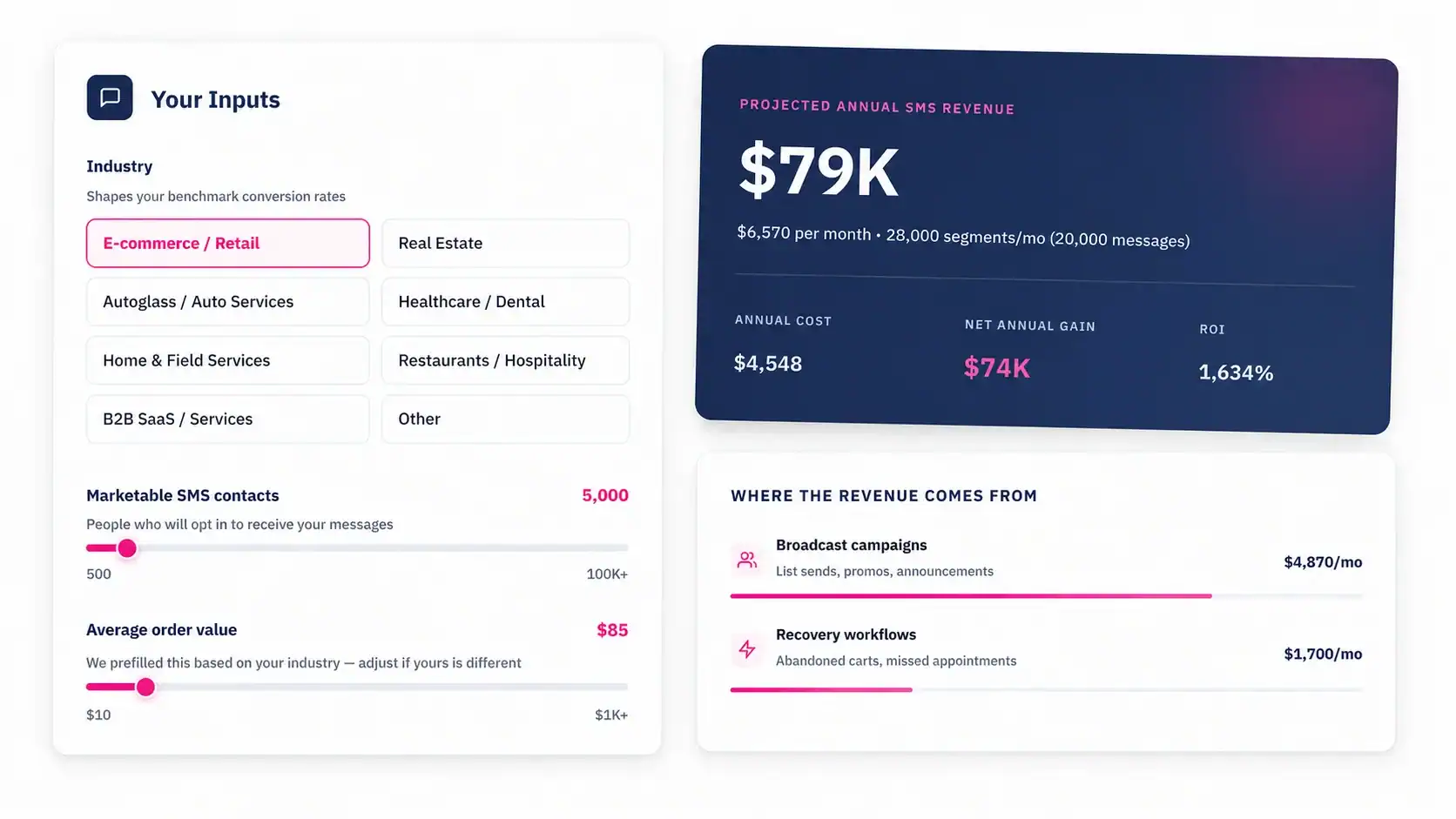
Talk to an Expert