
Building an SMS marketing strategy that people actually want to receive
An SMS marketing strategy is the plan behind every text you send: who gets it, why, when, and what happens after they reply. Get it right and text messages become the highest-engagement channel in your stack.
Get it wrong and you train subscribers to hit STOP. This guide walks through the 7 steps that make up a working SMS strategy, with real message examples for each stage of the customer journey.
This is for marketers who already run HubSpot and want SMS to work the way email does: triggered by workflows, logged on the contact record, and measured against real numbers instead of gut feel.
If you’re deciding whether to add SMS at all, the short version is this: SMS open rates regularly clear 90%, and most of that happens within three minutes of send.
Most HubSpot teams can go from zero to a live, automated SMS campaign in about a week once the plan is in place.
What you’ll need before you start
- A HubSpot account with contact properties and lists (Marketing Hub Starter or higher covers the basics; Workflows for SMS automation require Marketing Hub Professional or Enterprise)
- A two-way SMS platform connected to HubSpot, like Message IQ, with its own dedicated number
- A documented opt-in method for every list you plan to text (checkout checkbox, keyword opt-in, form field, or verbal consent recorded in HubSpot)
- At least one segmented list or Active List you can target with a first campaign
The 7-step SMS marketing strategy framework
Each step below builds on the last. Skipping the early ones (goals, consent, segmentation) is why most SMS programs stall out at “we sent a few texts” instead of becoming a real channel.
Step 1: Define what SMS is actually for in your funnel
Decide the 2-3 jobs SMS will do before you write a single message. Common jobs: cutting no-show rates with reminders, recovering abandoned carts, and speeding up sales follow-up. Trying to make SMS do everything at once (promotions, support, reminders, surveys) is the fastest way to fatigue a list.
Set a target metric per job. For reminders, that’s show-rate. For abandoned cart, that’s recovered revenue. For promotions, that’s click-through to a trackable link. Write the target down; it’s what you’ll check in Step 7.
Step 2: Build a consent-first opt-in list
SMS runs on stricter consent rules than email. Under TCPA, you need express written consent before sending marketing texts, and every message needs a clear path to opt out (STOP, UNSUBSCRIBE, CANCEL, or QUIT).
- Add an unchecked SMS opt-in checkbox to forms, separate from email opt-in
- Confirm every new subscriber with a welcome text that restates what they signed up for and how to opt out
- Store consent on the HubSpot contact record, not in a spreadsheet, so workflows can check it before sending
Step 3: Segment before you automate anything
A blanket SMS blast to your whole database is the strategy equivalent of no strategy. Segment by lifecycle stage first (lead, customer, VIP), then by behavior (recent purchase, abandoned checkout, upcoming appointment). HubSpot Active Lists built from workflow enrollment criteria keep these segments current without manual list-building.
Step 4: Map SMS onto the moments that matter
Not every touchpoint deserves a text. Match each use case to the moment it fits, and use email for anything that needs more room to explain itself.
| Moment | Best channel | Why |
| Appointment in 24 hours | SMS | High urgency, needs to be seen fast |
| Cart abandoned in last hour | SMS | Short recovery window, direct CTA |
| Product launch story or guide | Needs visuals and longer copy | |
| Flash sale (2-6 hour window) | SMS | Speed beats depth |
| Order shipped notification | SMS | Simple, transactional, wanted in the moment |
Step 5: Write templates before you need them
Draft a short template for each use case in Step 4 so you’re not writing from scratch under deadline. Keep each one under 160 characters where possible, lead with the reason for the text, and put the action in the first sentence, not the last.
Step 6: Automate it in HubSpot workflows
Once a template and segment exist, wire it into a workflow so it fires without manual sending.
- Go to Automation → Workflows → Create workflow, and set the enrollment trigger (list membership, deal stage, or date property like appointment_date)
- Click the + inside the workflow and search for the Message IQ action
- Fill in the Message IQ action fields: Message Name, From Phone (your IQ Number), To Phone (the contact’s mobile property) and Message Body, using HubSpot personalization tokens for the contact’s first name and any relevant deal or appointment details
- Add a delay or time-based branch if the message should fire relative to an event, like 2 hours before an appointment
- Turn the workflow on and enroll a test contact with your own number to confirm delivery before opening it to real contacts

Step 7: Track it against the target from Step 1
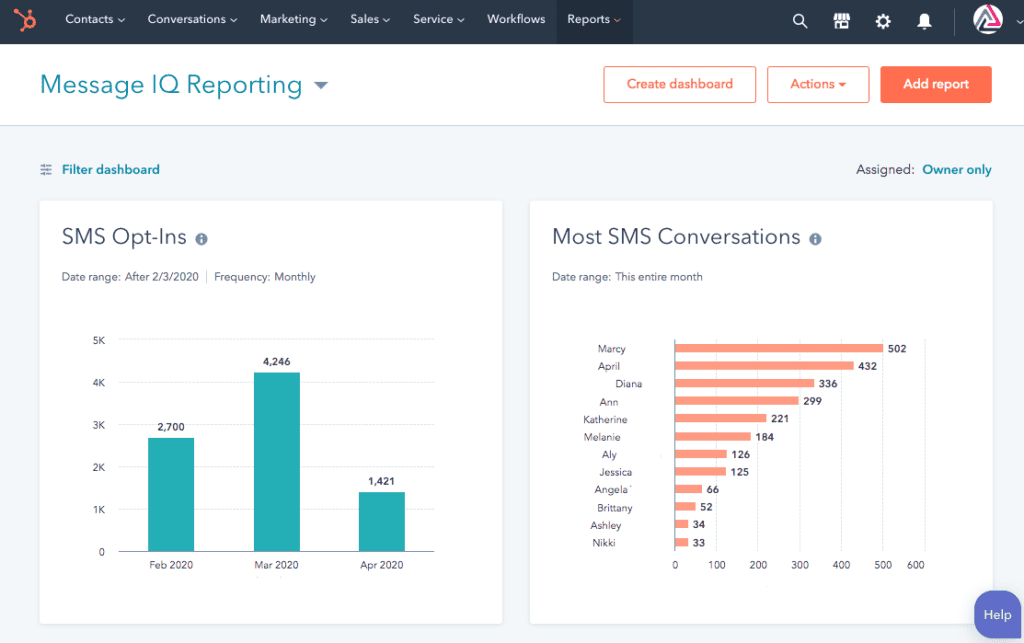
Pull the metric you set in Step 1 weekly for the first month. In HubSpot, two-way conversations and delivery status log directly to the contact record and the Message IQ CRM card, so you can see reply rates without exporting anything.
- Delivery rate: did the carrier accept the message?
- Reply rate: for two-way flows, how many contacts responded?
- Conversion metric: show-rate, recovered cart revenue, or click-through, matched to the job from Step 1
- Opt-out rate: rising opt-outs usually mean frequency or relevance problems, not a channel problem
Real SMS marketing examples by use case
Here’s what a working message looks like for five of the most common jobs from Step 4.
Welcome / opt-in confirmation
“Hi Maya, you’re subscribed to [Brand] text alerts. Expect 2-4 texts a month on deals and order updates. Reply STOP anytime to opt out.”
Appointment reminder
“Reminder: your appointment with [Business] is tomorrow at 2:00 PM. Reply C to confirm or R to reschedule.”
Abandoned cart
“Hey Sam, you left [Product] in your cart. It’s still there, and it’s 10% off for the next 2 hours: [trackable link]”
Flash sale
“Flash sale, 3 hours only: 25% off sitewide with code TEXT25. Shop now: [trackable link]”
Loyalty / re-engagement
“You’ve earned 200 points, [Brand]! That’s enough for $10 off your next order. Redeem before it expires Friday: [trackable link]”
Get Your Ultimate HubSpot Text Messaging Playbook for FREE
Discover how top HubSpot teams use SMS to boost engagement, close deals faster and streamline operations.
Instant download
Expert insights from certified HubSpot professionals
Ultimate Text Messaging Playbook
Common problems that stall an SMS strategy
Problem: Workflow isn’t enrolling contacts.
Fix: Check that the enrollment trigger property is populated on the contact record; a blank appointment_date or missing list membership is the most common cause.
Problem: Messages show as sent but never arrive.
Fix: Confirm 10DLC registration is complete and approved; unregistered numbers get filtered or delayed by carriers.
Problem: Opt-out rate climbs after the first few sends.
Fix: Check frequency against the target you set in Step 1. Two unrelated promotions in the same week is a common trigger.
Problem: Reply rate is near zero on a two-way flow.
Fix: Confirm the number is provisioned for two-way messaging and that replies are routed to the Conversations tab, not silently dropped.
Problem: Personalization tokens show up blank in the sent message.
Fix: The underlying HubSpot property is empty for that contact; add a fallback value or a branch that skips SMS when the field is missing.
A few things worth doing from day one
- Send your first message to yourself before it goes to a real list
- Keep promotional and transactional messages on separate cadences so a sale doesn’t crowd out a reminder
- Review opt-out rate monthly, not just delivery rate
- Reuse working templates instead of rewriting copy for every campaign
Frequently asked questions
Is SMS marketing more effective than email?
They’re not competing for the same job. SMS wins on speed and open rate for time-sensitive messages like reminders and flash sales; email wins on space for anything that needs images, longer copy, or multiple links.
How often should I send marketing texts?
Most brands stay in the 2-4 messages per month range for promotional SMS, separate from transactional texts like order updates or reminders. Watch opt-out rate as your real signal instead of following a fixed number.
Do I need a separate opt-in for SMS if someone already opted into email?
Yes. Email and SMS consent are tracked separately under most regulations, including TCPA. A contact opting into email does not grant permission to text them.
What’s the difference between a short code and a long code for SMS marketing?
Short codes are 5-6 digit numbers built for high-volume blasts; long codes are standard 10-digit numbers, now registered under 10DLC, and better suited to two-way conversations and workflow-triggered messages.
Can I run SMS marketing directly from HubSpot workflows?
Yes, with a connected SMS provider that adds a native workflow action. Message IQ adds itself as an action inside HubSpot Workflows, so SMS sends the same way an email step does, with the same enrollment triggers and personalization tokens.
How do I measure ROI on an SMS marketing strategy?
Match the metric to the job: recovered revenue for abandoned cart flows, show-rate for reminders, and click-through on trackable links for promotions. Pull these from the contact record or CRM card rather than treating messages sent as the success metric.
See how much revenue SMS could add to your HubSpot stack
Five inputs. Industry-backed benchmarks. Get your projected annual SMS revenue in under 30 seconds.
Calculate My SMS ROI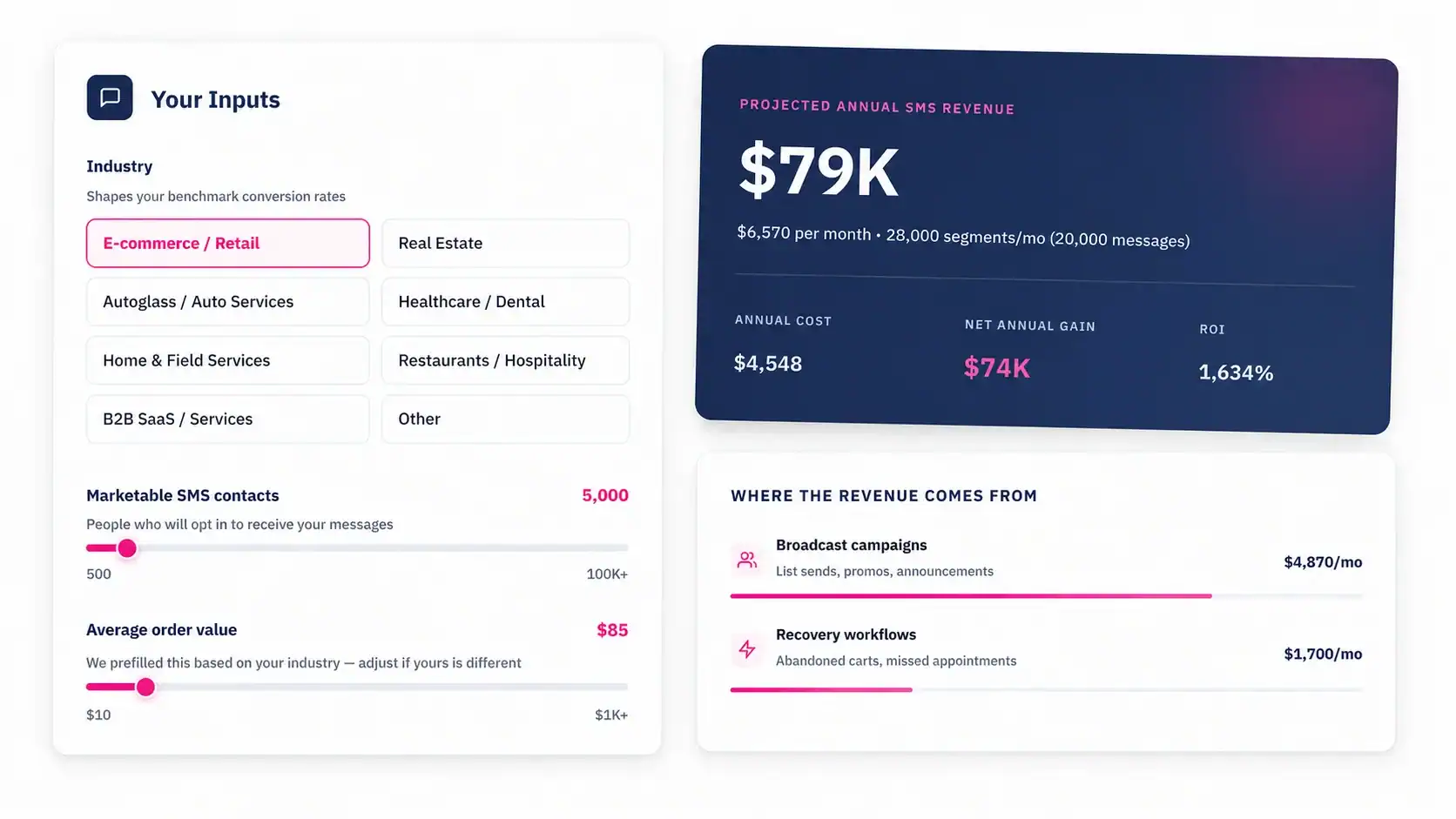
Putting the strategy to work
A strategy only matters once it’s running inside the tools your team already uses. Message IQ adds two-way SMS as a native action in HubSpot Workflows, so the steps above map directly onto the workflow builder you already know, with conversations, opt-outs, and replies logged straight to the contact record. It’s available in the US and Canada, starts at $49/month with no long-term contract, and comes with a 30-day money-back guarantee.
See how the setup works on the SMS for HubSpot page, or check pricing to find the plan that fits your list size.