

98% of SMS messages get opened – compared to roughly 20% for email. That single number explains why more B2B teams are replacing email-only follow-up sequences with SMS, and why companies running HubSpot are looking for a way to trigger texts directly from their CRM workflows. This guide covers how SMS marketing works in 2026, what separates high-performing programs from spray-and-pray blasting, and how tools like Message IQ make it possible to run TCPA-compliant, two-way SMS from inside HubSpot without duct-taping together a third-party platform.
What Is SMS Marketing?
SMS marketing is the practice of sending text messages to opted-in contacts to promote products, drive action, or maintain a customer relationship. Unlike email, SMS arrives directly in the default messaging app on a person’s phone, without an algorithm or spam folder between the sender and the recipient. For B2B teams, that directness is the whole point.
Why SMS Marketing Works in 2026
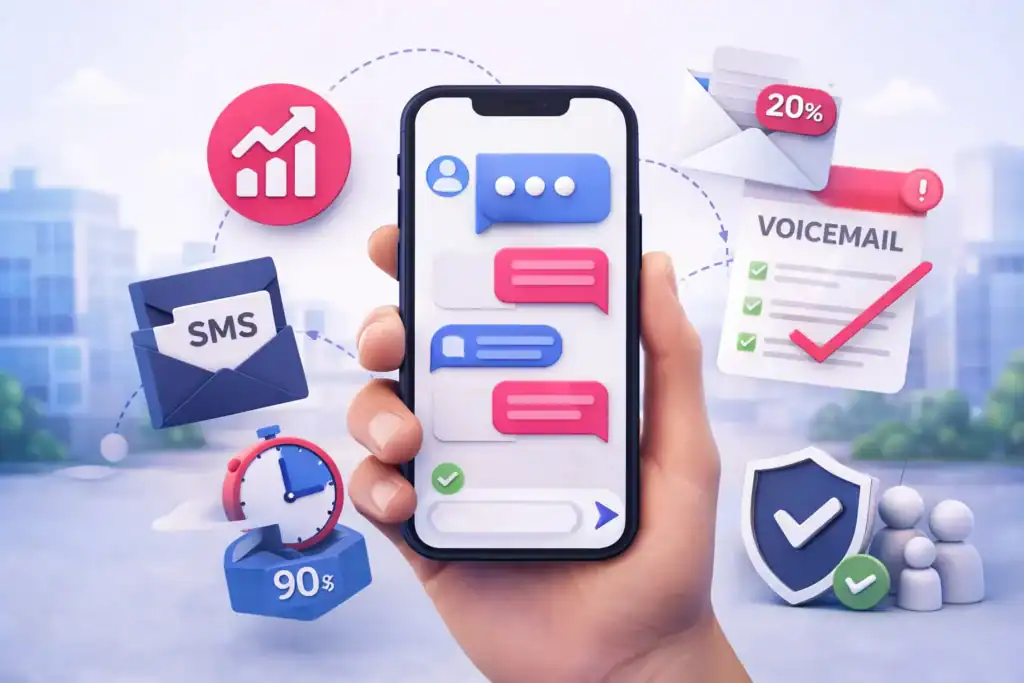
The case for SMS isn’t complicated. Where email competes with hundreds of other messages in an inbox, a text arrives with a vibration and a lock-screen notification. Response times average around 90 seconds. That speed matters for sales follow-up, appointment reminders, and deal-stage nudges where timing is everything.
Three reasons B2B teams are leaning into SMS in 2026:
- Speed-to-lead: Studies consistently show that the first responder wins. A rep who follows up a demo request with an SMS within 90 seconds has a dramatically higher connect rate than one who waits for email to be read hours later.
- Inbox fatigue is real: Decision-makers receive dozens of marketing emails daily. SMS cuts through because it’s a different physical experience – a buzz on the phone rather than another item in a tab they may never open.
- CRM integration is table stakes now: Platforms built by actual HubSpot experts (like Message IQ, built by Integrate IQ – HubSpot Diamond Solutions Partners) trigger SMS natively from HubSpot workflows. That means SMS isn’t a separate channel to manage – it lives inside the same enrollment logic you already use for email.
The Core Types of SMS Marketing Campaigns
Not all SMS messages serve the same purpose. Running a coherent SMS strategy means knowing which type of message to send at each stage of the buyer journey.
Promotional SMS
These are campaign-style messages sent to a list segment to promote an offer, event, or product launch. For B2B companies, promotional SMS might look like a webinar invite, a pricing announcement, or a seasonal offer to a defined contact list.
Keep promotional SMS tight: clear offer, one link, one call to action.
Transactional SMS
Transactional messages are triggered by a contact’s own behavior. An appointment confirmation, a meeting reminder, a document-signed notification – these messages don’t require creative copywriting, but they do require reliable CRM integration to fire accurately.
Conversational / Two-Way SMS
This is where B2B SMS diverges from B2C blast marketing. Two-way SMS means the contact can reply and get a real response – from a human or from a smart workflow branch – rather than sending into a void. Message IQ’s shared team inbox routes incoming replies to the right sales or support rep, so conversations don’t fall through the cracks.
Every Message IQ conversation is two-way by default. That’s not a feature to toggle on – it’s how the platform works.
How to Build an SMS Marketing Strategy That Actually Converts
A working SMS program has six components. Skip one and the whole system leaks.
1. Define Your Audience Segments
SMS without segmentation is SMS that gets ignored or opted out of. Before you send a single message, map your HubSpot contact properties to the conversations that make sense for each segment. A cold MQL from a paid ad campaign needs a different first touch than a warm contact who attended a demo.
For HubSpot users, segmenting your contact lists in HubSpot before building SMS workflows is the right starting point.
2. Choose the Right Number Type
Your sending number affects deliverability, throughput, and trust. The three options:
- 10-DLC long code: A standard 10-digit phone number registered with carriers under the A2P (application-to-person) messaging framework. Best for most B2B use cases – conversational, two-way, and personalized at scale.
- Toll-free number: Faster to set up but has lower throughput. Good for transactional messages.
- Short code: 5-6 digit numbers with high throughput, used for high-volume promotional campaigns. More expensive and slower to provision.
For most B2B teams using HubSpot, a registered 10-DLC long code is the right starting point.
3. Collect Opt-Ins Properly
TCPA requires written consent before sending any marketing SMS. That means you need a documented record that the contact explicitly agreed to receive texts from your business – not a box buried in a privacy policy, but a clear, specific opt-in at a form, checkout, or point-of-sale. More on this in the compliance section below.
4. Write Messages That Get Replies, Not Opt-Outs
The best SMS marketing guide on earth won’t save you if your copy reads like a broadcast alert. A few rules that actually work:
- Lead with the person’s name and something relevant to their situation
- One message, one point – don’t bundle three CTAs into 160 characters
- Give them something to respond to. A question works better than a command.
- Send during business hours for B2B: 9 AM to 5 PM in the recipient’s time zone
5. Automate With CRM Triggers, Not Manual Sends
Manual SMS blasts are inefficient and don’t scale. The right approach is connecting SMS sends to enrollment triggers in your CRM – so a new lead fills out a form and gets a text within 90 seconds, automatically, without a rep lifting a finger. That’s the kind of automation HubSpot SMS integration makes possible.
6. Measure What Matters
Track these four metrics first, before adding anything else:
- Delivery rate: Are your messages getting to the carrier? A low delivery rate usually signals a 10DLC registration problem or carrier filtering.
- Reply rate: For two-way SMS, this is the primary engagement signal.
- Opt-out rate: Above 3% means you’re sending too often or to the wrong segments.
- Conversion rate per workflow: Which triggered SMS sequences are actually producing pipeline or revenue?
SMS vs. Email: Choosing the Right Channel
Both channels belong in a B2B marketing stack. The question isn’t which one to use – it’s which one to use when.
| Scenario | Best Channel | Why |
| Speed-to-lead follow-up (< 5 min) | SMS | 98% open rate, ~90 second response time |
| Long-form nurture content | More space for context, links, and assets | |
| Appointment reminder (24 hrs out) | SMS | Higher confirmation rates, instant read |
| Detailed proposal or contract follow-up | Document attachment + audit trail | |
| Re-engaging a cold deal | SMS | Pattern interruption, gets a response when email doesn’t |
| Monthly newsletter | Low urgency, content-heavy format |
For a deeper breakdown, see SMS vs. email for B2B marketing.
Get Your Ultimate HubSpot Text Messaging Playbook for FREE
Discover how top HubSpot teams use SMS to boost engagement, close deals faster and streamline operations.
Instant download
Expert insights from certified HubSpot professionals
Ultimate Text Messaging Playbook
How to Set Up SMS Marketing Automation in HubSpot
This is where Message IQ is different from generic SMS tools: it lives inside HubSpot as a native workflow action. You don’t need a Zap, a webhook, or a developer. You build the SMS step directly in the HubSpot workflow editor the same way you’d add an email step.
Here’s how a standard speed-to-lead SMS workflow runs:
- Enrollment trigger: Contact submits “Request a Demo” form on your website
- Action: Message IQ sends SMS via HubSpot workflow action – “Hi {{first_name}}, thanks for your interest in [Product]. Can I show you how it works in your HubSpot in 15 minutes?”
- Delay: Wait 2 minutes
- Branch logic: If contact replied → assign to sales rep and create a HubSpot task | If no reply → wait 24 hours, send follow-up SMS
- Follow-up action: “{{first_name}}, still want that quick walk-through? Pick a time here: [link] – {{rep_name}}”
A HubSpot admin can build this workflow in under 20 minutes. The SMS sends trigger from the same contact record, reply history appears inside the HubSpot contact timeline, and the shared team inbox catches incoming responses before they go cold.
For a full walkthrough of building HubSpot SMS workflows, see SMS automation in HubSpot.
SMS Marketing Templates for B2B Teams
Copy-paste these into your workflows. Adjust the merge tags to match your HubSpot contact properties.
Use case: Speed-to-lead (demo request)
“Hi {{first_name}}, this is {{rep_name}} from {{company}}. Saw you requested a demo – I can walk you through everything in 15 minutes. Does tomorrow work? Reply with a time or book here: [link]” (178 chars)
Use case: Re-engage a cold deal
“{{first_name}}, checking back in on [Product]. Things may have shifted since we last spoke – happy to give you a quick update on what’s new. Worth a 10-minute call this week? – {{rep_name}}” (191 chars)
Use case: Appointment reminder (sent 24 hours before)
“Hi {{first_name}}, just a reminder about your call with {{rep_name}} tomorrow at {{meeting_time}}. Reply CONFIRM to keep it or RESCHEDULE if you need a new time.” (162 chars)
Use case: Post-event or webinar follow-up
“{{first_name}}, great having you at [Event] today. Here’s the resource we mentioned: [link]. Any questions, just reply – I’m watching this thread. – {{rep_name}}” (162 chars)
For more ready-to-use copy, see our full library of SMS templates.
TCPA Compliance and 10DLC Registration: What B2B Teams Need to Know
Skipping compliance isn’t a calculated risk – it’s a $500 to $1,500 fine per message, plus the possibility of carrier blocking that kills your deliverability overnight.
Written Consent Is Non-Negotiable
The Telephone Consumer Protection Act requires that any person you text for marketing purposes has given prior express written consent. For B2B, that typically means a form field at opt-in that clearly states they’re agreeing to receive SMS from your business, with a description of message frequency and a statement that message and data rates may apply.
“Checking this box” buried in a privacy policy doesn’t count. Your opt-in language needs to be specific and standalone. For compliant opt-in copy, see TCPA consent language for SMS.
Opt-Out Handling
Every SMS program must honor STOP commands within 10 business days – and ideally instantly. Message IQ’s built-in opt-out management handles this automatically: when a contact replies STOP, they’re removed from future sends and the opt-out is logged on their HubSpot contact record.
10DLC Registration
If you’re sending business SMS from a 10-digit long code number, you need to register your brand and your messaging campaigns with The Campaign Registry (TCR) under the A2P 10DLC framework. Unregistered traffic gets filtered by carriers, and that filtering has gotten more aggressive in 2026.
For the full step-by-step on registration, see A2P 10DLC brand registration.
Message IQ guides new accounts through registration as part of onboarding, so you’re not navigating carrier requirements alone.
Common SMS Marketing Mistakes (and How to Avoid Them)

Even well-intentioned SMS programs fail for the same repeatable reasons.
Sending without confirmed opt-ins. This is the fastest way to get carrier-flagged and face TCPA liability. Document every opt-in, every time.
Treating SMS like email. Email tolerates length, context, and multiple CTAs. SMS doesn’t. One message, one purpose.
Sending at wrong times. For B2B, texting a prospect at 7 PM on Friday is noise. Stay inside business hours unless you’re sending an urgent transactional message they’re expecting.
No two-way capability. If you’re sending SMS that contacts can’t reply to, you’re broadcasting into a void. Replies are the signal. Reply data tells you who’s warm, who wants to talk, and who to deprioritize.
Building SMS in a silo. A separate SMS tool that doesn’t talk to your CRM means duplicate work, disconnected contact timelines, and no way to credit SMS for pipeline. Keep SMS inside HubSpot where it belongs.
FAQ: SMS Marketing in 2026
What is SMS marketing and how does it work?
SMS marketing is the practice of sending text messages to opted-in contacts to promote products, deliver reminders, or maintain customer relationships. Messages are sent from a business phone number (typically a 10-DLC long code or short code) through an SMS platform that connects to your CRM. Recipients receive messages in their default phone messaging app and can reply directly if two-way messaging is enabled.
Is SMS marketing effective for B2B companies?
Yes, particularly for speed-to-lead follow-up, appointment confirmation, and deal re-engagement. 98% of SMS messages are opened vs roughly 20% for email – which is why SMS follow-ups convert faster. The key difference for B2B is that messages must be personalized and conversational, not broadcast-style blasts.
Do I need TCPA compliance for SMS marketing?
Yes. The TCPA applies to virtually all commercial SMS sent in the United States, including B2B. You need prior express written consent from every contact before sending marketing texts. Violations carry fines of $500 to $1,500 per message. A properly configured SMS platform like Message IQ includes built-in opt-in tracking and automatic opt-out processing to keep you compliant.
What is 10DLC and do I need to register?
10DLC (10-Digit Long Code) is the standard framework for businesses sending A2P (application-to-person) SMS from regular 10-digit phone numbers. Carriers require brand and campaign registration through The Campaign Registry. Without registration, your messages will face carrier filtering and reduced deliverability. Registration is required if you’re sending any volume of business SMS in 2026.
How does SMS work inside HubSpot?
With a native HubSpot SMS integration like Message IQ, you add SMS as a workflow action directly inside the HubSpot workflow editor – no Zapier, no webhooks. SMS sends fire from enrollment triggers, contact properties, or deal stage changes. Replies appear in the HubSpot contact timeline and in a shared team inbox. You can branch workflows based on reply behavior, assign conversations to reps, and track SMS alongside email and calls in a single contact record.
What should I include in every SMS marketing message?
Every business SMS should include: your brand name or a rep’s name (so the recipient knows who’s texting), a clear and specific message, a single call to action, and opt-out instructions for marketing messages (e.g., “Reply STOP to unsubscribe”). Keep the total character count under 160 for standard SMS, or segment into MMS if you need more space.
How many SMS messages should I send per month?
For B2B, less is more. Most effective B2B SMS programs send 2 to 4 messages per month per contact, reserving sends for high-value touchpoints: new lead follow-up, deal re-engagement, and appointment confirmation. High-volume sends to large lists tend to spike opt-out rates. Triggered, behavior-based sends consistently outperform calendar-based blasts.
See how much revenue SMS could add to your HubSpot stack
Five inputs. Industry-backed benchmarks. Get your projected annual SMS revenue in under 30 seconds.
Calculate My SMS ROI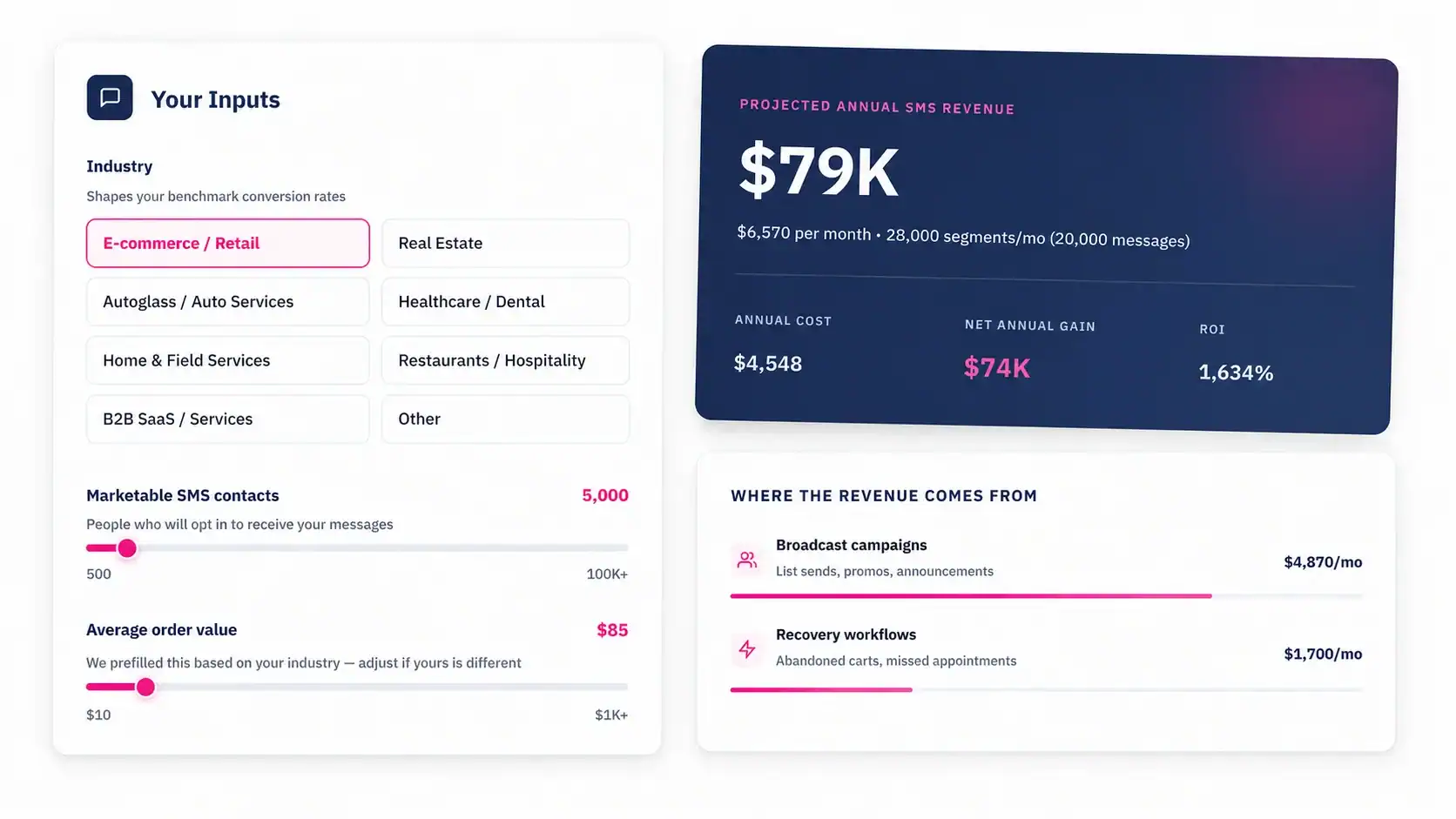
Start Your SMS Marketing Program With Message IQ
If you’re managing your pipeline in HubSpot, you already have everything you need to run a serious SMS marketing program – you just need the right tool connecting SMS to your workflows. Message IQ plugs in natively, routes two-way replies to your team inbox, handles TCPA opt-out automatically, and works inside HubSpot the way a HubSpot tool should.
Plans start at $49/mo. See how it connects to your HubSpot in under 10 minutes at messageiq.io.