

Your reps already know the pattern. A prospect who answered emails during the demo phase goes quiet the moment a proposal lands. Calls hit voicemail. Emails sit unopened. Meanwhile that same prospect answers a text from their dentist in ninety seconds. HubSpot SMS for sales teams exists to put your reps in that same read-immediately channel: 98% of text messages get opened vs roughly 20% for email, and most texts get read within minutes, which changes the math on every follow-up your team sends.
Here’s the part that surprises most sales leaders: HubSpot’s own SMS add-on won’t get you there, because it was built for marketing, not for reps. Message IQ, built by Integrate IQ, a HubSpot Diamond Solutions Partner, gives sales teams two-way texting that runs inside HubSpot’s native workflow engine with a shared inbox for every reply. This playbook covers why the native add-on falls short for sales, the setup, the four plays worth running, the manager’s side of the equation, and the templates.
Book a Free Demo
What Is HubSpot SMS for Sales Teams?
HubSpot SMS for sales teams means giving reps the ability to send and receive text messages with prospects directly from HubSpot, both manually from contact records and automatically through workflows triggered by form fills, deal stages, and meeting bookings. Since HubSpot’s native SMS tool serves marketing use cases only, sales teams use an integration that adds a Send SMS workflow action, logs every conversation to the contact timeline, and routes inbound replies to reps.
Why HubSpot’s Native SMS Add-On Doesn’t Work for Sales
HubSpot sells an SMS add-on, so teams reasonably assume the problem is solved. Then they read the fine print.
- It’s marketing-only. The add-on lives in Marketing Hub and sends to opted-in marketing contacts. Rep-to-prospect conversations, deal-stage texts, and sales sequences sit outside what it was designed to do.
- The price floor is steep. The add-on costs $75/mo for 1,000 message segments and requires Marketing Hub Professional, which starts around $800/mo. That puts the real entry cost near $875/mo before your sales team sends a single text.
- Segments burn fast. A message over 160 characters splits into multiple segments, and unused segments don’t roll over. A modestly active sales team blows through 1,000 segments in days.
- No sales-side conversation model. Sales texting lives or dies on replies. A marketing broadcast tool has no concept of a rep owning a threaded conversation with a prospect.
None of this makes HubSpot’s add-on bad. It makes it the wrong tool for the job you’re hiring it for. Sales teams need two-way conversations, workflow triggers across Sales Hub objects, and a shared inbox, which is exactly the gap MessageIQ’s HubSpot integration fills, at $49/mo instead of an $875/mo floor. We wrote a deeper breakdown of what to look for in two-way SMS software for sales teams if you’re comparing options.
The 4 Sales Plays That Win with SMS

Sales texting fails when teams treat it like a new blast channel. It works when it’s attached to specific pipeline moments. These four plays cover most of the revenue impact:
- Speed-to-lead. A workflow fires a text within 90 seconds of a demo request, while the prospect still has your website open. Reps walk into conversations instead of chasing them. We covered the full cadence in our guide to SMS follow-up strategies.
- Meeting protection. A confirmation text the morning of a booked call cuts no-shows dramatically, and a “running late?” text 2 hours before saves the ones about to slip.
- The post-proposal nudge. Proposals die in inboxes. A short text three days after sending, offering to answer questions by reply, revives deals an email follow-up never would.
- Gone-quiet re-engagement. When a deal sits inactive for 7 or 14 days, a low-pressure text gives the prospect a graceful way to say “still interested, just busy,” which is what most of them are.
Notice what’s absent: cold outreach blasts. Texting a purchased list is both a compliance disaster and a great way to get your number blocked by carriers. SMS earns its keep with people already in your pipeline.
How to Set Up HubSpot SMS for Your Sales Team
The team-level setup takes about a day, most of it waiting on carrier registration. Here’s the sequence:
- Install and register. Connect MessageIQ from the HubSpot App Marketplace, then complete A2P 10DLC registration, which US carriers require before any business texting. Approval typically takes 6 to 8 business days for a standard 10DLC number, so start here first. Our 10DLC brand registration guide covers what carriers ask for.
- Set up the shared inbox and routing. Decide how inbound replies reach reps: route to the contact owner automatically, or let anyone in the shared team inbox claim the conversation. Both beat replies dying in a tool nobody checks.
- Gate everything on consent. Create or confirm an “SMS opt-in” contact property, wire it into your forms, and make it a required enrollment condition on every SMS workflow.
- Build your first workflow. Start with speed-to-lead: Enrollment trigger: contact submits the demo request form and SMS opt-in is true. Action: MessageIQ sends the first-touch SMS within 90 seconds. Delay: wait 1 hour. Branch logic: if the contact replied → rotate the record to the owner and exit | if no reply → send one follow-up text, then hand the contact to the rep as a task.
- Turn on timeline logging and reporting. Every sent message, reply, and opt-out should log to the contact record automatically, because data your reps have to enter manually is data you’ll never have.
For the deeper workflow patterns, including drips, deal-stage triggers, and reply-based branching, our guide to SMS automation in HubSpot picks up where this setup ends.
The Manager’s View: Visibility, Coaching, and Reporting
Here’s the argument nobody makes for CRM-connected texting, and it’s the one that matters most to sales leaders: reps are already texting prospects. They’re doing it from personal phones, which means zero visibility, zero coaching material, no record when the rep leaves, and conversations your CRM reports pretend never happened.
Moving that activity into HubSpot changes three things for managers:
- Every conversation is inspectable. SMS threads log to the contact and deal timeline next to emails and calls. When a deal review asks “where did this stall,” the answer includes the texting, not just the channels that happened to run through the CRM.
- Coaching gets specific. You can read your best rep’s post-proposal texts and turn them into team templates. Winning messages stop being tribal knowledge locked in someone’s iPhone.
- Reporting finally tells the truth. Reply rates by rep, response times on inbound leads, and SMS-touched deal velocity all become measurable HubSpot properties instead of guesses.
The shared inbox adds a layer of insurance on top: when a rep is out, their conversations stay visible and answerable by the team, so a hot reply on a Friday afternoon doesn’t sit until Monday.
Get Your Ultimate HubSpot Text Messaging Playbook for FREE
Discover how top HubSpot teams use SMS to boost engagement, close deals faster and streamline operations.
Instant download
Expert insights from certified HubSpot professionals
Ultimate Text Messaging Playbook
Sales SMS Templates for Every Pipeline Stage
Merge tags pull from HubSpot contact, deal, and meeting properties. Keep messages under 160 characters to stay in one segment.
Use case: Speed-to-lead first touch
“Hi {{first_name}}, {{rep_name}} from {{company}} here. Got your demo request. Want me to send a booking link, or just answer questions right here?” (147 chars)
Use case: Day-of meeting confirmation
“Hi {{first_name}}, quick check: still good for our call at {{meeting_time}} today? Reply Y and I’ll see you there.” (114 chars)
Use case: Post-proposal nudge
“Hi {{first_name}}, the proposal’s been in your inbox a few days. Any questions I can knock out by text before your team reviews it? {{rep_name}}” (144 chars)
Use case: Voicemail pairing
“{{first_name}}, just left you a voicemail. Texting in case that’s easier: does Thursday or Friday work better for a quick call? {{rep_name}}” (140 chars)
Use case: Gone-quiet deal re-engagement
“Hi {{first_name}}, haven’t heard back since our last chat. If priorities shifted, no stress, just let me know either way and I’ll close the loop. {{rep_name}}” (158 chars)
Every template reads like a person wrote it, because that’s the whole edge. The moment sales texts start sounding like marketing copy, prospects treat them like marketing copy.
TCPA Compliance for Sales Texting
The misconception that costs sales teams money: “TCPA is a consumer marketing law, we’re B2B, so it doesn’t apply.” Wrong. The TCPA covers texts to any mobile number, and the person behind a business title is still a person with a cell phone. Violations run $500 to $1,500 per message, and automated sequences multiply that fast.
Three requirements before your team’s first automated text:
- Written opt-in consent. A checkbox on your forms, unchecked by default, with clear language about receiving texts from your business. Verbal consent on a call doesn’t count, and a business card at a trade show doesn’t either. Our guide to TCPA consent language for SMS has compliant wording you can drop into HubSpot forms.
- Automatic opt-out handling. A STOP reply must suppress every future automated send instantly. MessageIQ processes opt-outs at the platform level and syncs the status back to HubSpot, so no workflow can text a suppressed contact.
- Completed 10DLC registration. Unregistered automated traffic gets blocked by US carriers outright, so this doubles as a deliverability requirement, not just a legal one.
One-to-one texts a rep sends manually to an existing business contact carry lower risk than automated sequences, but the clean policy is simple: collect consent for everyone, gate all automation on it and never make reps guess.
SMS vs Email Across the Sales Cycle
The teams that win don’t pick a side. They assign each channel the job it’s good at:
| Sales moment | SMS | |
|---|---|---|
| First touch after form fill | Primary, fires in seconds | Backup with full detail |
| Sending decks and case studies | Wrong channel | Primary |
| Meeting confirmations | Primary, same-day reads | Calendar invite carrier |
| Post-proposal follow-up | Primary nudge | Carries the revised docs |
| Multi-stakeholder threads | Wrong channel | Primary |
| Reviving a quiet deal | Primary, cuts through | Usually ignored by then |
| Open rate | 98% | ~20% |
Email builds the case. SMS moves the moment. Run both from the same HubSpot workflows and neither channel drops the prospect. The full data comparison lives in HubSpot SMS vs email.
FAQ: HubSpot SMS for Sales Teams
Can sales reps text prospects from HubSpot natively? Not really. HubSpot’s native SMS add-on is a marketing tool that requires Marketing Hub Professional and sends to marketing contacts. Sales teams use an integration like MessageIQ, which adds two-way texting to contact records and a Send SMS action to workflows across Sales Hub.
How much does HubSpot SMS cost for a sales team? HubSpot’s native route costs roughly $875/mo at minimum: the $75/mo add-on plus the required Marketing Hub Professional subscription. A dedicated integration like Message IQ starts at $49/mo and works with the HubSpot plan you already have, plus standard carrier fees per message.
Should reps text from personal phones instead? No. Personal-phone texting means no CRM record, no manager visibility, no compliance controls, and conversations that vanish when the rep leaves. Running SMS through HubSpot logs every thread to the contact timeline and keeps opt-outs enforced automatically.
What happens when a prospect replies to a sales text? With MessageIQ, the reply lands in a shared team inbox inside HubSpot and can route automatically to the contact owner. The contact exits any automated sequence through branch logic, and the full conversation logs to the contact and deal record.
Do B2B sales texts need TCPA consent? Yes. The TCPA applies to texts sent to mobile numbers regardless of whether the recipient is a consumer or a business contact. Collect written opt-in through your forms, store it as a HubSpot property, and require it for enrollment in every automated SMS workflow.
Which sales workflows should we automate first? Start with speed-to-lead on your highest-intent form, then add day-of meeting confirmations. Both take under 30 minutes to build, produce measurable results within a week, and give your team confidence in the channel before you expand to deal-stage and re-engagement plays.
Your Pipeline Answers Texts, Not Emails
Every quiet deal in your pipeline right now belongs to a prospect who reads texts all day long. Your reps just don’t have a compliant, visible way to reach them there. MessageIQ gives your sales team two-way SMS inside HubSpot: workflow triggers, a shared inbox, automatic timeline logging, and TCPA compliance handled at the platform level.
Get your reps texting from HubSpot this week. Plans start at $49/mo.
See how much revenue SMS could add to your HubSpot stack
Five inputs. Industry-backed benchmarks. Get your projected annual SMS revenue in under 30 seconds.
Calculate My SMS ROI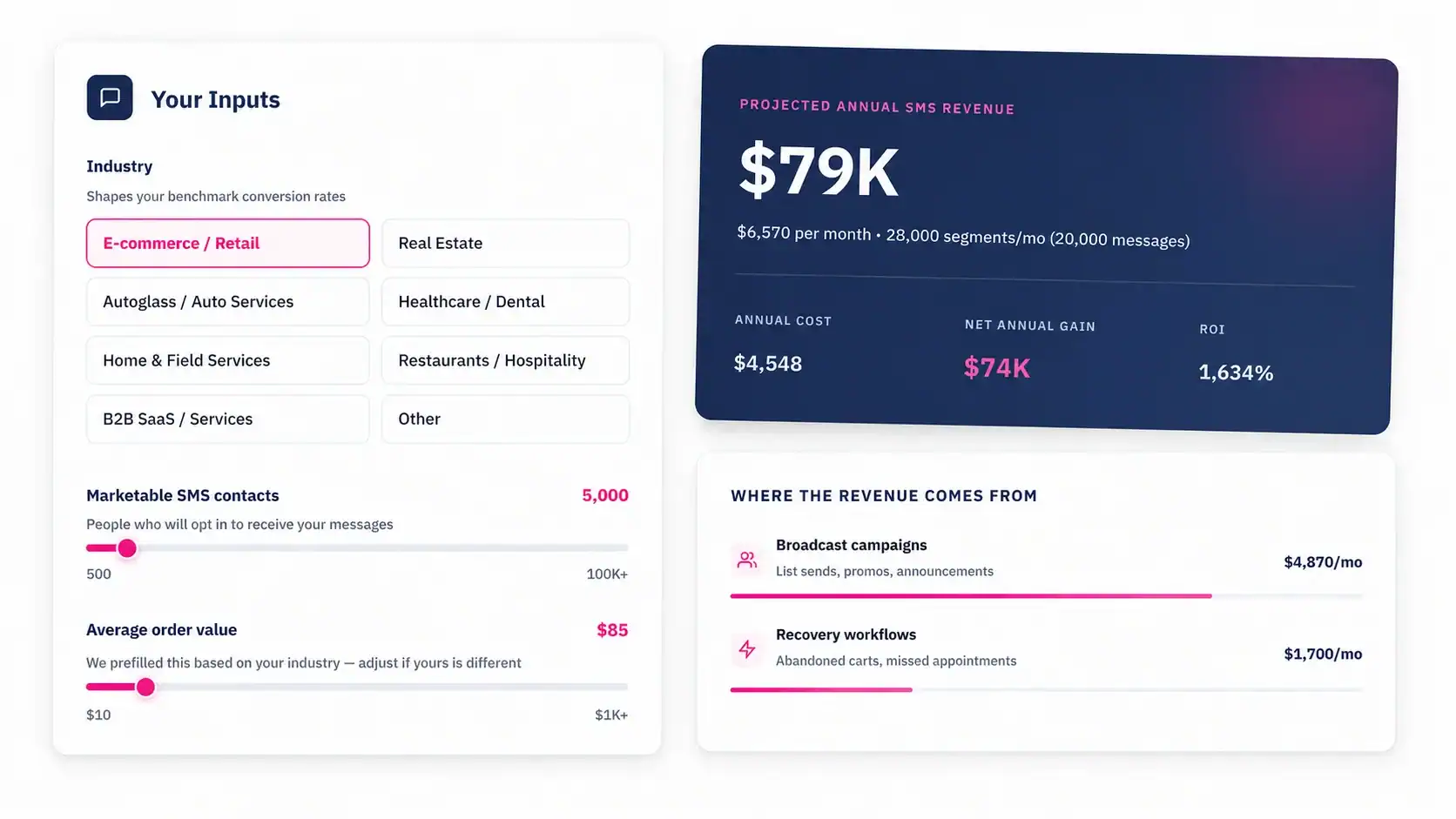
Get a Free Demo