

Most church announcements go to die in inboxes. Your email open rate is around 20% – which means that 4 out of 5 members of your congregation will never see your weekly reminder, volunteer callout or event invitation. Automated text messaging for churches turns that maths around entirely – 98% of SMS messages are opened vs. roughly 20% for email, and most are read within three minutes of delivery. MessageIQ allows ministry teams to build those automated workflows without a developer, IT support or a six month onboarding project.
This guide will walk you through every step: collecting opt-ins the right way, building your first automation, segmenting your congregation, and staying compliant with TCPA rules – all with tools your church admin can set up in an afternoon.
What is automated church text messaging?
Automated text messaging for churches is a system that sends pre-written SMS messages to members of your congregation based on a specific action or schedule – without anyone having to manually hit “send.” In 60 seconds a new visitor completes a connect card and gets a welcome text. A volunteer registers and receives a reminder 24 hours before their shift. When a giving campaign ends, donors are automatically thanked with a message.
The system runs in the background so pastoral staff can spend their time on ministry, not message queues.
How Technology is Changing Church Communication
Manual texting doesn’t scale. Your admin team doesn’t expand as your congregation expands. It’s a full-time job sending individual follow-ups to every first-time guest, every event registrant, and every new small group member-and it still gets missed.
Automation solves this in three ways:
- Speed: A guest receives a welcome text within 60 seconds of their first visit, which feels personal. But the same message sent two days later doesn’t.
- Consistency: Each person that opts in will receive the same quality follow up, regardless of how busy the weekend.
- Reach: SMS reaches congregation members who don’t check email, don’t follow your social accounts and miss the Sunday bulletin altogether.
Churches using automated SMS workflows regularly see better event attendance, improved volunteer turn-out, and increased engagement in mid-week communication. The same principle works across industries – whether it’s schools communicating with parents or healthcare providers sending patient reminders – automated text messaging for churches follows the same proven playbook.
Step 1: Select the Appropriate Text Messaging Platform for Your Church
Before you build a single workflow you need a platform that does two-way conversations, not just broadcasts. Most low-cost tools send texts but cannot receive replies. That’s broadcasting software, not communications software.
Check for these 4 features before you commit:
- Two-way messaging by default – all outbound messages should be replyable. When members of the congregation ask “What time does service start?” they should get a real answer, not be sent back a message saying replies are not monitored.
- Shared Team Inbox – Multiple staff and ministry leads need access to conversations without sharing logins.
- Built-in opt-in/opt-out management – TCPA compliance is required (more below). Your platform should automatically manage unsubscribes.
- Workflow automation – trigger-based sequences to send the right message to the right person at the right time without manual input.
MessageIQ, built by HubSpot Diamond Solutions Partners at IntegrateIQ, has all four of them out of the box. Plans start at $99/mo, putting professional-grade text messaging for churches well within reach for most congregations.
Step 2: Build Your Opt-In List the Right Way
You can’t text someone who hasn’t opted-in. TCPA regulations require that you obtain written consent before sending marketing or promotional text messages. “Written” includes digital consent – a tick box on a form, a keyword text-in or a digital connect card.
Here are the top three ways for churches to get opt-ins:
Text-In Keyword
Put a keyword and number on your bulletin, on screen during service and on your website. For example: “Text WELCOME to 555-0123 for weekly updates from our church.”
An instant confirmation message is automatically sent to the person who texts that keyword and they are added to your list. No manual entry. No spreadsheets.
Digital Connect Cards
When new guests fill out a connect card (paper or digital) you can add a checkbox: “I’d like to receive text updates from [Church Name].” That checkbox is your written consent. Make sure the language is clear about what they’re signing up for.
Website Registration Form
You collect ongoing opt-ins from your site visitors with a simple embedded form with a phone number field and explicit SMS consent language. Check out compliant SMS opt-in form examples to see what they look like in practice. For even more strategies to grow your list responsibly, see our guide on how to collect phone numbers and stay compliant.
Never import a contact list and start texting without a confirmed opt-in. If you’ve had their number for years, you can still face real legal consequences for texting them without recent, explicit consent. Before going live, review our guide to TCPA consent language for SMS.
Step 3: Segment Your Church Before You Automate
A bulletin is one message to your whole congregation. Communication is intentional messages to the right audience. Segmentation separates the two.
Before you start building your first text messaging for churches workflow, make lists of your core audiences:
- New Visitors (visitors in the last 30 days)
- Regulars (members who opted-in and attended regularly)
- Volunteers (broken out by ministry team or service area)
- Donor/giving participants (active givers vs. lapsed)
- Small group members (separated by group leader or day/time)
- Youth group families (parents and young adults separately)
Segmentation enables you to send a volunteer reminder to just your volunteer team, a giving update to only active donors, and a welcome sequence to only first-time guests. The right message gets to the right person without the rest of your congregation tuning out irrelevant notifications.
If your church has a CRM or church management software (ChMS), import your contact lists into your SMS platform. The data is already there – you’re just switching it on for a new channel. For a deeper look at how to build and manage contact segments, see our guide on how to build SMS segments.
Step 4: Create Your First 5 Automated Workflows
You don’t need twenty automations to get started. These five cover the most impactful moments in most church text messaging for churches communication calendars:
Workflow 1 – Welcome Sequence for New Guests
- Enrolment trigger: Contact fills out a digital connect card with SMS opt-in checked
- Action: Deliver welcome SMS within 60 seconds
- Delay: Hold off 3 days
- Action: Send follow-up SMS with small group or next steps info
- Delay: 4 days
- Branch logic: If contact replied to either message → assign to a pastor for personal follow-up | If no reply → send a final “we’d love to see you again” message on Day 7
Workflow 2: Weekly Service Reminder
- Enrolment trigger: Added to the “regular attenders” list
- Action: Send SMS reminder for service every Saturday at 10:00 AM
- Branch logic: Add specific service times, address and any special event notes for that Sunday
Workflow 3: Reminder for Volunteer Shift
- Enrolment trigger: Contact tagged as a volunteer for a specific team
- Action: Send reminder SMS 48 hours prior to the scheduled service
- Delay: 24-hour delay
- Action: Send confirmation for the day prior with any setup notes or arrival time
- Branch logic: If volunteer says “can’t make it” → notify ministry lead ASAP
Workflow 4: Follow-up for Event Registration
- Enrolment trigger: Contact signs up for a church event
- Action: Send confirmation SMS with event details (date/time/location/parking)
- Delay: 24 hrs before event
- Action: Send reminder the day before with a one-tap calendar link
- Delay: 1 day after event
- Action: Send thank-you message with any follow-up resources or future event details
Workflow 5: Donation Thank You & Stewardship Nudge
- Enrolment trigger: Contact submits an online gift or completes a giving form
- Action: Send thank-you SMS within 2 minutes of gift confirmation
- Delay: 7 days
- Action: Send impact update message (short story of what their giving supports)
- Branch logic: If contact has not given in 60 days → send a soft re-engagement message at the 60-day mark
For more on how to create trigger-based sequences, see our full guide to SMS automation. And if you want to see how other organisations run similar SMS follow-up strategies, that guide has plenty of real-world examples worth borrowing.
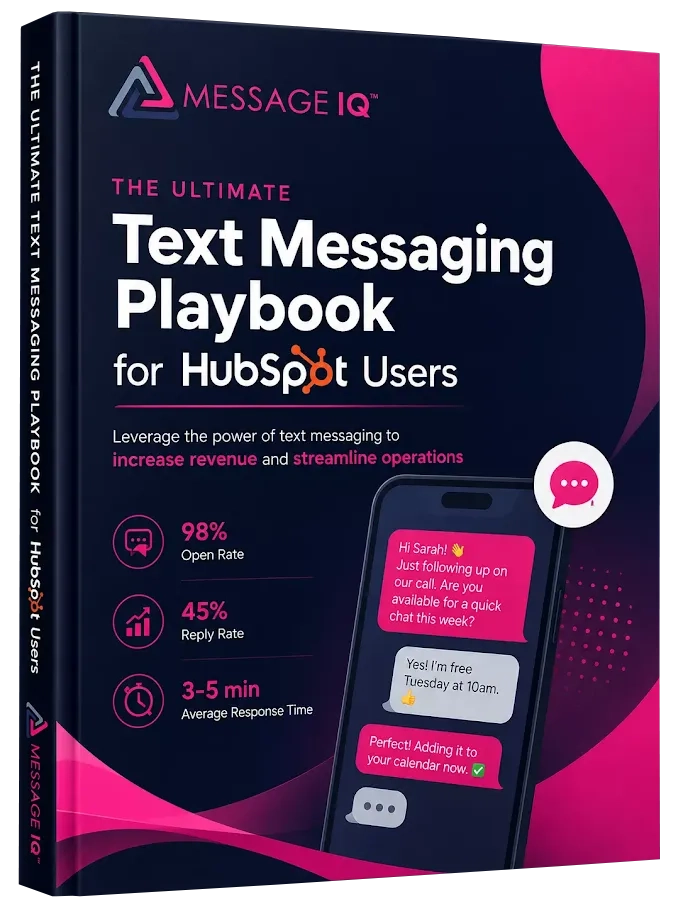
Get Your Ultimate HubSpot Text Messaging Playbook for FREE
Discover how top HubSpot teams use SMS to boost engagement, close deals faster and streamline operations.
Instant download
Expert insights from certified HubSpot professionals
Ultimate Text Messaging Playbook
Step 5: Write human-sounding SMS copy, not corporate-sounding copy
Church texts are not effective when they come across as press releases. Short, to-the-point, warm copy gets read and replied to. Here are ready-to-use templates for each of the above workflows:
Use case: New guest welcome (within 60 seconds of connect card submission)
“Hi {{first_name}}. Welcome! We’re glad you’re here. Would you like help finding your place? Just reply to this message and someone from our team will get back to you. – [Church Name]” (163 chars)
Use case: Weekly service reminder (sent Saturday morning)
“Hey {{first_name}}! Service tomorrow at 9 & 11. 123 Main St. Parking opens 30 min early. Text back if you have questions. – [Church Name]” (138 chars)
Use case: Volunteer shift reminder (48 hours before service)
“Hi {{first_name}}, you’re on [Ministry Team] this Sunday at 8AM. Setup is at 7:30. Reply ‘confirmed’ to let us know you’re good to go, or text us if something came up. – [Church Name]” (183 chars)
Use case: Event confirmation (sent right after registration)
“You’re signed up for [Event Name] on [Date] at [Time]! Address: [Address]. Reply if you have questions. We can’t wait to see you there. – [Church Name]” (150 chars)
Use case: Thank you for gift (sent within 2 minutes of gift)
“Thank you, {{first_name}}. Your generosity makes a real difference in our community. We’ll keep you updated on the impact. Grateful for you. – [Church Name]” (157 chars)
See our SMS text message templates library for more pre-made formats.
Church Text Messaging and TCPA Compliance
TCPA regulations even apply to churches. Being a nonprofit, faith-based organization, or 501(c)(3) does not alter your responsibilities under federal SMS law.
If you’re a church running text messaging for churches, here’s what compliance requires:
Written consent prior to first contact. Any automated SMS must be sent only to a recipient who has opted in explicitly – keyword text-in, signed form, or consent box checked. Verbal permission doesn’t cut it.
Clear opt-out instructions. Each message must include an opt-out mechanism (typically “Reply STOP to unsubscribe”) or your system must automatically process opt-outs. After a person has opted out, they will not be eligible to receive messages until they explicitly opt in again. Review our guide to opt-out visibility and management to see how this works in practice.
Registration for 10DLC. Churches sending automated texts from a 10-digit long code number need to register their brand and campaign through the A2P 10DLC process. Unregistered numbers will be subject to carrier filtering, message blocking and possible fines. Check out our complete guide on A2P 10DLC brand registration to walk through the process.
Standards for message content. Every message must include your organization name. Do not use misleading language. Don’t send messages between 9 PM and 8 AM local time.
MessageIQ has built-in TCPA-compliant opt-in and opt-out on the platform so unsubscribes are automatic and contact records are updated in real time. You don’t have to manage a suppression list manually. For a full compliance checklist before you go live, see our SMS compliance checklist.
Email or SMS for Church Communication
Both channels play a role. Here’s when to use what:
| Type of Communication | Best Channel | Why |
| Service Reminder | SMS | Opens in 3 minutes; email gets skipped |
| Guest follow-up | SMS | Personal feel; can do two-way conversation |
| Weekly Newsletter | Links, images, long-form content | |
| Volunteer reminders | SMS | Fast confirmation; easy opt-out response |
| Breaking announcements | SMS | Instant reach; no inbox check required |
| Donation receipts | Document quality; attachment-friendly | |
| Giving campaigns | SMS | More engagement for time-sensitive asks than email |
| Event sign-up | Both | Email for confirmation/calendar; SMS for reminder |
| Prayer needs | SMS | Instant; feels personal |
| Sermon notes/resources | Long-form content; links to downloads |
To see how these channels stack up against each other for specific use cases, check out our SMS vs email comparison guide.
Churches’ Common Mistakes With Text Messaging (And How to Avoid Them)
Texting without opt-in. Importing your whole membership directory and blasting out a message is a TCPA violation. Start fresh with a compliant opt-in campaign and build your list right from the start.
Treating SMS like email. Devotionals are not to be texted in 400 words. Keep messages under 160 characters where you can. Link to longer content.
No reply monitoring. Automations send messages. People send replies back. If no one checks the inbox, then your congregation quickly learns that text messaging for churches goes nowhere at your end. Assign a specific staff member or ministry lead to own the inbox.
Too early, or too late. Texts prior to 8 AM and after 9 PM feel intrusive. Sends on Friday afternoon or Saturday morning consistently outperform Monday sends.
One list to rule them all. If you text your entire congregation to remind them to volunteer, you’re training them to ignore your texts. Segmentation is the key to keeping your opt-out rate low.
FAQ: Automated Text Messaging for Churches
Should churches follow TCPA rules for text messaging?
Yes. The TCPA applies to any organization sending automated SMS messages, including churches and nonprofits. You’ve got to get consent before you start texting, honour opt-outs right away, and automated campaigns need to be registered through the 10DLC process. Failure to comply may result in fines of $500 to $1,500 per message.
How do we legally collect phone numbers from members of the congregation? Use a keyword text-in campaign shown during service, a digital connect card with a clear SMS consent checkbox, or a website sign-up form with clear opt-in language. Both methods produce verifiable written consent that meets TCPA standards.
What is the difference between broadcast SMS and two-way text messaging for churches?
Broadcast SMS sends a message to a list of recipients who cannot reply. Two-way messaging enables congregation members to respond, ask questions and have real conversations with your team. Two-way is far more effective for guest follow-up, volunteer coordination and pastoral care – and that’s whatMessageIQ offers as a default.
How many texts a month can we send without feeling spammy?
Most churches consider 4 to 6 messages per month per contact to be the right range. Service reminders, event follow-ups, and pastoral care messages work well within this. Relevance is the key – a segmented message that is actually relevant to the recipient never feels like spam, even if it’s the third text messaging for churches notification that week.
Can small churches on a limited budget use automated text messaging?
Yes. MessageIQstarts at $99/mo and includes the automation, two-way messaging and shared inbox features a small church needs. You don’t need a big budget or a large list to run effective automated text messaging for churches.
What is 10DLC? Do we need it at our church?
10DLC (10-Digit Long Code) is the carrier registration system for business SMS traffic at scale. If your church uses a standard 10-digit phone number to send automated texts, you will need to register your brand and campaign. Messages may be blocked or filtered by carriers without registration. For the full rundown, check out ourA2P 10DLC guide.
Can we use the same number for both calls and texts?
Yes. Most church SMS platforms, including MessageIQ, let you use a single number for both voice and text – which simplifies your communication infrastructure and makes it easier for members to reach you through one contact point. Check ourFAQs for more details on number setup options.
See how much revenue SMS could add to your HubSpot stack
Five inputs. Industry-backed benchmarks. Get your projected annual SMS revenue in under 30 seconds.
Calculate My SMS ROI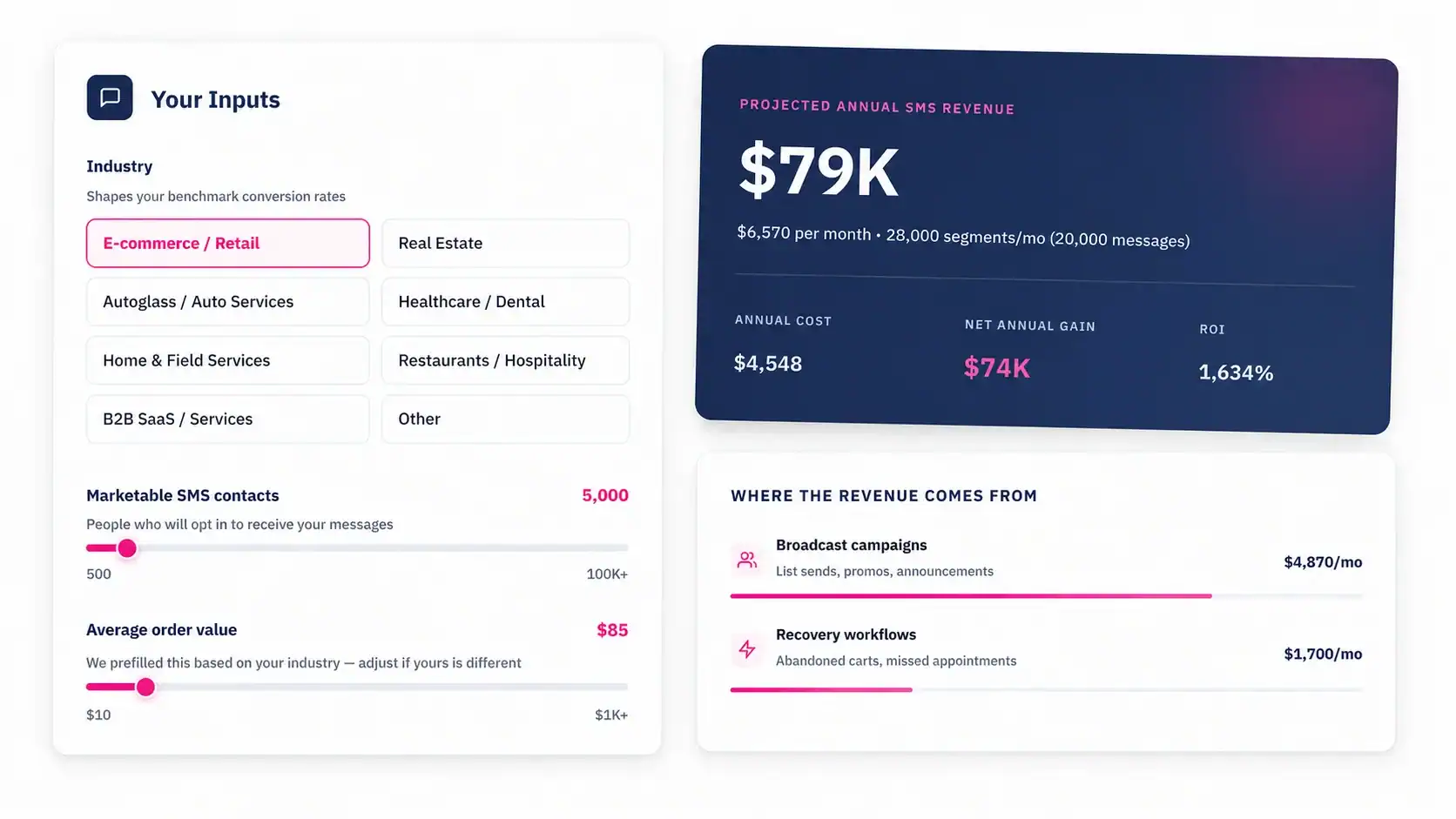
This Week: Create Your First Automated Workflow
No developer, no IT team, no six-month implementation. Automated text messaging for churches doesn’t require any of that. It requires a two-way messaging platform, a clean opt-in list, five workflows, and copy that sounds like your church – not a marketing department.
98% of text messages are read. Most of your congregation has a smartphone in hand at every service. The infrastructure to reach them in under three minutes is already there – you just need to connect it.
MessageIQ provides your church with two-way SMS, a shared team inbox, TCPA-compliant automation, and all the tools you need to run professional text messaging for churches, starting at $99/mo. No IT staff needed.
See how MessageIQ works and start your first automated church workflow today.