
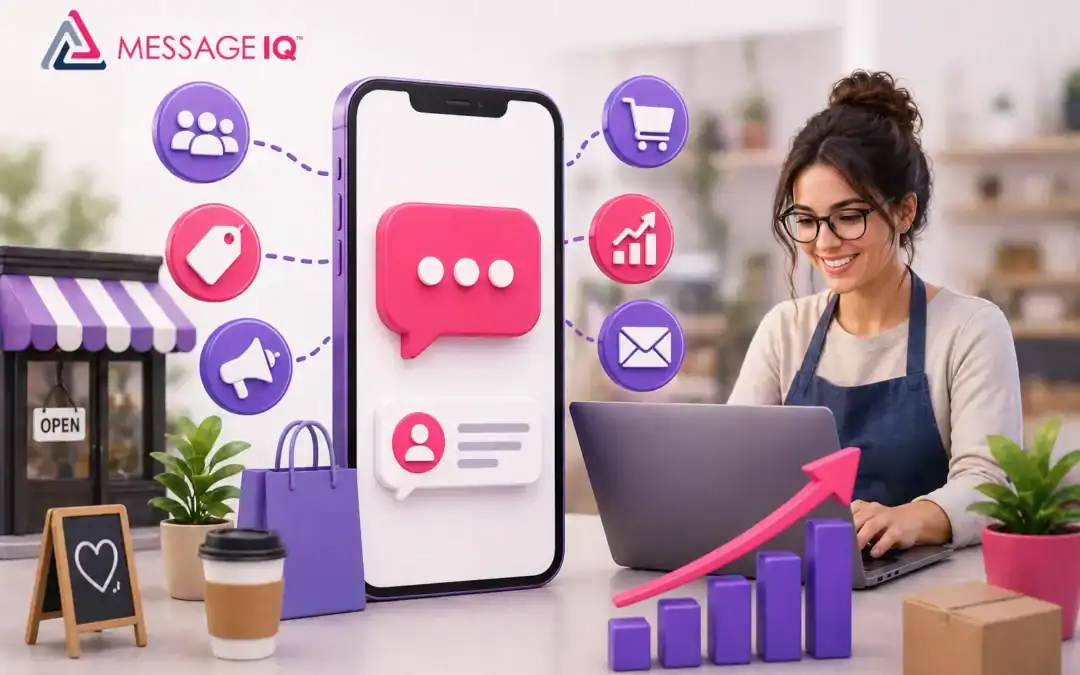
Small businesses don’t lose sales because their products are bad. They lose them because a competitor answered faster, followed up twice, or sent a timely reminder that kept the customer from going somewhere else. SMS marketing fixes that, and it does it in ways that email can’t.
About 20% of emails are opened, but 98% of SMS messages are opened. Also, 90% of those texts are read within three minutes of being sent. Those numbers aren’t nice to have for a small business with few employees and a short time to get people’s attention. They give you an edge over your competitors and change the way you sell, support, and keep customers.
This guide has everything a small business needs to know about SMS marketing that works in 2026, including strategy, setup, compliance, HubSpot automation, copy templates, and a clear picture of what you should and shouldn’t be doing.
What Does SMS Marketing Mean for Small Businesses?
Sending promotional, transactional, or conversational text messages to customers who have agreed to receive them is what SMS marketing for small businesses is all about. SMS is one of the most direct and personal ways for a business to reach people because it goes straight to the same inbox as messages from family and friends.
If done correctly, it’s not just sending out deals. Appointment reminders cut down on no-shows, follow-up sequences close leads, and two-way conversations build real relationships with customers.
Why SMS Is Better than Email for Small Business Marketing
Most small businesses already use email. Not many people are using SMS well. That space is the chance.
This is how the data looks next to each other:
| Metric | SMS | |
| Open Rate | 98% | ~20% |
| Read within 3 minutes | 90% | Rarely |
| Response Rate | ~45% | ~6% |
| Click-Through Rate | 18–35% | 2–5% |
| Avg. ROI per $1 spent | $21–$71 | $36 (varies) |
| Opt-in audience | Yes | Yes |
| Two-way conversation | Native | Requires tools |
| Works without internet | Yes | No |
Context is the structural reason why SMS wins. Every subscriber signed up by name, the message comes with a personal notification, and there is no spam folder. That’s a level of attention that email can’t match.
Read our SMS vs. email comparison for HubSpot marketers to learn more about when to put one channel ahead of the other.
How to Start SMS Marketing (Step by Step)
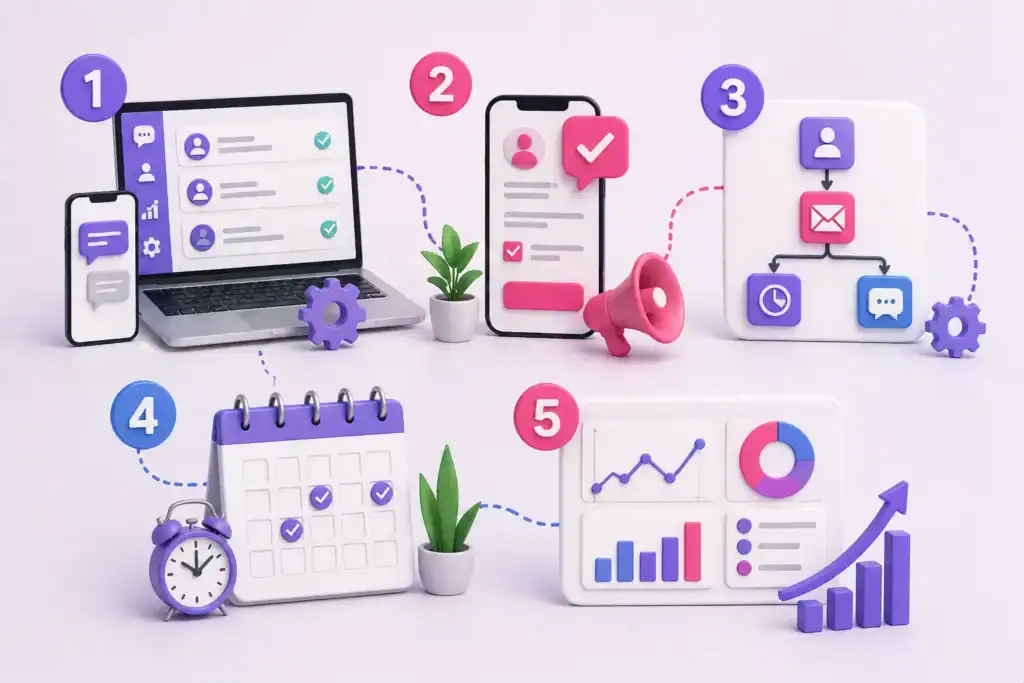
Step 1: Pick a Texting Platform That Works for Business
Not all SMS tools are the same. You won’t be able to manage opt-ins, set up automation triggers, control compliance, or connect your CRM with a consumer texting app. Find a platform that lets you send and receive messages, has opt-in and opt-out flows that follow the TCPA, and works with your current CRM.
Message IQ was made just for companies that use HubSpot. It’s a two-way SMS platform, which means that every conversation is two-way by default. There is also a shared team inbox for sales, support, and customer success. Plans cost at least $49 a month.
Step 2: Make Sure You Build Your Subscriber List the Right Way
You must have written permission from the person you want to text. TCPA says that this is not optional. The good news is that making a list that follows the rules is easy:
- Put a box on your website’s contact forms and checkout flows that lets people choose to get text messages.
- Use keyword opt-ins, like “Text JOIN to 12345.”
- At the point of sale, make it clear that you are collecting phone numbers.
- Include a field for SMS opt-in on HubSpot landing page forms.
For more information on how to grow your list legally, check out our guide on how to grow your SMS list and stay compliant.
Step 3: Set Up Your First Flow That Runs Itself
Don’t try to do everything at once. Begin with one workflow that addresses a genuine issue, such as a speed-to-lead follow-up, an appointment reminder, or a message to recover an abandoned cart. Get one right, then move on to the next.
Step 4: Decide How Often You Want to Send Messages
Most small businesses should send 2 to 4 text messages to each contact every month. After that, the number of people who choose not to participate will go up. There should always be a clear reason for each message to exist, such as a special deal, a relevant update, or a timely reminder.
Step 5: Measure, Improve, and Optimise
Keep an eye on the open rate, click-through rate, reply rate, opt-out rate, and revenue per send. Automated flows usually make a lot more money per send than manual broadcast campaigns. This is why you should invest in automation first, not last.
The Best Ways for Small Businesses to Use SMS Marketing
Follow Up with Leads (Speed-to-Lead)
The higher your conversion rate, the faster you follow up with a new lead. If you answer a web inquiry within five minutes, you are much more likely to connect than if you wait 30 minutes. The fastest way to do that is through SMS.
Reminders for Appointments
No-shows cost small businesses a lot of money. A text message reminder 24 hours and 1 hour before an appointment cuts down on no-shows a lot, and once the workflow is set up, it doesn’t require any extra work. For examples you can copy and paste, see our appointment reminder SMS templates.
Campaigns to Get People to Buy
SMS is better than email for flash sales, seasonal deals, new product launches, and rewards for loyal customers. Only send these during important times; people who get too many messages quickly opt out.
Help for Customers
A shared team inbox lets several reps handle incoming SMS without any conversations getting lost. When customers text a question and get a real answer from a real person, it builds trust in a way that automated email sequences can’t.
Recovering Abandoned Carts
Automated SMS messages sent 30 to 60 minutes after someone leaves their cart always work better than email recovery sequences. The customer sees the message before they forget what they were looking at.
Requests for Reviews
A short text message asking for a review after a job or purchase gets a lot more responses than an email request. Find out how businesses are using SMS to increase customer reviews.
How SMS Marketing Automation Works in HubSpot
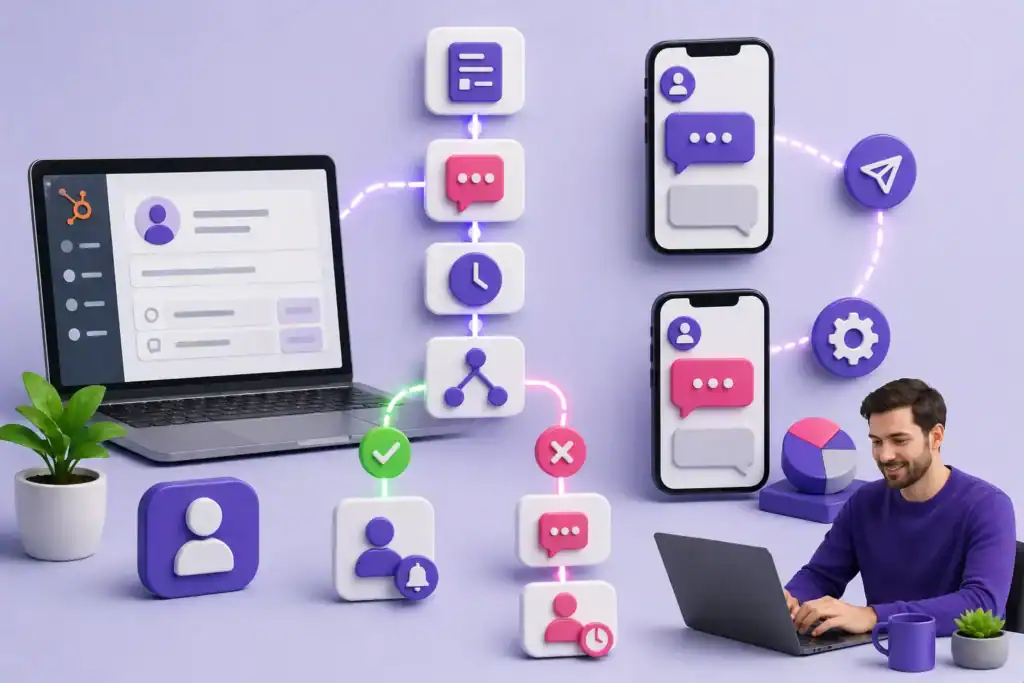
You don’t need a separate set of tools to add SMS to your HubSpot business. Message IQ connects directly to HubSpot’s built-in workflow engine. You don’t need a Zapier bridge or a webhook workaround; you can use it just like any other HubSpot step.
This is what a full lead follow-up process looks like:
Workflow: New Lead Speed-to-Lead SMS
- Trigger for enrolment: A contact fills out a demo request form on your website.
- Action: Message IQ sends an SMS to the contact through the HubSpot workflow action — “Hi {{first_name}}, thanks for getting in touch with [Business Name]. We’ll get back to you in a few minutes, or you can reply here with any questions.”
- Delay: Wait 10 minutes.
- Branch logic: If the contact replies, give the sales rep the task and let them know through HubSpot. If they don’t reply, send a follow-up SMS two hours later.
- Follow-up Action: Message IQ sends a second SMS “Hey {{first_name}}, I’m still happy to help. Here’s a link to book a quick 15-minute call: [link].”
Any change to a HubSpot contact property, a form submission, an update to the lifecycle stage, or a deal stage movement can start the enrolment process. This is what makes the HubSpot-native integration so great for small businesses: you can build SMS as part of your whole CRM motion instead of just on its own.
Read our guide to SMS automation in HubSpot for a full list of all the ways you can set up your workflow.
Small Businesses Can Use These SMS Templates Right Away
Copy these, change the name of the business and the offer, and add them to your workflows.
Use case: Following up quickly after a lead
“Hi {{first_name}}, I saw that you contacted {{company}}. We’ll get back to you in a few minutes. If you have any questions in the meantime, please respond here. — {{rep_name}}”
Use case: Reminder for an appointment (24 hours before)
“Hi {{first_name}}, just a reminder that you have an appointment with {{company}} tomorrow at {{time}}. To keep it, reply CONFIRM; to cancel, reply CANCEL.”
Use case: Request for a review after a purchase
“Hi {{first_name}}, thanks for choosing {{company}}! We’d love to hear how it went. Leave us a quick Google Review here: [link] — takes 60 seconds. Thank you!”
Use case: Promotion for a flash sale
“{{first_name}}, today only: 20% off everything at {{company}}. Use code FLASH20 at checkout. Shop here: [link]. Reply STOP to opt out.” (134 chars)
Use case: Getting back to a cart that was left behind
“Hey {{first_name}}, you forgot something! Your cart at {{company}} is still there. Ready to finish your order? [link] — Reply STOP to unsubscribe.”
Check out our collection of SMS text message templates for a wider range of copy-and-paste templates for different fields.
Get Your Ultimate HubSpot Text Messaging Playbook for FREE
Discover how top HubSpot teams use SMS to boost engagement, close deals faster and streamline operations.
Instant download
Expert insights from certified HubSpot professionals
Ultimate Text Messaging Playbook
What Every Small Business Needs to Know About TCPA Compliance
If you send business SMS without knowing TCPA, you could get hit with fines in the five figures. The rules aren’t hard to understand, but you can’t change them.
Written Permission Is Needed
Before you send a text to a subscriber, they must actively opt in. Boxes that are already checked, verbal consent alone, and buying contact lists don’t count. You need proof of written consent, like a checkbox on a form, a keyword opt-in reply, or a signed agreement.
Opt-Out Must Work Right Away
You have to take someone off your list right away if they say STOP. There is no “we’ll process that in 24 hours” message. Message IQ’s built-in opt-out handling takes care of this automatically. As soon as the reply is received, the contact is no longer able to receive future messages.
10DLC Registration Is Required
All business SMS sent through 10-digit long codes (standard local numbers) must be registered under A2P 10DLC. This means that you need to register your brand and campaigns with the carriers. Numbers that aren’t registered may have their messages filtered and may even be suspended. As part of the setup process, Message IQ takes care of registering for 10DLC.
Hours of Sending Matter
TCPA says you can’t send before 8 a.m. or after 9 p.m. in the time zone of the person receiving the message. Put time-of-day limits in your workflows.
Identify Your Business
All promotional SMS messages must say who they are from. It’s important to always include your business name in a text.
Check out our SMS compliance checklist for marketing teams to get a full list of things your team needs to do before launching. You can also use our TCPA consent language guide to copy and paste the language directly into your opt-in forms.
Common SMS Marketing Mistakes That Small Businesses Make
Sending texts without permission. This is the biggest and most expensive mistake. A single complaint to the FCC can start an investigation. From the start, make sure you build your list the right way.
Sending too often. If you send more than 4–6 messages a month to people who haven’t bought anything, your opt-out rate will go up quickly. Frequency discipline is what makes a list stay healthy over time.
Being generic. “Hey, here’s a deal” doesn’t work. Use the person’s first name, talk about their specific situation, and make the message sound like it came from a real person who knows them.
Sending texts at bad times. Sending a promotional text at 7 a.m. on Saturday will get you opt-outs, not sales. Stay within business hours.
No clear call to action. There should be one thing that the person who gets the message needs to do. One link, one prompt to reply, and one next step. Not three.
Not responding to messages. If someone replies to your text and no one responds for 48 hours, you’ve made things worse than if you hadn’t texted at all. It is very important to have a shared team inbox that real people check.
SMS Marketing by Industry: What Small Businesses Can Do
Depending on how your business works, SMS marketing works in different ways. Here’s a quick summary:
Service businesses (auto glass, HVAC, landscaping, cleaning): The best way to get the most return on investment is to send appointment reminders and follow-ups after the job is done. Every no-show that comes back is pure profit. Learn how SMS can help auto glass businesses.
Healthcare and wellness (dentists, chiropractors, therapists): Reminders for appointments, recall campaigns, and check-ins after visits. Compliance is very important. You need to follow both HIPAA and TCPA rules. Read our guide on HIPAA-compliant healthcare SMS workflows.
Real estate: The main use case is follow-up after speed-to-lead. More often than not, the agent who responds first gets the deal, not the one with the best pitch. Look at SMS strategies for real estate agencies.
Retail and online shopping: Promotional campaigns, flash sales, and getting people to finish their purchases. Keep the number of sends low and the value high.
Financial services and advisors: Reminders for appointments, documents, and renewals. Few messages, but each one is worth a lot. Find out how financial advisors use SMS effectively.
Education: Reminders to sign up, event notifications, and communication with parents. Check out our SMS communication in education playbook.
How Much Does It Cost for a Small Business to Use SMS Marketing?
For small businesses, SMS marketing is one of the least expensive ways to reach customers. Most platforms charge a monthly fee plus a per-message rate, but some bundle messages into plans.
Message IQ’s pricing starts at $49 a month, which is affordable for businesses that are just starting to use SMS and don’t need to sign a long-term contract. At that price, even one recovered no-show or closed follow-up deal is enough to pay for the month.
When comparing platforms, don’t just look at the base price. Think about whether two-way messaging is included, whether HubSpot integration is built in or needs Zapier, whether compliance tools are built in, and whether shared inbox access is included in the plan.
FAQ: SMS Marketing for Small Businesses
What does SMS marketing mean for small businesses? Small businesses can use SMS marketing to send text messages to customers and potential customers who have chosen to receive them. These messages can promote products, send reminders, recover leads, and build relationships. It has one of the highest engagement rates of any marketing channel, with open rates of about 98% compared to 20% for email.
Is it okay for small businesses to use SMS marketing? Yes, but you have to follow the TCPA (Telephone Consumer Protection Act). You need to get clear written permission before texting anyone. If you use a 10-digit number, you need to register your business through A2P 10DLC. You also need to only send messages during business hours (8 a.m. to 9 p.m. in the recipient’s local time zone). The Message IQ platform has built-in opt-in and opt-out tools that follow the TCPA.
What is the best way to make a list of SMS subscribers? The best ways to do this are to add an SMS opt-in checkbox to your website forms and checkout flow, use keyword opt-ins (“Text JOIN to [number]”), get phone numbers at the point of sale with clear consent disclosure, and add an SMS field to HubSpot landing pages. Never buy lists; they’re not legal and don’t work well.
How often should a small business send text messages? Most small businesses should send out 2 to 4 promotional messages each month. Because people expect and need them, transactional messages like appointment reminders and order updates can come more often. Keep an eye on your opt-out rate. If it’s consistently higher than 3–4%, it means you’re sending too many messages or the content isn’t relevant enough.
Can HubSpot work with SMS marketing? Yes. Message IQ was made just for HubSpot users and works with HubSpot’s native workflows. You can send SMS messages from any HubSpot enrolment condition, use contact properties as merge tags, log replies back to the contact record, and manage conversations in a shared team inbox, all without leaving HubSpot. Read our HubSpot SMS integration guide for setup details.
What is the difference between two-way SMS and broadcast SMS? Broadcast SMS sends one message to many recipients with no expectation of reply. Two-way SMS lets people talk to each other — the contact can answer, and a team member (or automation) can respond too. Two-way SMS helps people get along better and deals with objections right away. By default, Message IQ makes every SMS conversation two-way, so your team can manage all replies in one inbox.
How much does it cost for a small business to do SMS marketing? Prices are different for each platform. Message IQ costs $49 a month to start, and that includes basic automation, two-way messaging, and integration with HubSpot. Plans that are more advanced change based on how many contacts and messages you have. Check out the full pricing breakdown to find the best plan for your business size.
See how much revenue SMS could add to your HubSpot stack
Five inputs. Industry-backed benchmarks. Get your projected annual SMS revenue in under 30 seconds.
Calculate My SMS ROI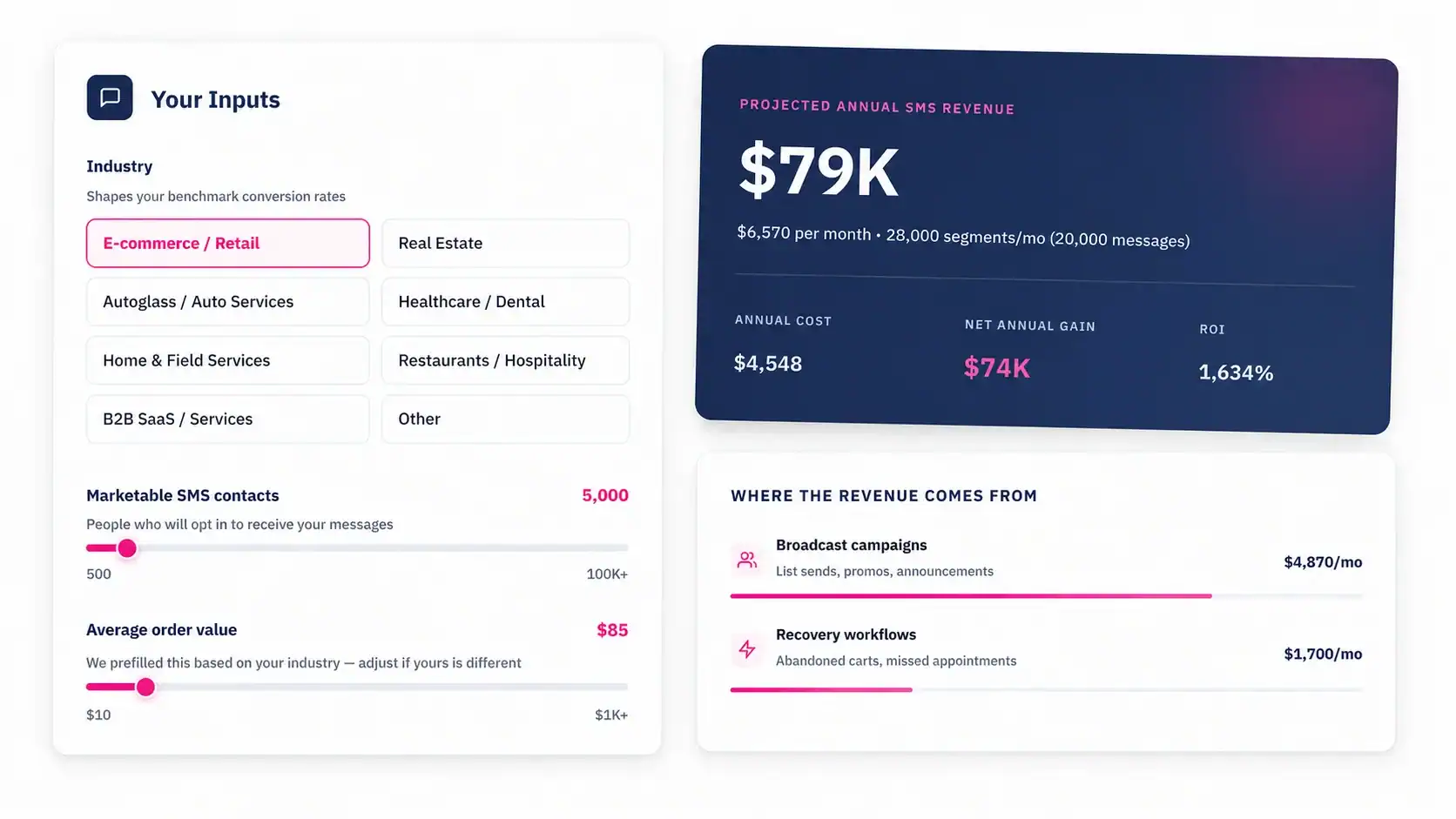
Start Your First SMS Workflow Right Now
Every day you wait for your small business to start using SMS marketing is a day when leads go cold, appointments are missed, and customers pick whoever followed up first. You don’t need a big list or a complicated campaign to get started.
Choose one workflow this week to build: lead follow-up, appointment reminder, or review request. Your first automated SMS can be sent in less than an hour because Message IQ connects directly to your HubSpot. There is no long-term contract, and plans start at $49 per month.
Start your first HubSpot SMS workflow — plans from $49/mo.