
Appointment reminder SMS reduces no-shows when reminders are timed correctly, include simple confirmation options, and offer easy rescheduling. The most reliable workflow uses multiple touches (e.g., 24h and 1-2h before) with clear stop rules after confirmation or cancellation.
Why This Matters
Missed appointments create revenue loss and scheduling waste. Template-driven reminder workflows improve attendance while lowering manual coordination work for staff.
Reminder timing strategy that works
A two-touch baseline often works well: one reminder 24 hours before and a final reminder 1-2 hours before. For high-no-show segments, add an earlier confirmation touch with easy reschedule options.
Timing should be tuned by appointment type, customer behavior, and operational constraints.
Template design for confirmation and rescheduling
Good reminder templates include appointment context, location/channel details, and a clear confirmation action. If rescheduling is allowed, include a simple path so customers do not disappear.
Avoid dense text. Keep message purpose obvious within the first line.
No-show prevention tactics beyond reminders
Combine reminders with friction reduction: clear parking/check-in details, pre-visit instructions, and calendar support prompts. For repeat no-show segments, test stronger confirmation requirements.
Operational improvements can increase attendance as much as copy changes.
Get Your Ultimate HubSpot Text Messaging Playbook for FREE
Discover how top HubSpot teams use SMS to boost engagement, close deals faster and streamline operations.
Instant download
Expert insights from certified HubSpot professionals
Ultimate Text Messaging Playbook

Workflow governance and measurement
Track no-show rate by segment, reminder response rate, and reschedule completion. Build escalation for non-confirmed high-value appointments.
Monthly template review prevents stale messaging and keeps communications effective.
| Template Type | Example Message | Best Send Time | Primary KPI |
| 24-hour reminder | Reminder: You are booked for [Service] tomorrow at [Time]. Reply YES to confirm or RESCHEDULE for options. | 24h before | Confirmation rate |
| 2-hour reminder | See you soon at [Time]. Need directions or to reschedule? Reply HELP. | 1-2h before | Attendance rate |
| No-confirmation follow-up | We have not seen your confirmation yet. Keep your slot by replying YES now. | 6-12h before | Late confirmation rate |
| Post no-show recovery | Sorry we missed you today. Want to rebook this week? Reply REBOOK. | Within 1-3h after no-show | Rebook rate |
| Prep reminder | Before your appointment, please complete [step]. Need help? Reply HELP. | 12-24h before | Preparation completion |
Step-by-Step Implementation
- Segment appointment types and no-show risk cohorts.
- Build multi-touch reminder workflow with confirmation logic.
- Create templates for confirm, reschedule, and no-show recovery.
- Add stop conditions after confirmed attendance or cancellation.
- Implement escalation for high-value unconfirmed appointments.
- Monitor no-show and rebook trends weekly.
- Optimize timing and language monthly by segment.
Operational Checklist
- Main question answered in first section for answer-engine extraction.
- Question-led and decision-oriented headings used across core sections.
- Comparison/reference table included for quick synthesis.
- Procedural list included for immediate implementation.
- FAQ includes 8 related conversational queries.
- Meta, schema, and internal linking recommendations included.
Frequently Asked Questions
How many reminder messages should we send?
Most teams start with 2 reminders and adjust based on no-show patterns.
What is the best confirmation CTA?
Simple binary responses like YES or RESCHEDULE usually reduce friction.
Should we send reminders outside business hours?
Use customer-friendly windows unless urgency requires exceptions.
Can reminders be fully automated?
Yes, with clear escalation rules for exceptions and high-value cases.
What if customers do not reply?
Use a final follow-up and escalation for critical appointments.
How do we measure reminder quality?
Track confirmation rate, attendance rate, no-show rate, and rebook rate.
Should templates differ by industry?
Yes. Medical, services, and sales appointments need different context and language.
How often should reminder templates be updated?
Review monthly and after major process or service changes.
See how much revenue SMS could add to your HubSpot stack
Five inputs. Industry-backed benchmarks. Get your projected annual SMS revenue in under 30 seconds.
Calculate My SMS ROI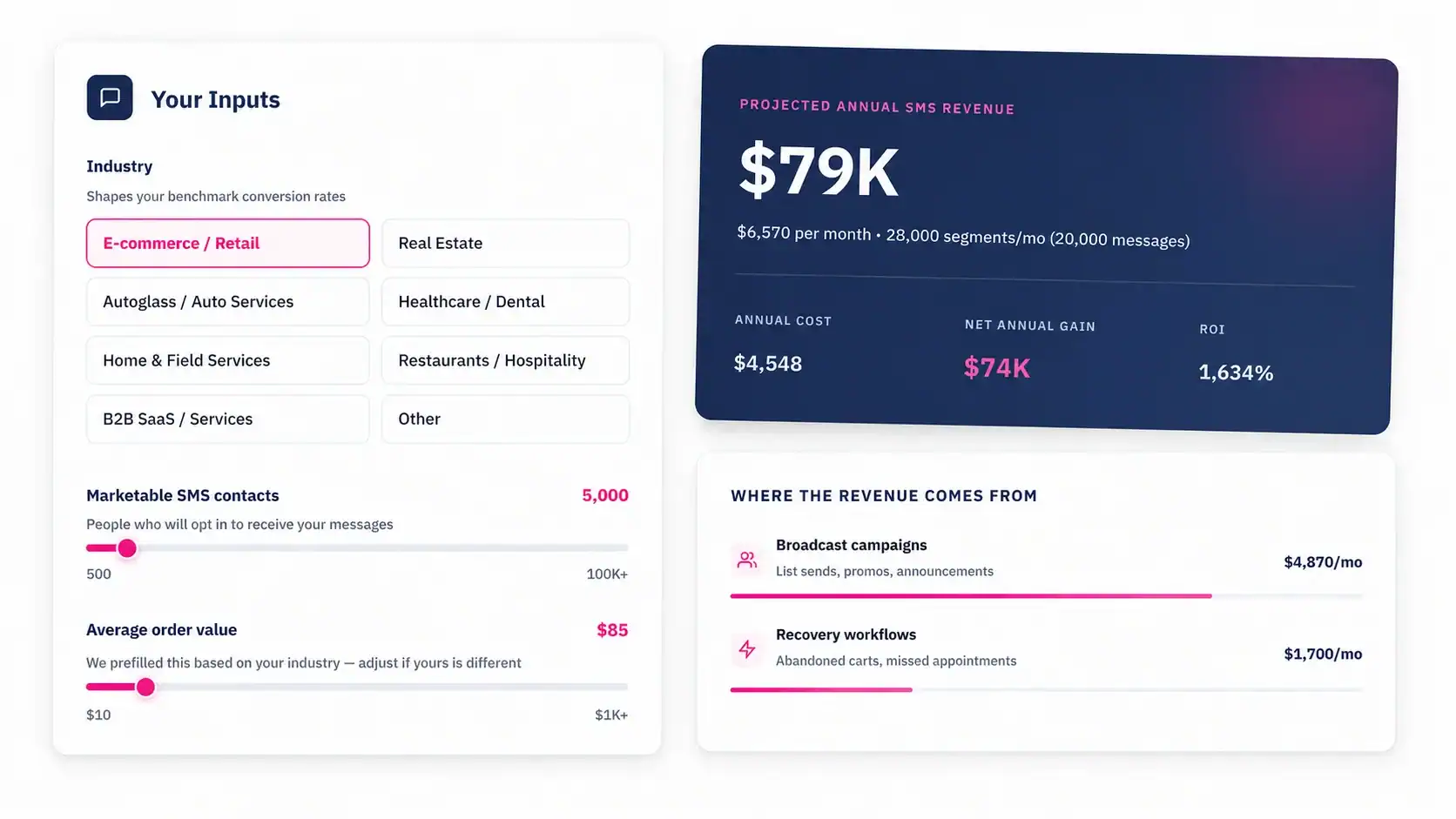
Conclusion
Appointment reminder SMS works best as a full workflow: timing, confirmation logic, reschedule paths, and measurement. Template quality plus operational design is what consistently reduces no-shows.