
98% of business SMS messages get opened within 3 minutes. Email sits at roughly 20%. If you’re still relying on email blasts to reach customers at scale, you’re sending messages most people won’t see until it’s too late.

HubSpot SMS marketing software. Every text logged to the contact record.
Message IQ runs inside HubSpot, not next to it. Workflows trigger the send, replies land in the timeline, and your team never leaves the CRM.
- Free 15-minute strategy call, live demo inside your CRM
- 300+ SMS templates, instant download
- No pitch, no pressure
Plans from $49/mo. Setup and 10DLC registration handled for you.
Mass text messaging fixes that. But sending mass texts the right way, meaning messages that land in inboxes instead of getting filtered by carriers, while keeping you TCPA-compliant takes more than just loading a phone number list and hitting send.
This guide walks you through how to send mass text messages step by step: choosing the right platform, building a compliant contact list, registering your number with A2P 10DLC, crafting messages that convert, and setting up automated workflows inside HubSpot. Whether you’re a sales team texting warm leads or a marketing team running a campaign to thousands of opted-in customers, the process is the same.
Tools like Message IQ handle the infrastructure A2P 10DLC registration, opt-in management, HubSpot-native two-way messaging so your team focuses on the message, not the mechanics.
What Is Mass Text Messaging?
Mass text messaging (also called bulk SMS or SMS broadcasting) lets a business send a single text message to hundreds or thousands of recipients simultaneously, with each person receiving it as a private, individual SMS rather than a group chat. Unlike email blasts that sit unread in crowded inboxes, SMS messages get opened fast the medium’s 98% open rate is the sharpest stat in business communication.
Mass texting covers a wide range of use cases: promotional campaigns, appointment reminders, lead follow-ups, event alerts, and customer service updates. The key distinction most guides miss is two-way vs. broadcast. Broadcast sends one message out with no expectation of a reply. Two-way mass texting the model Message IQ is built on lets recipients reply, and those replies land in a shared team inbox where your sales or support reps can respond.
Can You Send a Mass Text Without Software?
Technically, yes. Practically, not at any scale that matters. Your phone’s native Messages app can create a group thread with a handful of contacts, and a few free tools that route through a personal number can push out a short list.
But native apps cap out fast, offer no compliance tools, don’t handle 10DLC registration, and log nothing back to your CRM. Anything past a few dozen contacts or anything sent to customers rather than friends needs infrastructure a phone can’t provide: opt-out handling, delivery reporting, and a registered sending number carriers won’t filter.
For one-off internal reminders to a small team, the native route works fine. For customer communication at any real volume, skip straight to a mass texting platform which is what the rest of this guide covers.
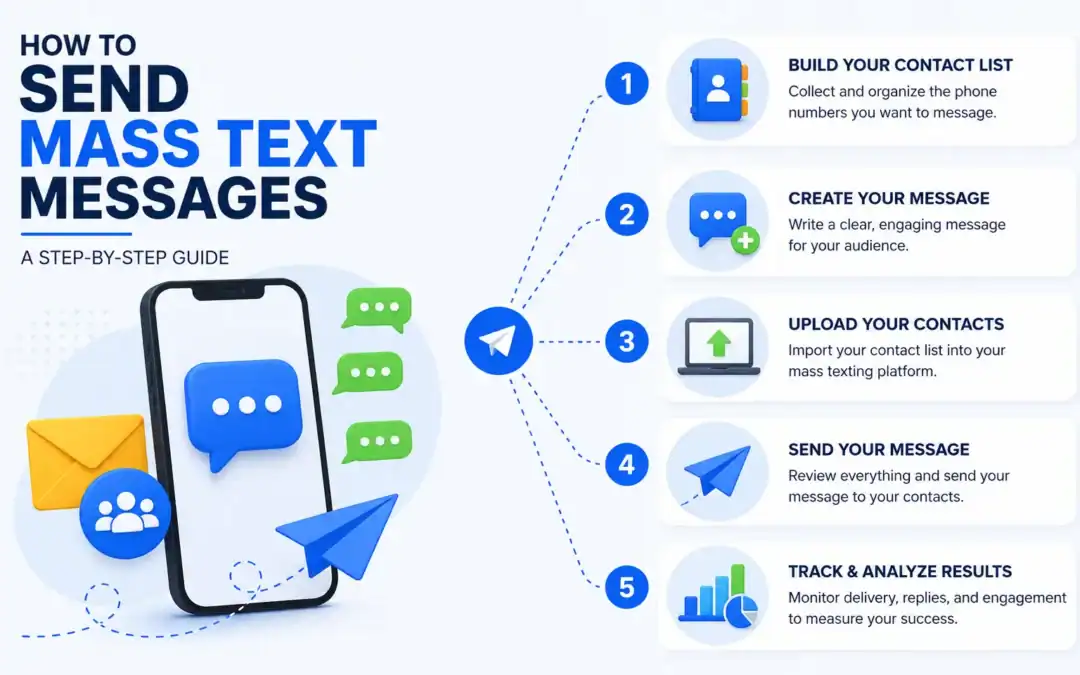
How to Send Mass Text Messages in 6 Steps
The process breaks into six stages across list-building, platform selection, compliance, message-writing, and sending. Skip any one of them and you’re either getting carrier-filtered, violating TCPA, or wasting sends on a dead list.
Step 1: Build a Compliant Contact List
Your list is your foundation. TCPA requires prior express written consent before you text any contact for marketing purposes. That means a checkbox on your opt-in form, a clear disclosure statement, and a record of when consent was given. Verbal or implied consent doesn’t hold up.
A few practical rules for building the list right:
- Use an opt-in form with explicit SMS consent language something like: ‘By submitting this form, you agree to receive text messages from [Company] at the number provided. Message and data rates may apply. Reply STOP to unsubscribe.’
- Capture the opt-in timestamp and store it against the contact record Message IQ logs this automatically inside HubSpot so your compliance evidence lives in the CRM.
- Segment from day one. A monolithic list of 10,000 contacts is harder to personalize than three segmented lists of 3,000 each.
- Clean the list before sending remove landlines, duplicate numbers, and contacts who previously opted out.
Step 2: Choose the Right Mass Texting Platform
Your phone’s built-in messaging app won’t cut it. Native mobile apps don’t support mass sends, lack compliance tools, and don’t log activity in your CRM. You need a purpose-built mass texting platform.
Here’s what to look for:
- HubSpot-native integration (not a webhook workaround) activity logs on the contact timeline, workflow triggers, and two-way replies visible in CRM.
- A2P 10DLC registration support the platform should handle the brand and campaign registration with The Campaign Registry on your behalf.
- Shared team inbox so multiple reps can see and respond to replies without a message falling through the cracks.
- TCPA opt-out management automatic STOP/UNSUBSCRIBE handling, with opt-outs reflected instantly in your contact properties.
- Templates and scheduling for reusable messages and sends at optimal delivery windows.
Message IQ checks all of these. It’s built by Integrate IQ HubSpot Diamond Solutions Partners which means the HubSpot integration goes deeper than a Marketplace app with surface-level CRM logging.
SMS threads appear on Contact, Company, and Deal timelines. Workflow triggers fire on inbound replies. Opt-outs update contact properties in real time.
Plans start at $49/month, making it a reasonable entry point for teams already running their sales or marketing ops inside HubSpot.
Step 3: Register Your Number with A2P 10DLC
A2P 10DLC (Application-to-Person, 10-Digit Long Code) is the carrier-mandated registration framework for business texting in the US.
If you’re sending mass texts from a local 10-digit number without 10DLC registration, carriers will filter or block your messages before they reach a single subscriber.
Registration involves two steps:
- Brand registration: Submit your company profile (name, address, EIN, website) to The Campaign Registry (TCR). TCR assigns a trust score that determines your throughput rates.
- Campaign registration: Define your messaging use case (marketing, customer care, appointment reminders, etc.), provide sample message templates, and submit. Carriers use this to verify intent and reduce spam.
10DLC numbers are less expensive than short codes (which start around $1,000/month) and give B2B teams the flexibility to run both mass campaigns and one-on-one conversations from the same number.
Message IQ manages 10DLC registration as part of onboarding you don’t have to navigate The Campaign Registry directly.
Here’s how the three main number types compare:
| Number Type | Best For | Volume Limit | Cost Range |
| 10DLC long code | Business texting, two-way | ~2,000 segments/day | $ |
| Toll-free | Marketing campaigns | ~25,000 segments/day | $$ |
| Short code | High-volume blasts | Millions/day | $$$ |
Step 4: Write Your Mass Text Message
SMS has a 160-character limit per segment. Go over that, and you’re sending a two-part message, which adds cost and can occasionally arrive out of order.
Most mass texting platforms show a character counter and watch it.
Principles for writing messages that get responses:
- Lead with your brand name. “Hi {{first_name}}, this is Sarah from Acme” establishes trust immediately.
- State the value or action in the first sentence. Readers shouldn’t have to dig for why you’re texting.
- One CTA per message. “Reply YES to confirm” or “Click here to book” not both.
- Include an opt-out line. TCPA requires it: “Reply STOP to unsubscribe.”
- Personalize with merge tags. {{first_name}}, {{company}}, {{deal_stage}} pull from your CRM to make a mass send feel like a 1:1 message.
Message IQ – Bulk SMS from HubSpot
Mass Text Message Templates (Copy-Paste Ready)
Here are five ready-to-use templates. Character counts include merge tags at their average rendered length.
Template 1: New Lead Follow-Up (Speed-to-Lead)
Hi {{first_name}}, saw you checked out {{company_name}}. I’m {{rep_name}} happy to answer any questions. What’s your main goal with SMS right now? Reply anytime. Reply STOP to opt out.
Use case: New HubSpot form submission trigger this within 90 seconds of form fill.
Character count: ~155 (single segment)
Template 2: Appointment Reminder
Hi {{first_name}}, just a reminder about your appointment tomorrow at {{time}}. Reply YES to confirm or RESCHEDULE to change. {{rep_name}} | {{company_name}}. Reply STOP to opt out.
Use case: Automated 24-hour reminder for healthcare, auto glass, financial services.
Character count: ~158 (single segment)
Template 3: Promotional Campaign
{{first_name}}, our summer deal ends Friday: 20% off any plan when you upgrade before July 11. Use code SUMMER20 at checkout: {{link}}. Reply STOP to unsubscribe. {{company_name}}.
Use case: Time-limited promotional send to opted-in marketing list.
Character count: ~160 (single segment)
Template 4: Re-Engagement (Cold Contacts)
Hey {{first_name}}, it’s {{rep_name}} from {{company_name}}. We haven’t connected in a while still dealing with [specific pain point]? Happy to help. Reply CHAT to reconnect or STOP to opt out.
Use case: Leads dormant for 60+ days in HubSpot enroll via lifecycle stage workflow.
Character count: ~155 (single segment)
Template 5: Deal-Stage Follow-Up
Hi {{first_name}}, just checking in on the {{deal_name}} proposal. Any questions I can clear up before you decide? Reply here or click: {{meeting_link}}. Reply STOP to opt out.
Use case: Contacts in ‘Proposal Sent’ deal stage for more than 3 days trigger from HubSpot Deals workflow.
Character count: ~155 (single segment)
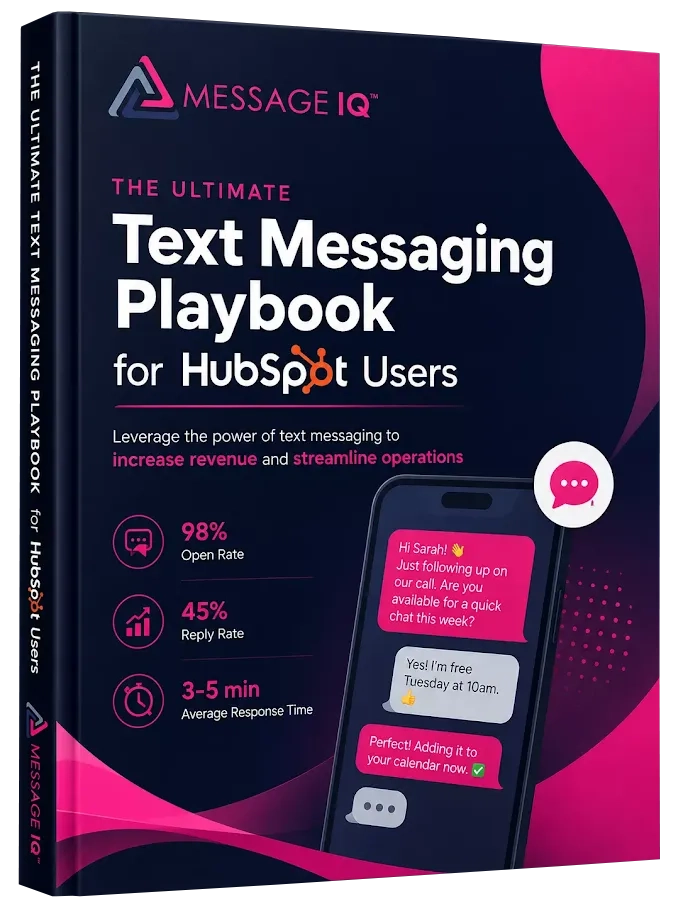
Get Your Ultimate HubSpot Text Messaging Playbook for FREE
Discover how top HubSpot teams use SMS to boost engagement, close deals faster and streamline operations.
Instant download
Expert insights from certified HubSpot professionals
Ultimate Text Messaging Playbook
How to Send Mass Texts from HubSpot Using Message IQ
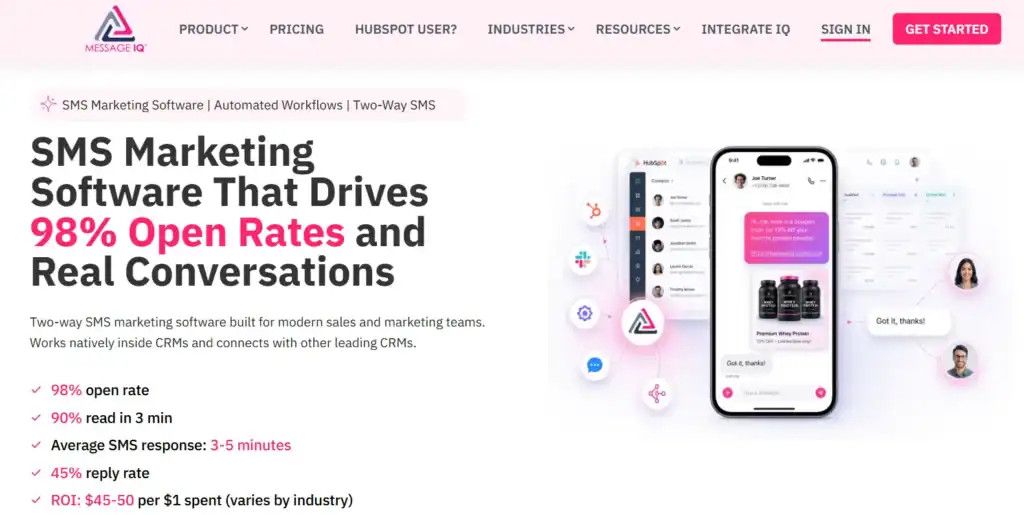
HubSpot doesn’t include SMS as a native channel out of the box. Connecting Message IQ plugs SMS directly into HubSpot workflows, contact timelines, and deal records no webhook gymnastics required.
Here’s how to set up a mass SMS workflow that fires on CRM triggers:
Setup: Connect Message IQ to HubSpot
- Install Message IQ from the HubSpot Marketplace and connect your account.
- Complete A2P 10DLC brand and campaign registration through Message IQ’s onboarding flow.
- Map your SMS opt-in property to a HubSpot contact property (Message IQ creates this automatically “SMS Opt-In Status”).
- Import or sync your opted-in contact list into HubSpot. Landlines get filtered out automatically.
Build the Workflow: Speed-to-Lead Example
- Enrollment trigger: Contact submits a HubSpot form with SMS opt-in checkbox checked.
- Enrollment trigger: Contact property “SMS Opt-In Status” is enrolled = true AND form submission date is known.
- Delay: 0 minutes (immediate).
- Action: Message IQ Send SMS. Select template “New Lead Follow-Up”. Sender = Contact Owner or dedicated business number.
- Branch: IF reply received within 60 minutes THEN enroll in “Hot Lead” sequence. IF no reply within 24 hours THEN send follow-up SMS (Template 4).
- CRM action: Log SMS sent as activity on Contact timeline. Update Contact property “Last SMS Date”.
Every message sent and received appears on the HubSpot contact timeline. Replies route to the shared Message IQ team inbox, where any rep can pick up the conversation. If a contact replies STOP, Message IQ updates the opt-out property in HubSpot instantly, removing them from any active workflows automatically.
Send Your Mass Campaign
For promotional sends to a static list:
- Build a HubSpot Active List using filters: Lifecycle Stage = Customer, SMS Opt-In = true, Last Purchase Date > 90 days ago.
- In Message IQ, create a new campaign. Select the HubSpot list as your audience.
- Load your message template with merge tags pulled from HubSpot contact properties.
- Schedule the send for a time between 8 AM and 9 PM in the recipient’s local time zone (TCPA requirement).
- Review the send preview Message IQ shows the rendered message per contact before you launch.
- Send or schedule. Delivery reports and opt-out counts appear in real time in the Message IQ dashboard and sync back to HubSpot.
TCPA Compliance and 10DLC: What to Know Before You Send
TCPA violations run $500 to $1,500 per message per recipient. A mass send to 5,000 people without proper consent isn’t just an operational mistake it’s a six-figure legal exposure. Here’s what compliant mass texting requires in 2026:
Consent Requirements
- Written express consent is required for marketing texts. A checkbox on your opt-in form with clear disclosure language meets the standard. Pre-checked boxes don’t.
- Transactional texts (order confirmations, appointment reminders) have a slightly lower bar, but consent best practices still apply.
- You can’t use a phone number collected for other purposes to send marketing SMS without separate SMS consent.
TCPA enforcement is intensifying, not easing. Class action filings tied to text messaging spiked more than 280% in a single month in late 2025. The FCC’s proposed “one-to-one consent” rule which would have required a separate consent record per lead source rather than shared consent was vacated by the 11th Circuit rather than finalized, so the current, lower consent bar technically still stands. But that’s a legal technicality, not a green light: treat every opt-in record as evidence you may eventually have to produce.
State laws layer on top of TCPA in 15+ states, including California, Texas, and Florida. See our state-by-state SMS compliance guide before running your first campaign in a new state.
Opt-Out Handling
- Every mass text must include opt-out instructions. “Reply STOP to unsubscribe” is the industry standard.
- TCPA requires you to process opt-out requests within 10 business days industry best practice is immediate. Message IQ processes them in real time.
- Once a contact opts out, they must be excluded from all future sends until they re-opt in.
Sending Hours
- Messages must be delivered between 8 AM and 9 PM in the recipient’s local time zone. Scheduling a 10 PM send to a nationally distributed list will put some messages in violation.
- Message IQ applies quiet hours automatically based on the contact’s area code, so you don’t have to segment by time zone manually.
A2P 10DLC Registration
As of 2026, 10DLC registration isn’t optional. Any business sending mass texts over a local 10-digit number to US recipients must register their brand and campaign with The Campaign Registry. Unregistered traffic gets throttled or blocked by carriers meaning your messages may never arrive, regardless of whether the contact opted in.
Message IQ supports compliant mass texting workflows with built-in opt-in/opt-out management, automatic quiet hours enforcement, and A2P 10DLC registration handled during onboarding. The platform doesn’t guarantee legal compliance (that’s your legal team’s job), but it gives you the infrastructure to manage consent and delivery the right way.
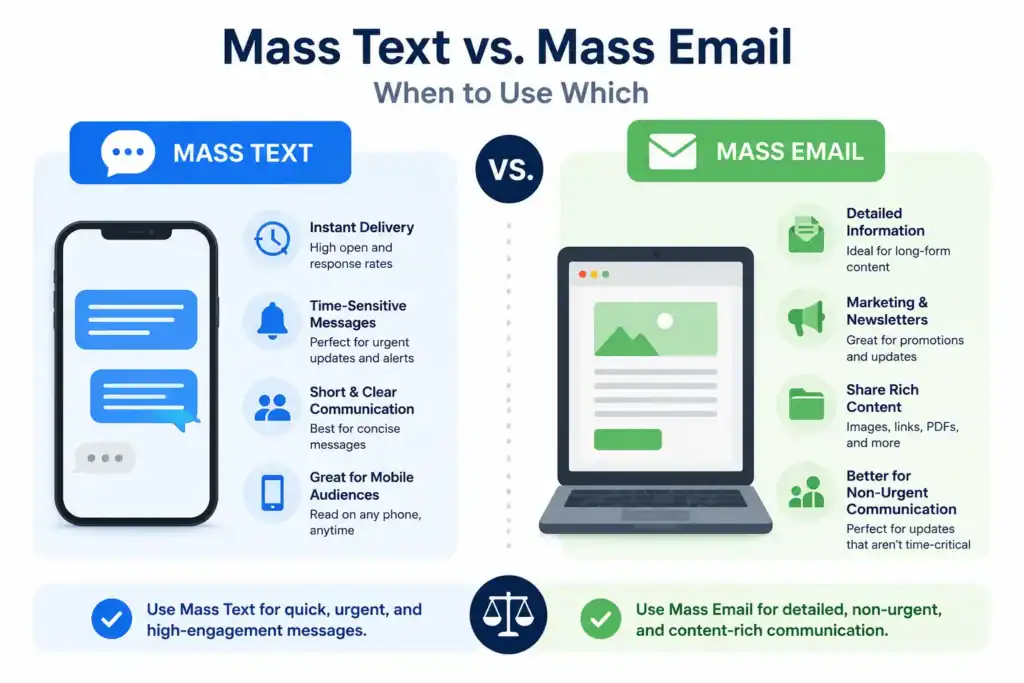
Mass Text vs. Mass Email: When to Use Which
SMS and email aren’t in competition; they serve different moments in the customer journey. Here’s how they stack up for mass communications:
| Factor | Mass Email | Mass Text (SMS) |
| Open rate | ~20% | 98%, read in under 3 minutes |
| Response rate | 2–5% | 45%+ for conversational messages |
| Speed to read | Hours to days | 90 seconds median |
| Two-way replies | Complex, often delayed | Instant, in same thread |
| CRM visibility | HubSpot native | Requires SMS integration (e.g., Message IQ) |
| Compliance | CAN-SPAM | TCPA + A2P 10DLC registration required |
| Best for | Nurture sequences, content | Follow-ups, reminders, time-sensitive alerts |
The practical rule: use email for longer-form content, nurture sequences, and anything where the reader needs time to consider. Use SMS for time-sensitive messages, follow-ups, confirmations, and anything where speed-to-read is the point. Running both channels out of HubSpot with Message IQ handling SMS means you get the full picture of customer engagement in one CRM instead of two disconnected tools.
Frequently Asked Questions
How many texts can I send at once with mass texting?
Volume depends on your number type and 10DLC campaign registration. Standard 10DLC long codes process around 2,000 message segments per day. Toll-free numbers support higher throughput up to 25,000+ segments daily. Short codes handle millions of messages per day but cost significantly more. Most B2B teams running campaigns to a few thousand contacts find 10DLC long codes perfectly adequate.
Do I need to register for 10DLC to send mass texts?
Yes, if you’re sending from a local 10-digit number in the US. As of 2026, carriers block or heavily filter unregistered A2P traffic. Registration involves submitting your brand profile and campaign use case to The Campaign Registry. Message IQ handles this registration as part of setup you don’t have to navigate TCR directly. Toll-free numbers have a separate verification process, and short codes have their own application process.
Can I send mass texts from HubSpot?
HubSpot doesn’t include native SMS for mass sends you need an integrated SMS platform. Message IQ connects to HubSpot natively, letting you send mass texts to HubSpot lists via workflow actions, with all send and reply activity logged on contact timelines. You can trigger sends based on any HubSpot enrollment criteria: form submissions, deal stage changes, lifecycle stage updates, or custom property conditions.
What’s the difference between mass texting and group texting?
Group texting creates a shared thread where all recipients can see each other’s replies like a group chat. Mass texting sends each recipient an individual, private SMS. They don’t see who else received the message, and their replies go directly to your team inbox rather than the group. For business communications, mass individual texting is almost always the right choice: it’s more professional, keeps replies organized, and avoids the noise of group threads.
What TCPA consent do I need before sending mass texts?
For marketing SMS, TCPA requires prior express written consent. That means a form checkbox with clear disclosure language something like ‘I agree to receive marketing text messages from [Company] at the number provided. Message and data rates may apply. Reply STOP to unsubscribe.’ Implied consent (a customer giving you their number for a different purpose) doesn’t satisfy TCPA’s written consent standard for marketing messages. Message IQ logs consent timestamps against HubSpot contact records, giving you an auditable consent trail.
How do I avoid my mass texts getting filtered by carriers?
Register your number through A2P 10DLC, keep your contact list clean and opted-in, avoid URL shorteners like Bit.ly (carriers flag them as spam signals), don’t use SHAFT content categories (Sex, Hate, Alcohol, Firearms, Tobacco), and maintain a complaint rate below 0.1%. Sending from a consistent number per campaign and including your business name in every message also helps carrier trust scoring. Message IQ’s deliverability infrastructure is built for A2P traffic patterns, reducing filtering risk compared to generic gateway providers.
How much does mass text messaging cost?
Costs depend on the platform and volume. Message IQ starts at $49/month for smaller teams. Most platforms charge either a flat monthly fee with a message allotment or a credit-based model where you pay per message segment sent. Carrier fees apply separately for 10DLC registration (typically a one-time brand fee plus a monthly campaign fee). Short codes add $1,000+/month on top of platform fees. For most B2B teams sending a few thousand messages per month, a 10DLC-based plan in the $30 to $200/month range covers it.
See how much revenue SMS could add to your HubSpot stack
Five inputs. Industry-backed benchmarks. Get your projected annual SMS revenue in under 30 seconds.
Calculate My SMS ROI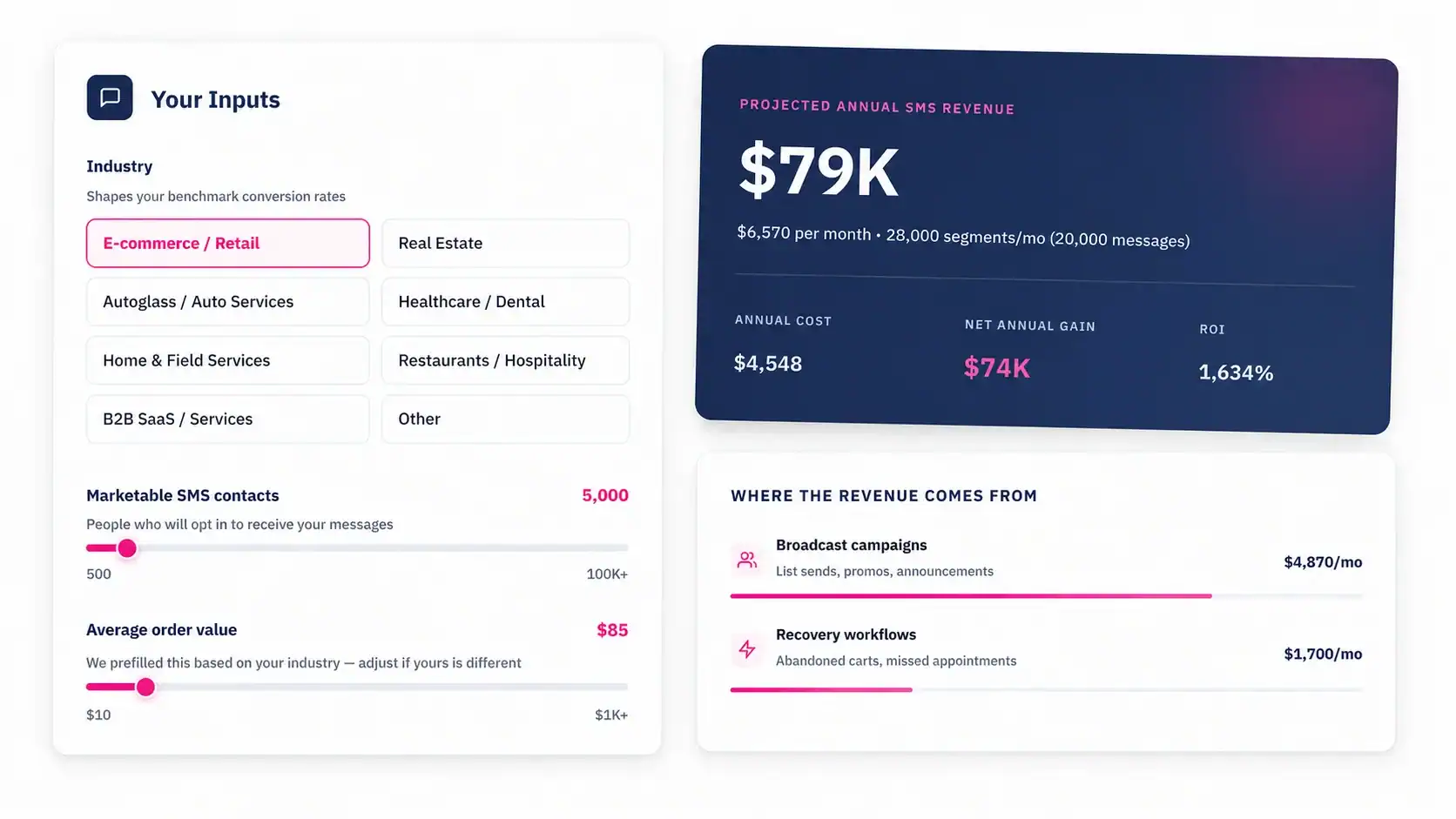
Start Sending Mass Texts That Actually Get Read
Mass texting works when you’ve got the right infrastructure under it: a compliant opt-in list, a registered sending number, a platform that connects to your CRM, and messages that treat the recipient as a person rather than a number.
Message IQ gives HubSpot teams all of that in one place two-way mass texting, HubSpot-native logging, A2P 10DLC compliance, shared team inbox, and workflow automation starting at $49/month. Your sales rep can fire a personalized follow-up to 500 opted-in leads from a HubSpot workflow, see who replied, and pick up the conversation in a shared inbox without leaving HubSpot.
If your team’s still emailing leads after they fill out a form and wondering why response rates are flat, mass SMS is worth a closer look.