
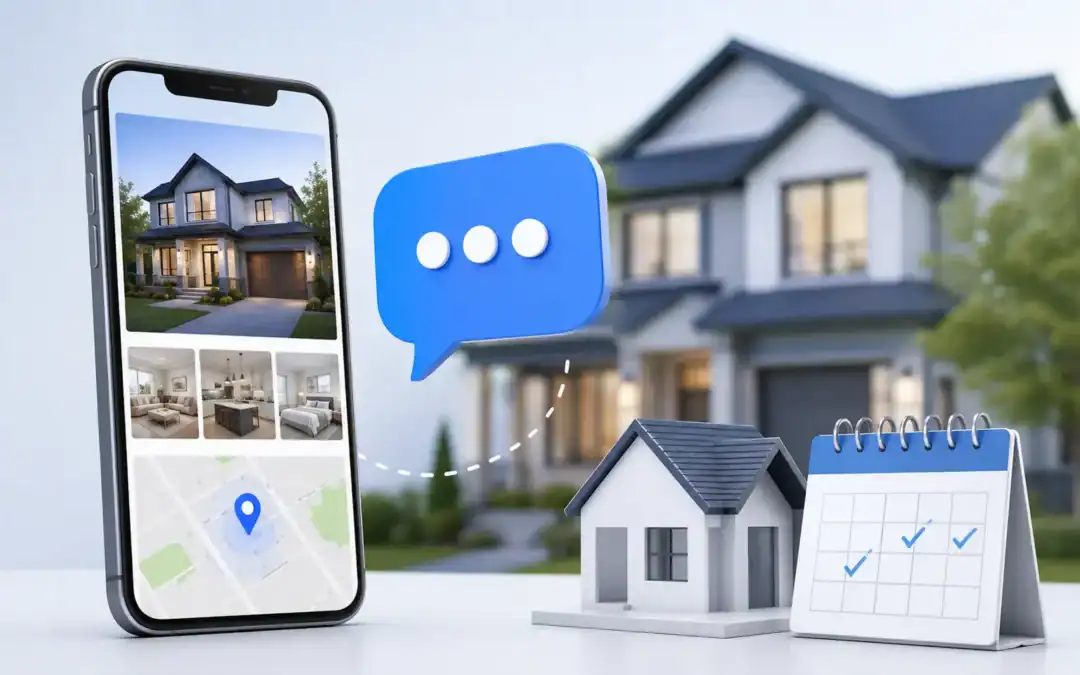
Zillow sends your buyer a listing alert email. So do Realtor.com, Redfin, and your competitor’s IDX drip. By the time your email lands, your prospect has already seen the property through three different portals and moved on or booked a showing with whoever texted them first. That’s the problem with depending on email for property listings in 2026. SMS marketing for property listings puts your message in the one channel those portals can’t touch: your buyer’s text inbox.
98% of SMS messages get read within 3 minutes. Email sits at roughly 20% open rate and takes hours to act on. For an industry where a listing in a competitive zip code gets five offers in a weekend, that gap costs agents real showings. Message IQ connects directly to HubSpot so real estate teams can trigger listing alerts, showing reminders, and price drop notifications automatically straight from the CRM where buyer criteria already lives.
What Is SMS Marketing for Property Listings?
SMS marketing for property listings is the practice of using automated and conversational text messages to promote new listings, alert matched buyers, confirm showings, and move deals forward. Unlike portal notification emails, business SMS goes to a personal channel the buyer actively checks and because it’s two-way by default, a buyer can reply to a listing alert and book a showing in the same thread.
The two-way part is what most agents miss. A listing alert that fires from HubSpot via Message IQ isn’t just a broadcast it’s the start of a conversation. When a buyer texts back, that reply hits a shared team inbox and logs directly to their HubSpot contact record. Any agent can pick it up without losing context.
Why SMS Beats Portal Alerts for Listing Promotion
Portal alerts are a commodity. Every buyer with a saved Zillow search gets the same automated email the moment a property hits the market. Your listing email goes in the same inbox as Redfin’s, Realtor.com’s, and your competitor’s drip sequence. None of them feel personal. Most don’t get opened.
A text from your business number is different. It arrives in the same app the buyer uses to text their family. It doesn’t compete with portal spam. It comes from you or from your team’s shared number which means the buyer associates it with a real relationship, not an algorithm.
According to the National Association of Realtors, over 62% of buyers received property information from their agent via text. Buyers expect it. Agents who don’t text are losing ground to those who do, and losing it on timing the moment a matched listing hits the market.
The speed-to-lead window in real estate is measured in minutes. When a buyer submits an inquiry on your website or fills out a buyer intake form, an automated SMS from Message IQ fires within seconds. Your competitor is still drafting an email reply.
6 Ways Real Estate Agents Use SMS Marketing for Property Listings
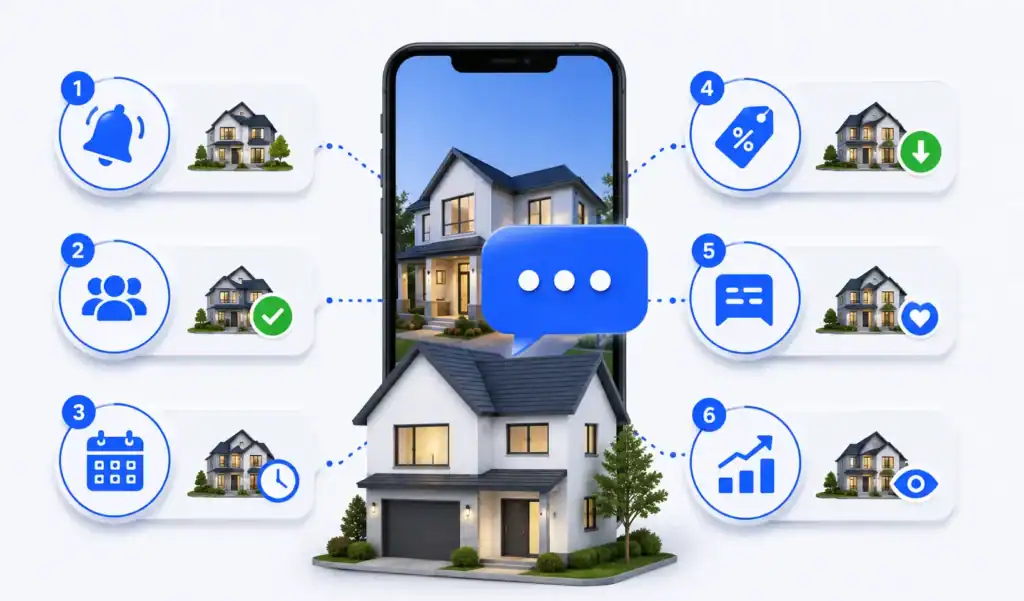
1. New Listing Alerts for Matched Buyers
This is the highest-value use case. Store buyer criteria as custom contact properties in HubSpot price range, preferred neighborhoods, bedroom count, property type. When a new listing matches a buyer’s profile, enroll them in a workflow that fires a Message IQ SMS immediately.
The listing alert arrives before the portal notification email, before their Zillow app pings them, and before another agent calls. That 3-minute read window is yours.
2. Open House Reminders and RSVPs
Open houses succeed on turnout, and turnout dies from forgetfulness. An automated text the morning of the open house cuts no-shows better than any calendar invite. When a buyer replies to confirm, that response logs to their HubSpot contact so your team knows who’s actually coming.
3. Showing Confirmations and Day-Of Reminders
A showing booked three days out has a meaningful cancellation rate. A confirmation text the day before and a day-of reminder drops that rate significantly. These two messages are the easiest automated workflow to build in HubSpot a deal-stage trigger fires them without any manual input from the agent.
4. Price Drop Alerts
Price reductions create urgency. A buyer who toured a property two weeks ago and passed at $525,000 might move fast at $499,000. An automated price drop alert to everyone who toured but didn’t offer puts that message in front of the right people within minutes of the price change.
Email price drop alerts get buried. A text that says the home on Maple Street just dropped $26K gets read in 90 seconds and either prompts a reply or doesn’t. Either way, you know fast.
5. Post-Showing Follow-Up
Most agents send a post-showing email. Most buyers don’t reply to it. A text asking how the showing went sent automatically through a HubSpot deal-stage workflow when the showing status updates gets a real response because it feels like a personal check-in, not a template.
When the buyer replies, that reply hits the Message IQ shared team inbox inside HubSpot. The agent sees context: which property, what stage, what the buyer’s criteria are. The conversation picks up naturally instead of starting from scratch.
6. Referral and Past-Client Reactivation
Your closed buyer database is the highest-quality lead source you have. Most agents don’t text it. A personalized SMS to past clients noting how the market has shifted, asking if they know anyone ready to buy or sell feels different from a generic email newsletter. It’s a touchpoint that gets replies. And replies become referrals.
How to Set Up a Property Listing Alert Workflow in HubSpot Using Message IQ

Here’s exactly how to wire up an automated listing alert SMS workflow for a segmented buyer list. This uses native HubSpot tools no Zapier, no webhook, no developer.
- Set up buyer criteria as HubSpot contact properties. Create custom properties for price range (min/max), preferred neighborhoods, bedroom minimum, and property type. Agents fill these in during the buyer intake conversation or let a form do it.
- Build a static or active list for each buyer segment. Example: ‘Buyers Scottsdale $450K–$600K 3BR+’. HubSpot list enrollment pulls from the contact properties you set in step one.
- Create a Contact-based workflow. Set the enrollment trigger to ‘Contact is added to list [Buyer Segment Name]’. This fires when a new listing match is identified and the buyer gets added to the relevant list.
- Add a Message IQ Send SMS action as the first step. Message IQ appears under Connected Apps in the HubSpot workflow action library once installed from the App Marketplace. Set delay to 0.
- Write the listing alert using HubSpot contact tokens: {{contact.firstname}}, and any custom property tokens for the listing details you’re passing through. Include a direct link to the lis ting.
- Add a branch: ‘If contact replied to SMS within 48 hours’ route responders to the contact owner for follow-up. Route non-responders to a second message 72 hours later.
- Set a stop condition: ‘If Deal stage = Showing Scheduled’ so the alert sequence exits once the buyer takes action and a showing is booked.
Every text sent through this workflow logs automatically to the buyer’s HubSpot contact timeline. Your whole team sees the conversation history without asking each other what happened on a given lead.
Get Your Ultimate HubSpot Text Messaging Playbook for FREE
Discover how top HubSpot teams use SMS to boost engagement, close deals faster and streamline operations.
Instant download
Expert insights from certified HubSpot professionals
Ultimate Text Messaging Playbook
SMS Templates for Property Listings
Use these directly in MessageIQ. Swap in your brokerage name and adjust to match your voice.
Template 1: New Listing Alert
Hi {{first_name}}, a new listing just hit that matches your criteria {{bedrooms}}BR in {{neighborhood}} at {{price}}. Photos and details: {{listing_link}}. Want to schedule a showing? Reply YES and I’ll get you in. {{agent_name}}, {{brokerage}} (193 chars)
Template 2: Open House Reminder
Morning {{first_name}}! Quick reminder open house today at {{property_address}} from {{start_time}} to {{end_time}}. No RSVP needed, just show up. Hope to see you there! {{agent_name}} (188 chars)
Template 3: Price Drop Alert
{{first_name}}, the home at {{property_address}} you saw earlier just dropped to {{new_price}} (was {{old_price}}). Still available. Want another look or ready to put in an offer? Reply back. {{agent_name}} (199 chars)
Template 4: Post-Showing Follow-Up
Hey {{first_name}}, thanks for touring {{property_address}} today! What did you think? Happy to answer questions or talk next steps if you loved it. {{agent_name}}, {{brokerage}} (177 chars)
TCPA Compliance for Real Estate SMS Marketing
TCPA (Telephone Consumer Protection Act) requires written consent before you send automated texts to leads, buyers, or sellers. Real estate has some specific nuances worth knowing.
- Consent must be obtained before texting. Add an unchecked SMS opt-in checkbox to your buyer intake forms and website lead capture. The language should name your brokerage specifically and mention that the contact may receive automated texts. Don’t assume consent from a business card or an open house sign-in sheet.
- Cold texting purchased lead lists carries real legal risk. Only text opted-in contacts buyers and sellers who submitted a form, signed an intake agreement, or explicitly agreed to receive texts from your team. This matters especially given the FCC’s updated TCPA rules tightening one-to-one consent requirements.
- Register your number through A2P 10DLC. Any business sending automated texts from a 10-digit number needs to register their brand and campaign use case with carriers. Unregistered numbers get filtered before they reach the buyer. Message IQ handles this registration as part of onboarding.
- Honor opt-outs immediately. When a contact texts STOP, they get removed from all future automated sends. Message IQ manages opt-out handling automatically and logs it to the HubSpot contact record so no one accidentally re-enrolls a contact who unsubscribed.
Message IQ supports compliant texting workflows for real estate teams with built-in opt-out management, TCPA-aware tooling, and A2P 10DLC registration support so the compliance layer runs in the background while your agents focus on closing.
SMS vs Email for Property Listings: A Direct Comparison
| Use Case | SMS (via Message IQ) | |
|---|---|---|
| New listing alert | Read within 3 min, beats portal timing | Competes with Zillow/Redfin alerts |
| Open house reminder | High read rate same-day | Often missed or in spam |
| Showing confirmation | Reply-based confirmation is instant | Calendar invite often ignored |
| Price drop alert | Drives immediate action | Delayed open, lower urgency |
| Post-showing follow-up | Feels personal, gets real replies | Template-looking, low reply rate |
| Referral request | Personal channel, higher response | Newsletter feel, gets archived |
| Open rate | 98% | ~20% |
| Average response time | ~90 seconds | ~90 minutes |
| Two-way conversation | Native with Message IQ shared inbox | Reply-to only, no threading |
| HubSpot logging | Auto-logs to contact timeline | Auto-logs via HubSpot email |
The point isn’t to replace email. Detailed listing packets, offer summaries, and disclosure documents belong in email. SMS is for time-sensitive triggers the moment a listing matches a buyer’s criteria, the morning of a showing, the day a price drops. Those touchpoints live in text.
Frequently Asked Questions
Is it legal to text buyers about property listings?
Yes, with written consent in place. Buyers who submit a form on your website and check an SMS opt-in box, or who sign a buyer intake agreement that includes SMS consent language, can legally receive automated texts. Don’t text contacts who haven’t explicitly opted in especially leads from third-party aggregators, where consent portability is a legal gray area under current FCC rules.
How do I set up automated listing alerts via SMS in HubSpot?
Store buyer criteria as HubSpot custom contact properties (price range, neighborhood, bedroom count). Build active lists segmented by those properties. Create a Contact-based workflow that enrolls buyers when they match a new list, then fires a Message IQ SMS action as the first step. The whole setup takes under an hour once Message IQ is installed from the HubSpot App Marketplace.
What’s the difference between a listing alert SMS and a portal notification?
A portal notification (Zillow, Realtor.com) goes to the buyer’s email or app alongside alerts from every other portal and agent they follow. An SMS from your team arrives in their personal text inbox, comes from a number they associate with you, and opens a two-way conversation. When the buyer replies, you get the response not a portal.
How many SMS messages should I send a buyer per week?
It depends entirely on where they are in the buying process. An active buyer in a competitive market might get two or three texts a week a listing alert, a showing reminder, a follow-up. A buyer who’s six months out should get far less. The best practice is to let CRM stage drive frequency: active buyers in HubSpot deal stages get more touchpoints than contacts in early awareness stages.
Do I need to register my number before texting real estate leads?
Yes. Any business sending automated texts from a 10-digit local number needs A2P 10DLC registration. Without it, carriers filter your messages before they reach buyers. Registration involves submitting your brand name and the nature of your SMS campaigns (listing alerts, appointment reminders, etc.) to The Campaign Registry. Message IQ walks real estate teams through this during onboarding.
Can I send property photos via SMS?
Yes, MMS messages support images, short videos, and links to virtual tours. Sending a lead photo of a listing that just matched their criteria drives significantly higher engagement than a text-only message with a link. Keep MMS file sizes reasonable (under 1MB is best for deliverability) and check that your plan supports MMS sends.
See how much revenue SMS could add to your HubSpot stack
Five inputs. Industry-backed benchmarks. Get your projected annual SMS revenue in under 30 seconds.
Calculate My SMS ROI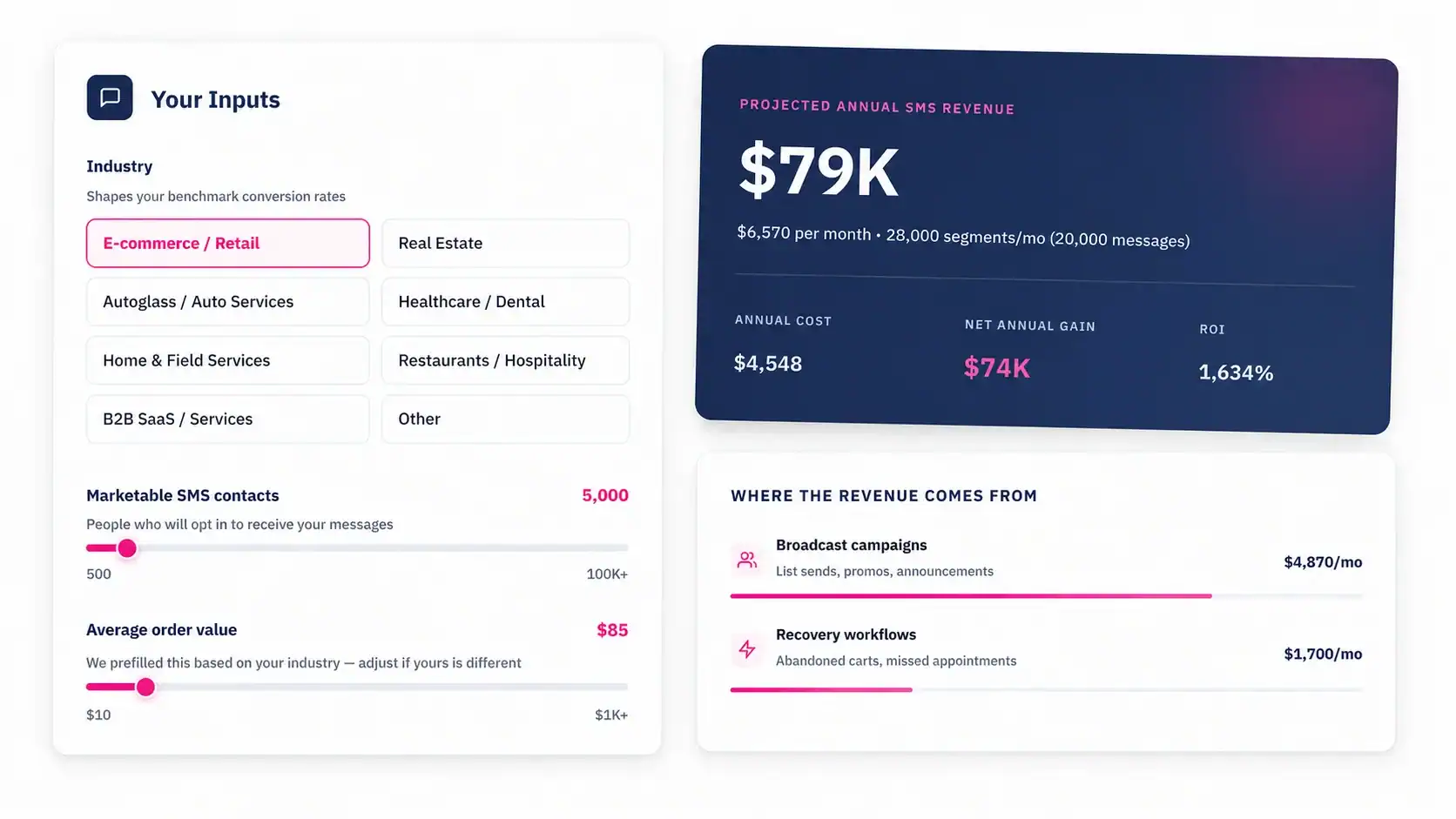
Start Texting Your Buyers Before the Portal Does
Every hour between a listing going live and your buyer seeing it is an hour your competitor might reach them first. Message IQ connects to HubSpot natively so your listing alerts, showing reminders, and follow-up sequences run automatically triggered by the CRM events and contact properties your team is already managing. Two-way by default, TCPA-compliant, plans starting at $99/month.
See how real estate teams use Message IQ to text buyers from HubSpot