

Most sales teams use HubSpot to track deals but rely on email to move them. That’s the gap. Email follow-ups after a proposal gets sent have an open rate around 20%. A text sent from the same workflow at the same trigger fires into a channel with a 98% open rate. The message reaches the prospect before the email gets noticed and because it’s two-way, a reply comes back to your shared team inbox, not a no-reply address.

HubSpot SMS marketing software. Every text logged to the contact record.
Message IQ runs inside HubSpot, not next to it. Workflows trigger the send, replies land in the timeline, and your team never leaves the CRM.
- Free 15-minute strategy call, live demo inside your CRM
- 300+ SMS templates, instant download
- No pitch, no pressure
Plans from $49/mo. Setup and 10DLC registration handled for you.
SMS for HubSpot deals pipeline means firing text messages directly from deal stage changes not just contact property updates. When a deal moves from Appointment Set to Proposal Sent, a text can go out automatically. When a deal sits in Negotiation for 7 days without activity, a re-engagement SMS fires. When a deal closes, a thank-you text lands before your competitor follows up. Message IQ connects to HubSpot natively through the App Marketplace and adds SMS as an action inside the workflow builder, triggered by the same deal events that already run your pipeline automation.
This guide covers everything specific to deal-stage SMS. For the broader mechanics of connecting SMS to HubSpot Workflows outside the deal pipeline, see our guides to HubSpot SMS workflow automation and building SMS automation workflows in HubSpot.
Triggering Transactional SMS from Contact Activity in HubSpot
Transactional SMS differs from marketing SMS in one important way: it fires based on something the contact did, not based on a campaign schedule. In HubSpot, you set this up through a contact-based workflow with an enrollment trigger tied to a specific activity.
Common transactional triggers for deal pipeline SMS include: a contact views a pricing page (fires a rep notification), a quote is signed (fires a confirmation text to the contact), a payment is received (fires a receipt confirmation), or a meeting is booked (fires a reminder sequence).
The workflow setup is straightforward. Create a contact-based workflow, set the enrollment trigger to the activity event (page view, form submission, deal property change), then add the MessageIQ SMS action as the next step. The message fires within seconds of the trigger, not on a polling delay.
For transactional messages tied to deal stages specifically (not just contact activity), use a deal-based workflow instead. The enrollment trigger becomes a deal property change, and the SMS action fires through the associated contact record.
What Is SMS for HubSpot Deals Pipeline?
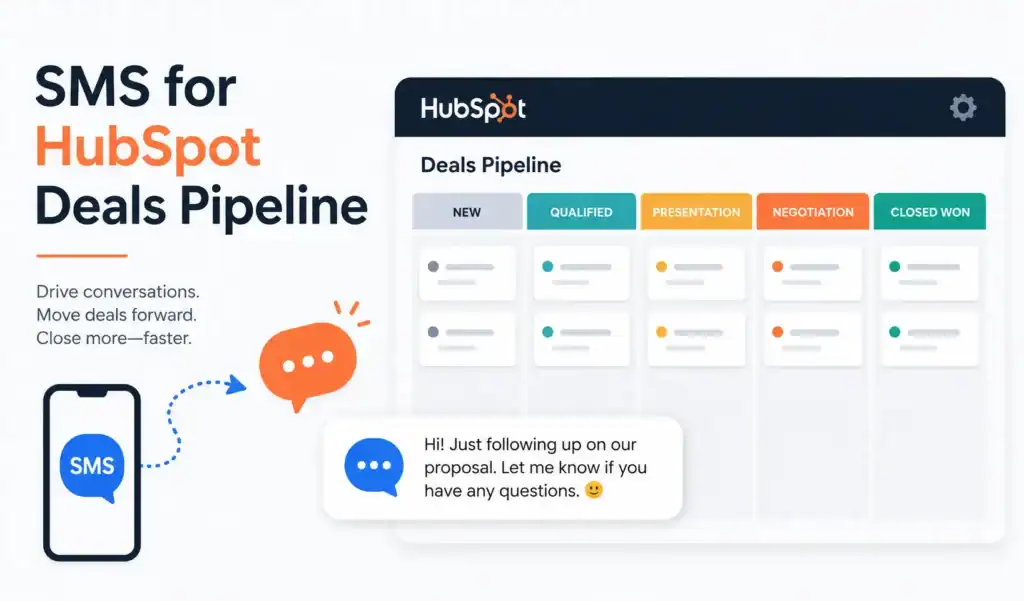
SMS for HubSpot deals pipeline is using deal stage changes, deal property values, and deal inactivity triggers to automatically send and receive text messages with prospects and customers inside HubSpot. Rather than relying on reps to manually text after each stage transition, the workflow fires the SMS the moment the trigger condition is met deal stage updated, number of days without activity exceeded, close date approaching.
Every text sent through Message IQ logs to the associated contact’s HubSpot timeline. Replies land in a shared team inbox visible inside HubSpot. No rep has to check a separate app or ask what happened last the deal record and contact record both carry the full conversation history.
One distinction worth making up front: this guide covers texting the prospect at each deal stage. If what you actually want is an SMS alert to your own sales reps when a deal changes stage or stalls, that’s a different setup, typically built with an email-to-SMS gateway rather than a customer-facing SMS platform.
Why SMS Outperforms Email at Key Pipeline Stages
The email vs SMS performance gap is well documented at the top of the funnel speed-to-lead, first follow-up, cold outreach. The same gap exists inside the pipeline, and most teams don’t exploit it there.
| Pipeline Moment | Email Performance | SMS Performance |
|---|---|---|
| Post-proposal follow-up | ~20% open rate, 1–3 day delay before response | 98% open rate, median reply in ~90 seconds |
| Meeting confirmation | Calendar invites often ignored | Reply-to-confirm gets immediate response |
| Stale deal re-engagement | Low open rate after weeks of silence | Personal channel, cuts through inbox noise |
| Closed Won thank-you | Feels templated, gets archived | Feels personal, surfaces referral signals |
| Closed Lost re-engagement | Rarely opened after 60+ days | Two-way reply reopens conversation |
The reason SMS performs differently at each of these stages isn’t just the open rate. It’s that text messages feel personal in a way that no email sequence does. A prospect who’s been getting drip emails for three weeks and going cold will often reply to a single direct text that asks a simple question. The channel itself changes the dynamic.
Contact-Based vs Deal-Based Workflows: Which One Sends the SMS?
This is the technical question every HubSpot user hits when they try to wire SMS to their pipeline and it’s the one nobody explains clearly in the generic guides.
HubSpot has two workflow types relevant to pipeline SMS: contact-based workflows and deal-based workflows. They handle triggers and actions differently, and choosing the wrong one creates gaps in your automation.
Deal-based workflows trigger on deal object events deal stage changes, deal property updates, deal creation, and deal inactivity. They fire when something happens to the deal record. But SMS via Message IQ sends to a person, not a record. Inside a deal-based workflow, Message IQ’s Send SMS action fires to the associated contact linked to that deal. This is the correct architecture for stage-change triggers.
Contact-based workflows trigger on contact properties and behaviors. If you want to send an SMS when a contact property changes like when a lead score crosses a threshold or a lifecycle stage updates contact-based is right. The limitation: contact-based workflows can’t use deal stage as a re-enrollment trigger, which means a deal moving from Proposal Sent to Negotiation won’t re-enroll a contact in a workflow they’ve already been through.
For pipeline stage SMS, use deal-based workflows. Set the enrollment trigger to ‘Deal stage is any of [Stage Name]’ within your target pipeline. Add the Message IQ Send SMS action to fire to the associated contact. Every time a deal hits that stage, the text goes out once per deal, re-enrollable when the deal moves to a new stage, scoped to the specific pipeline you configure.
| Deal-Based Workflow | Contact-Based Workflow | |
|---|---|---|
| Best trigger for pipeline SMS | Deal stage change fires per deal | Contact property change |
| Re-enrollment on stage change | Yes, each stage triggers independently | No ,can’t re-enroll on deal stage |
| Pipeline-specific scoping | Yes, scope to a specific pipeline | No ,applies across all deals |
| Send SMS to associated contact | Yes,Message IQ targets associated contact | Yes, targets the contact directly |
| Best for | Stage-change nudges, proposal follow-up, Closed Won | Lead score triggers, lifecycle changes |
5 Pipeline Stages Where SMS Moves Deals Forward
Stage 1: Appointment Set
A deal at Appointment Set has a scheduled meeting coming up. The risk is the prospect forgets, deprioritizes, or no-shows. An automated SMS confirmation when the deal enters this stage plus a reminder the morning of the meeting cuts no-shows and keeps the deal active.
The workflow fires the moment the deal stage changes to Appointment Set. Message IQ sends the confirmation text to the associated contact immediately, then a second text with a time delay triggers on the morning of the meeting date (using the deal’s Close Date or a custom meeting date property as the reference).
Stage 2: Proposal Sent
Proposal Sent is where deals stall most. The prospect has the document, they have the numbers, and now they go quiet. A follow-up email 48 hours later gets 20% open rate on a good day. A text asking a specific question ‘Did you get a chance to review the proposal? Any questions on the pricing structure?’ gets read in 90 seconds and prompts a real response.
Set the delay to 48 hours after the deal enters Proposal Sent. If the deal hasn’t moved in that time, Message IQ fires the follow-up SMS to the associated contact. Branch the workflow: if the contact replied to the SMS, notify the deal owner and create a task. If no reply after 5 more days, fire a second text before routing to phone follow-up.
Stage 3: Negotiation
Deals in Negotiation are close but they’re also where velocity slows and competitors make moves. A timely SMS during negotiation keeps the conversation warm without the pressure of a cold call. Questions about specific concerns, timeline, or internal approval process via text get replies faster than emails asking the same thing.
Use a deal inactivity trigger here: ‘Enroll when deal has had no activity for 5 days and deal stage is Negotiation.’ The SMS fires as a low-pressure check-in, giving the rep visibility into where things actually stand before the deal goes cold.
Stage 4: Closed Won
Most teams don’t send an SMS when a deal closes. They send an email that confirms the contract. A direct text from the rep triggered automatically when the deal stage moves to Closed Won lands differently. It feels personal, it opens the channel for onboarding questions, and it’s the moment prospects are most likely to mention colleagues who might need the same solution.
This is the referral window. A text saying ‘Excited to get started with you if you know anyone else who’d benefit from what we’re building together, I’d love an intro’ lands in the honeymoon period before the implementation grind starts. Referrals sourced here close faster because the trust transfer is immediate.
Stage 5: Closed Lost
Most closed lost deals get a single email and then silence. A deal that closed lost 60 or 90 days ago represents a contact who understood your product, evaluated your pricing, and made a decision often based on timing or internal politics rather than product fit. A simple SMS re-engagement 90 days post-close-lost has a dramatically higher response rate than any email at that stage.
Build a separate deal-based workflow that enrolls deals when they hit Closed Lost, waits 90 days, then fires a Message IQ SMS to the associated contact asking a single question about where they ended up and whether circumstances have changed. One out of several who reply becomes a reopened opportunity.
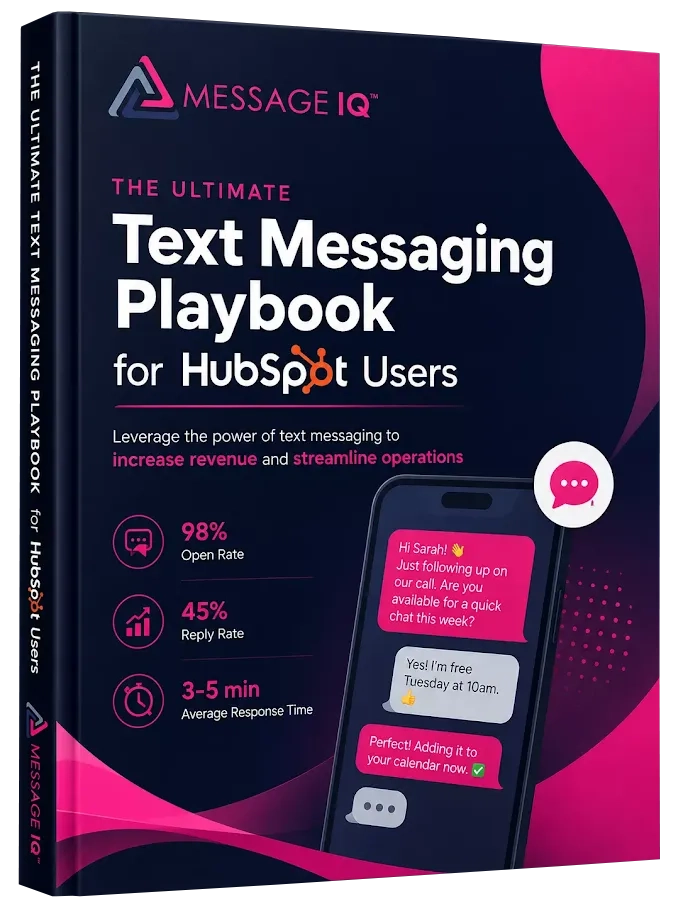
Get Your Ultimate HubSpot Text Messaging Playbook for FREE
Discover how top HubSpot teams use SMS to boost engagement, close deals faster and streamline operations.
Instant download
Expert insights from certified HubSpot professionals
Ultimate Text Messaging Playbook
How to Build a Deal Stage SMS Workflow in HubSpot Using Message IQ
Here’s the exact build for a Proposal Sent follow-up SMS workflow the highest-value pipeline SMS most teams don’t have running.
- Install Message IQ from the HubSpot App Marketplace. It adds a native SMS action under Connected Apps in the HubSpot workflow action library.
- Go to Automation > Workflows > Create workflow. Select Deal-based (not Contact-based).
- Set the enrollment trigger: Deal stage is any of ‘Proposal Sent’ within pipeline [Your Pipeline Name]. Enable re-enrollment so the workflow fires each time a deal enters this stage, not just the first time.
- Add a Time Delay action: 2 days (48 hours after the deal enters Proposal Sent).
- Add a Message IQ Send SMS action. Select the associated contact as the recipient. Write your message using deal property tokens: {{deal.dealname}}, {{contact.firstname}}, {{owner.firstname}}.
- Add an If/Then Branch: ‘If contact sent SMS reply in last 7 days’ Yes path: create a task for the deal owner to follow up. No path: wait 5 more days, then fire a second SMS.
- Add a stop condition: ‘Deal stage is any of Negotiation, Closed Won, Closed Lost’ so the workflow exits the moment the deal moves out of Proposal Sent.
- Test with a single deal record. Confirm the SMS fires to the associated contact, logs to the contact timeline, and appears in the Message IQ shared team inbox.
SMS Templates for Each Deal Stage
Use these directly in Message IQ. All tokens are HubSpot deal and contact properties that pull automatically from the associated records.
Appointment Set Confirmation
Hi {{contact.firstname}}, confirming your meeting with {{owner.firstname}} from {{company.name}} {{meeting.date}} at {{meeting.time}}. Reply YES to confirm or let us know if you need to reschedule. Looking forward to it. (207 chars)
Appointment Set Day-Of Reminder
Morning {{contact.firstname}}! Quick reminder your call with {{owner.firstname}} is today at {{meeting.time}}. Talk soon. (122 chars)
Proposal Sent 48-Hour Follow-Up
Hey {{contact.firstname}}, {{owner.firstname}} here. Just checking in on the proposal for {{deal.dealname}} any questions on the numbers or scope? Happy to jump on a quick call. (181 chars)
Negotiation Inactivity Re-Engagement
{{contact.firstname}}, wanted to check in on {{deal.dealname}}. Where are things sitting on your end? Any sticking points I can help clear up? {{owner.firstname}} (163 chars)
Closed Won Thank-You + Referral Opener
{{contact.firstname}}, really excited to get started together on {{deal.dealname}}. If you know anyone else who’d benefit from what we’re building, I’d love an introduction. {{owner.firstname}} (196 chars)
Closed Lost 90-Day Re-Engagement
Hey {{contact.firstname}}, {{owner.firstname}} from {{company.name}}. It’s been a few months since we last connected on {{deal.dealname}} curious whether anything’s changed on your end that might make this worth revisiting? (225 chars split or trim if over 160)
Stale Deal Re-Engagement: The SMS Workflow Most Teams Don’t Build
Every HubSpot account has a graveyard of deals sitting in open stages with no recent activity. Most teams run a manual review every quarter, create tasks, and reps work through the list. The problem is that ‘stale deal review’ becomes the lowest-priority task on every rep’s plate.
A deal inactivity SMS workflow runs that review automatically, without a rep having to check the pipeline report.
The trigger: Deal last activity date is more than X days ago AND deal stage is not Closed Won AND deal stage is not Closed Lost AND deal is not in a terminal stage. Set X based on your average sales cycle typically 7–14 days for high-velocity, 21–30 days for enterprise.
The action: Message IQ fires a single SMS to the associated contact. Short. Direct. A question, not a statement. The text doesn’t reference the deal by name it references the conversation or the problem the deal was supposed to solve.
Hey {{contact.firstname}}, {{owner.firstname}} here wanted to circle back on the [problem area] we discussed. Still something you’re working through? Happy to reconnect if timing’s better now. (196 chars)
The branch: If the contact replies within 5 days, the deal owner gets a task notification and the deal activity date updates automatically. If no reply, the workflow can escalate to a rep notification to call giving the rep the context that SMS was already attempted.
This workflow catches deals that would otherwise sit unworked for months. One activated deal per quarter from a stale pipeline pays for the SMS platform several times over.
Using SMS for Smart Deal Progression in HubSpot
Smart deal progression means moving deals through your pipeline based on actual engagement signals, not just rep activity. SMS adds a high-signal data point to that equation: did the contact reply? Did they click the link? Did they confirm the meeting?
In HubSpot, you can use Message IQ reply data as a branch condition in deal-based workflows. A contact who replies “yes” to a deal-stage text automatically moves to the next stage. A contact who doesn’t reply after 48 hours gets flagged for manual follow-up or enrolled in a re-engagement sequence. This turns your pipeline from a manual tracking exercise into an automated progression system where deals advance based on actual buyer behavior.
Frequently Asked Questions
Can HubSpot deal workflows trigger SMS directly?
Not natively HubSpot’s built-in workflow actions cover email, tasks, notifications, and property updates, but not SMS. Message IQ adds a native Send SMS action to the HubSpot workflow builder through the App Marketplace integration. Once installed, SMS appears as an action option inside deal-based and contact-based workflows exactly like any other HubSpot workflow step.
Which HubSpot plan do I need to use deal-based workflows for SMS?
Deal-based workflows require Sales Hub Professional or Enterprise. Sales Hub Starter supports basic pipeline stage automations directly from the pipeline settings view, but the full workflow builder with conditions, branches, delays, and connected app actions (including Message IQ) needs Professional or above.
Does SMS sent from a deal workflow log to the contact record or the deal record?
Both. Message IQ logs the SMS activity to the associated contact’s timeline, where the full thread appears alongside all other communication history. The action also creates an activity on the deal record so your team can see that an SMS was sent at a specific stage without having to open the contact record separately.
Can I use deal property tokens like deal amount or deal name in the SMS text?
Yes. Message IQ supports HubSpot personalization tokens inside SMS messages, including deal properties from the associated deal record. You can pull {{deal.dealname}}, {{deal.amount}}, {{deal.closedate}}, {{owner.firstname}}, and any custom deal properties you’ve created. These merge the same way they do in HubSpot email sequences.
What happens when a rep replies to a prospect’s text does that update the deal?
Replies from prospects land in the Message IQ shared team inbox inside HubSpot. Any team member can see and respond. The reply activity logs to the contact timeline automatically. Deal activity doesn’t update automatically from an SMS reply, but the deal owner gets visibility through the contact record and can update the deal stage or create a task from there based on what the reply says.
Do I need 10DLC registration before setting up deal pipeline SMS workflows?
Yes. Any automated SMS from a 10-digit business number in the US requires A2P 10DLC registration with carriers. Unregistered messages get blocked not filtered, blocked. Message IQ handles the registration process during onboarding, so your pipeline SMS workflows send through a carrier-approved channel from day one. See the full 10DLC registration guide for what the process involves. Registration covers deliverability, not consent. Deal pipeline SMS is still subject to TCPA rules. A contact who booked a meeting or signed a form has typically given consent for SMS tied to that transaction, but if you’re texting a contact who hasn’t taken an action that implies consent, collect explicit opt-in before enrolling them in a deal-stage SMS workflow.
Which Auto Dealership CRMs Support Automated Texting Throughout the Deal?
Most automotive-specific CRMs (DealerSocket, VinSolutions, CDK Global) offer some form of texting, but the automation depth varies significantly. HubSpot isn’t an auto-specific CRM, but dealerships running their sales process through HubSpot get full deal-stage SMS automation through integrations like Message IQ. Every deal stage change can fire a specific text to the buyer, from initial inquiry confirmation through delivery scheduling.
See how much revenue SMS could add to your HubSpot stack
Five inputs. Industry-backed benchmarks. Get your projected annual SMS revenue in under 30 seconds.
Calculate My SMS ROI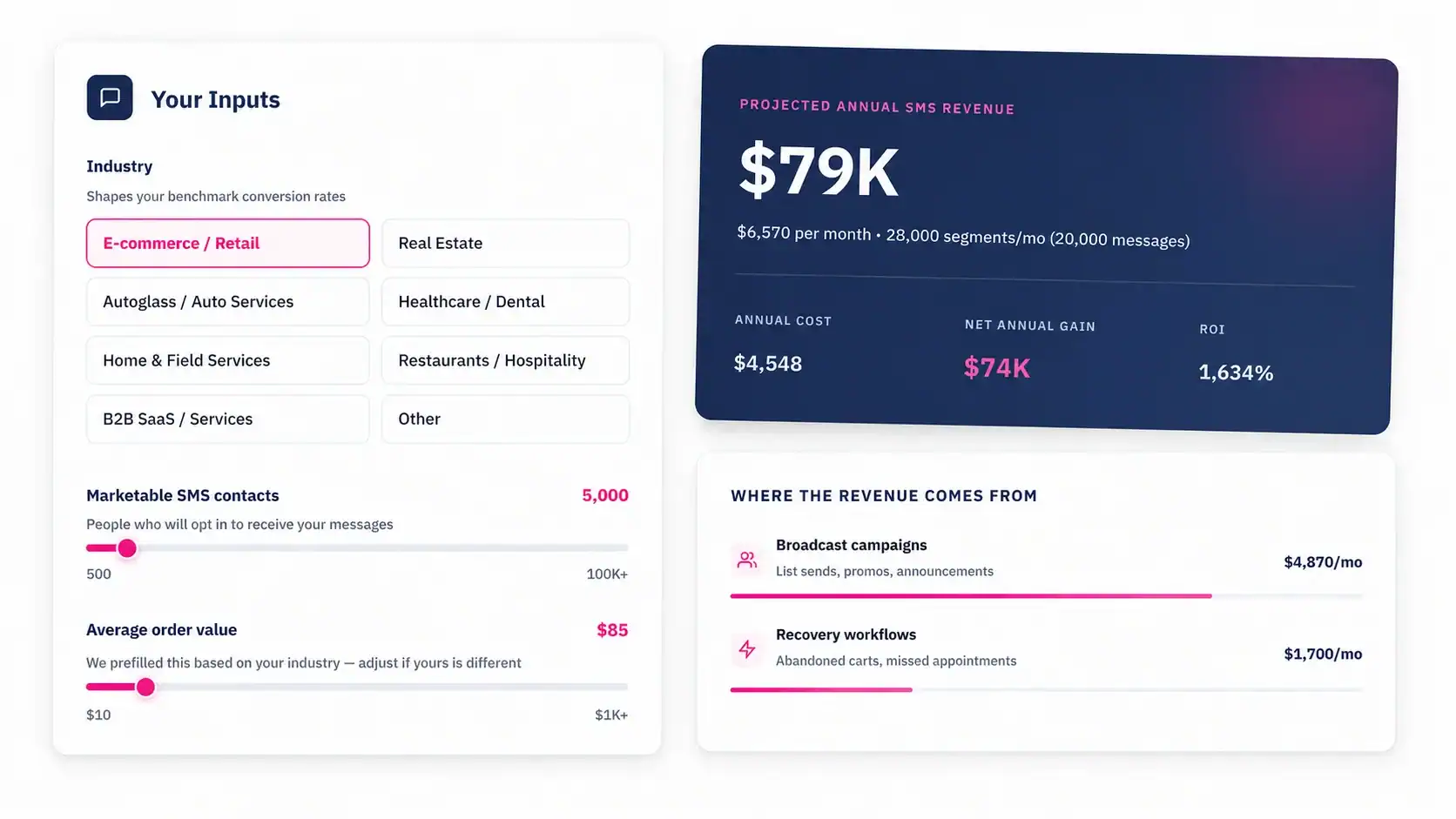
Start Texting From Your HubSpot Pipeline Today
Deals sitting in Proposal Sent without a follow-up text are deals your reps aren’t winning as fast as they could. Message IQ puts SMS inside every deal stage in your HubSpot pipeline triggered automatically, logged to the contact record, manageable from a shared team inbox without leaving HubSpot. Two-way by default. 10DLC registration handled during onboarding. Plans starting at $49/month.
See how Message IQ extends HubSpot SMS workflow automation across your entire pipeline