

Integrate IQ launches its most significant Message IQ release to date, embedding SMS directly into HubSpot’s shared inbox, help desk, workflows, and native reporting.
Integrate IQ today announced the general availability of Message IQ 3.0, a major release that moves SMS messaging into the core of HubSpot’s existing workflows. With this release, text messaging becomes a first-class channel inside HubSpot: visible in the same inbox as email and chat, triggerable from any native object, and measurable through HubSpot’s own reporting tools.
“This is the most significant release we have shipped,” said Tim Ritchie, CEO of Integrate IQ. “It puts SMS at the center of how your team already works.”
Why This Release Matters
Sales, support, and service teams have long treated SMS as a channel apart, logged separately, triggered manually, and reported on outside the systems teams use every day. Message IQ 3.0 closes that gap. Every text message now behaves like a native HubSpot interaction: it appears where reps already look, it can be triggered by the same automation that drives email and tasks, it can trigger native HubSpot alerts, and it rolls up into the same reports leadership already trusts.
What’s New in Message IQ 3.0
SMS Inside the Shared Inbox and Help Desk
Text messages now appear directly alongside email and chat in HubSpot’s shared inbox and help desk. Support and service teams can manage every customer conversation, regardless of channel, from a single, unified view.
Trigger Messages From Any Native HubSpot Object
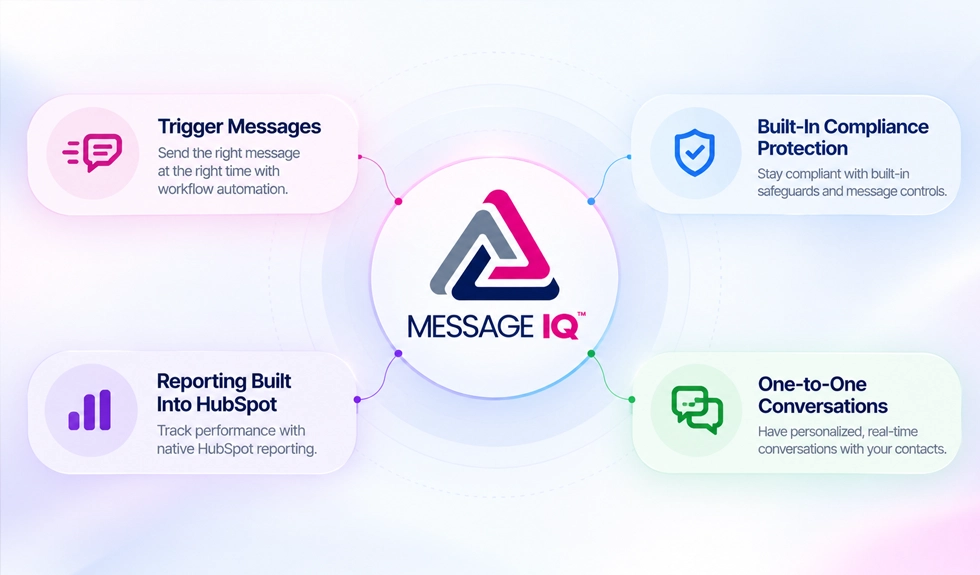
Workflows can now initiate SMS from any native HubSpot object, companies, deals, or tickets, sending a personalized text to every associated contact. This extends SMS to wherever a team’s process actually lives, not just the contact record.
Messages That Carry Real Context
Messages triggered from a deal, ticket, or company can leverage property values from that object. Imagine including ticket number or delivery date into your workflow-based text messages. Every text arrives personalized with the right details, eliminating manual lookups or copy-paste errors.
Built-In Compliance Protection
Message IQ still scans every outgoing message for required “reply STOP” language and automatically inserts the appropriate regulatory text when it’s missing, keeping teams compliant by default, without added manual review.
Reporting Built Into HubSpot
Delivered, failed, and received messages now generate native HubSpot events. Teams can build delivery, received, and error-rate reports at the message or segment level using HubSpot’s own reporting tools, no separate dashboard required.
One-to-One Conversations, Every Time
Every reply lands as a genuine one-to-one contact conversation, complete with the same real-time alerts teams already rely on to respond quickly.
The Bottom Line
Message IQ 3.0 places SMS exactly where teams already spend their day: the shared inbox, the help desk, and native HubSpot reporting. Conversations stay connected, reporting stays accurate, and none of it requires leaving HubSpot.
Existing customers can log into their Message IQ account to explore the new features, or contact their Integrate IQ representative for a guided walkthrough.
About Integrate IQ Integrate IQ builds Message IQ, a native SMS solution for HubSpot that connects text messaging to CRM workflows, reporting, and customer conversations.
Learn more at integrateiq.com and messageiq.io