

Healthcare practices using SMS see no-show rates drop below 19%, administrative call volume cut significantly, and patient satisfaction scores climb. The most impactful use cases split across four categories: appointment management, patient engagement and education, billing and admin, and internal staff communication. Every SMS workflow touching patient health information requires a HIPAA-compliant platform with a signed Business Associate Agreement (BAA), documented patient consent, and A2P 10DLC registration for business texting.
Book a Free Demo
Your front desk staff spent 47 minutes this morning leaving voicemails for patients who won’t listen to them. Your inbox has three patient questions that came in via email two days ago. And tonight you’ll have three empty appointment slots that could have been filled if someone had texted the waitlist.
98% of text messages get read within 3 minutes. Phone calls get ignored. Emails get buried. And yet most healthcare practices still treat SMS like a one-trick appointment-reminder tool when it’s actually one of the most versatile patient communication platforms available. SMS for healthcare covers the full product context, but this guide goes deeper: 20+ specific things your practice should start doing with text right now.
Some are patient-facing. Some are internal. All of them have a real operational impact. And all of them require a compliant setup to run without legal exposure, which we’ll cover before the list.
Before Anything Else: The Compliance Foundation
HIPAA doesn’t ban SMS. It regulates how you handle Protected Health Information (PHI) over any channel, and SMS is no different. Standard carrier SMS is unencrypted, which makes it unsuitable for messages that include PHI: patient names tied to diagnoses, medication specifics, test results, or billing details linked to health conditions.
Two compliant approaches exist. First, use a HIPAA-compliant messaging platform that encrypts messages, maintains audit logs, and signs a Business Associate Agreement (BAA) with your practice. Second, use SMS to direct patients to a secure portal where they view PHI, keeping the text itself free of sensitive identifiers.
Four non-negotiables before you send a single automated healthcare text: (1) signed BAA with your SMS vendor, (2) documented written patient consent collected at intake, (3) A2P 10DLC brand and campaign registration for business texting in the US, and (4) instant opt-out handling so any patient who replies STOP is removed from all future sends automatically. See the full TCPA and HIPAA compliance guide for the complete legal framework.
Appointment Management: 6 SMS Workflows That Cut No-Shows
1. 24-Hour Appointment Reminders With Confirmation Requests [High ROI]
Send a reminder 24 hours before every appointment and ask the patient to reply YES to confirm or call to reschedule. Practices using two-round SMS confirmation sequences (48hr + 24hr) see no-show rates fall below 19% versus the industry average of 20-30%. The patient replies, your system logs the confirmation, and your scheduling team stops chasing people by phone.
Hi {{first_name}}, your appointment with Dr. {{provider}} is tomorrow at {{time}} at {{location}}. Reply YES to confirm or call us at {{phone}} to reschedule. | Msg&Data rates may apply. Reply STOP to opt out.
2. Waitlist Slot Fills When Cancellations Open Up [Revenue Recovery]
When a patient cancels, trigger an automated text to the top of your waitlist with the open slot time. The first person to reply CONFIRM gets the booking. No phone tag, no voicemails, no wasted appointment time. This is one of the highest-ROI SMS automations available to any practice because it recovers revenue that would otherwise disappear.
Hi {{first_name}}, a slot just opened: {{date}} at {{time}} with Dr. {{provider}}. Reply CONFIRM to book it now, or call us at {{phone}}. First to reply gets it.
3. Pre-Visit Prep Instructions [Reduces Errors]
Send pre-procedure or pre-visit instructions 48 hours before appointments that require preparation, such as fasting labs, imaging, or surgical procedures. Patients who arrive prepared reduce appointment overruns, protect your schedule, and avoid rebooking fees. Keep PHI out of the text itself and link to a secure patient portal for any clinical specifics.
Reminder: Your lab appointment on {{date}} requires fasting for 8 hours beforehand. Please review your prep instructions here: {{secure_link}}. Questions? Call {{phone}}.
4. Day-Of Check-In via Text [Admin Time Saver]
Let patients text your office when they arrive instead of queuing at the front desk. Your team gets a notification in the shared inbox and calls them in when their provider is ready. This cuts waiting room congestion, reduces front-desk interruptions, and works especially well for practices with limited lobby space or immunocompromised patient populations.
Hi {{first_name}}, when you arrive for your {{time}} appointment, text ‘HERE’ to this number and we’ll come get you. No need to check in at the desk.
5. Same-Day Appointment Slot Promotions [Fill Gaps]
Have a gap in tomorrow’s schedule? Text your opted-in patient list with an open slot offer, especially relevant for elective services like dermatology, dental cleanings, or wellness visits. Patients who’ve been meaning to book but haven’t had urgency respond well to a direct, limited-time slot offer via text.
6. Rescheduling Recovery for Lapsed Patients [Retention]
Patients who haven’t been seen in 12+ months represent significant lost revenue. Trigger an automated re-engagement text when a contact record hits the 12-month mark since their last appointment. Frame it around their care, not your revenue.
Hi {{first_name}}, it’s been a while since your last visit with us. We’d love to see you for an annual check-in. Book online at {{link}} or reply BOOK and we’ll call you.
Patient Engagement and Education: 7 Ways SMS Improves Outcomes
7. Medication Adherence Reminders [Care Quality]
Patients on chronic medications miss doses regularly. A timed daily or weekly SMS reminder for medication adherence, especially for conditions like hypertension, diabetes, or post-surgical recovery, increases compliance rates measurably. Keep messages generic to avoid PHI exposure: ‘Time for your evening medication, {{first_name}}’ rather than naming the specific drug.
8. Post-Visit Follow-Up Check-Ins [Patient Satisfaction]
Send a check-in text 24-48 hours after a procedure, new diagnosis, or significant treatment change. Ask how the patient is feeling and whether they have questions. Patients who receive a follow-up text feel better cared for, leave better reviews, and return for future appointments at higher rates. Route any clinical replies to the assigned provider or care coordinator through the shared team inbox.
Hi {{first_name}}, checking in after your visit yesterday. How are you feeling? Reply with any questions and we’ll connect you with your care team. For urgent concerns, call {{phone}} or 911.
9. Lab Result Notifications (Portal Link Only) [Compliance-Safe]
Patients wait anxiously for lab results. A text notifying them that results are ready and directing them to the secure patient portal satisfies that urgency without transmitting PHI over unencrypted SMS. ‘Hi {{first_name}}, your lab results are ready. View them securely at {{portal_link}}.’ This keeps HIPAA exposure zero and response time minutes, not days.
10. Preventive Care and Screening Reminders [Population Health]
Annual physicals, flu shots, mammograms, colonoscopies. Patients who need these screenings often delay them indefinitely without a direct nudge. Trigger a text when a patient’s record shows they’re overdue based on age and visit history. Pair it with a direct booking link to reduce the friction between intent and action.
Hi {{first_name}}, it’s time for your annual wellness visit. Book your appointment online at {{link}} in under 2 minutes, or reply CALL and we’ll schedule for you.
11. Chronic Condition Check-In Sequences [Ongoing Care]
For patients managing chronic conditions, regular touchpoints between appointments keep them engaged and catch problems early. A monthly or quarterly check-in text asking a single question (‘How have your energy levels been this week, {{first_name}}? Scale 1-5’) creates a low-friction data collection loop and demonstrates genuine clinical interest in between visits.
12. Health Education Content by Condition [Trust Builder]
Segment your patient list by condition or treatment type and send relevant health tips via text. A patient recovering from knee surgery gets mobility tips. A patient managing Type 2 diabetes gets a link to a diet resource. Keep it short, one link, one message, one clear next step. Patients who feel educated and supported outside the clinic develop stronger loyalty to the practice.
13. Post-Discharge Instructions for Hospital-Based Practices [Safety]
Patients discharged after procedures often forget verbal instructions within hours. A structured SMS sequence delivering post-discharge instructions in stages (day 1, day 3, day 7) improves adherence and reduces emergency readmissions. Link to portal documents for detailed clinical instructions rather than including clinical specifics in the SMS.
Billing and Admin: 4 SMS Workflows That Reduce Your Overhead
14. Outstanding Balance Reminders [Revenue Cycle]
Billing reminder calls are expensive and mostly ignored. An SMS reminder for an outstanding balance with a payment portal link gets read within minutes and costs a fraction of a staff phone call. Keep the message generic enough to stay HIPAA-safe: ‘Hi {{first_name}}, you have a balance on your account with {{practice_name}}. Review and pay securely at {{link}}.’
15. Insurance Verification Requests [Front-Desk Efficiency]
Text patients 3-5 days before their appointment asking them to verify their insurance details are current. Include a link to update their information in the patient portal. This cuts the front-desk bottleneck on appointment day and reduces claim rejections from stale coverage data.
16. Document and Form Collection [Intake Efficiency]
New patient intake forms, consent documents, health history questionnaires. Text a link to the form 48 hours before the first appointment and again the morning of if it hasn’t been completed. Practices that collect intake digitally via SMS before the appointment see visits start on time and front-desk staff freed from form chasing.
17. Referral Status Updates [Care Coordination]
Patients referred to specialists often lose track of where they are in the process. A text confirming ‘Your referral to Dr. {{specialist}} has been submitted. You should hear from their office within 3 business days.’ closes an anxiety loop and reduces the volume of follow-up calls your care coordinators field every morning.
Internal Staff Communication: 4 Use Cases Most Practices Overlook
18. Shift Coverage and Scheduling Notifications [Operations]
Most practices still manage shift changes by phone chain or email. An SMS to the relevant staff member with a shift update, coverage request, or schedule change lands in seconds and gets read immediately. Route internal staff communications through the same shared inbox your patient messages flow through, with clear conversation labeling to separate the two.
19. Critical Lab Alert Routing to Providers [Clinical Workflow]
For practices using two-way SMS platforms integrated with clinical workflows, critical lab values or urgent patient messages can trigger an automated alert to the on-call provider via text rather than relying on phone tag. The provider sees it, replies, and the conversation logs back to the patient record. This keeps response times fast and documentation complete.
20. Staff Training Reminders and Policy Updates [Compliance]
Annual compliance training, updated practice policies, HIPAA refreshers. An SMS nudge to staff with a link to a training module lands more reliably than an email and takes less than 10 seconds to compose. Track completion in the CRM by logging replies.
21. New Patient Referral Acknowledgements to Referring Physicians [B2B Relationship]
If your practice receives referrals from other providers, a quick SMS to the referring physician’s practice confirming the patient appointment was scheduled strengthens the referral relationship. Most referring practices still use phone and fax for this loop. A fast text closes it in seconds.
22. Post-Review Request Sequences [Reputation Management]
Send a review request text 30-60 minutes after a completed appointment. Patients who had a positive experience and receive a well-timed, direct ask leave reviews at 3-4x the rate of practices that rely on passive review requests. Link directly to your Google profile. A simple two-message sequence, one immediately post-visit and a gentle follow-up 48 hours later if there was no action, is enough. For the full compliance and automation setup, see how SMS automation in HubSpot handles multi-step sequences.
Get Your Ultimate HubSpot Text Messaging Playbook for FREE
Discover how top HubSpot teams use SMS to boost engagement, close deals faster and streamline operations.
Instant download
Expert insights from certified HubSpot professionals
Ultimate Text Messaging Playbook
SMS vs. Email for Healthcare Practice Communication
If you’re deciding which channel handles which task, the pattern is consistent: use SMS for time-sensitive, action-required communication and email for information-dense or non-urgent content.
| Use Case | SMS | |
| Appointment reminder | Best: 98% open, same-day action | Works but slower, 20% open rate |
| Lab result notification (portal link) | Best: instant, HIPAA-safe redirect | Also works, slower read rate |
| Pre-visit prep instructions | Good for short reminders + portal link | Better for detailed documents |
| Billing reminders | Best: read immediately, direct link | Often filtered or delayed |
| Health education content | Short tips with links work well | Better for long-form content |
| Patient satisfaction survey | Best: 45% reply rate vs 2-5% email | Lower engagement |
| Intake form collection | Good for link delivery + reminder | Works for initial send |
| Internal staff alerts | Best: instant, read on personal device | Too slow for urgent updates |
HIPAA-Compliant SMS: What Your Practice Actually Needs
Let’s keep this practical. HIPAA compliance for SMS comes down to five operational requirements:
1. BAA with your SMS vendor. Every vendor you use to transmit or store patient communications must sign a Business Associate Agreement making them legally responsible for protecting PHI. No BAA = no compliant texting. Full stop.
2. Written patient consent at intake. Before texting any patient, you need documented consent. A checkbox on your intake form stating they agree to receive automated text messages from your practice satisfies this. Consent without documentation creates legal exposure when you need to prove it.
3. No PHI in unencrypted messages. Appointment times without diagnostic context are generally considered low-risk. A patient name plus a medication name plus a health condition in one message is PHI. When in doubt, use a portal link instead of including clinical details in the SMS body.
4. Instant opt-out processing. STOP replies must remove the patient from all future sends immediately and that opt-out must log to their record so no future automated workflow re-enrolls them.
5. A2P 10DLC registration. All US business SMS requires brand and campaign registration. Unregistered traffic gets filtered by carriers, which means your appointment reminders may never arrive. This is a setup step, not an ongoing burden, but skipping it breaks your entire program.
Building Healthcare SMS Workflows in HubSpot
Healthcare practices already using HubSpot to manage patient contacts and track appointments can trigger most of the use cases above from native HubSpot workflows. A two-way SMS platform connected natively runs as a workflow action, meaning enrollment logic, delay steps, and branch conditions all work exactly like your existing email workflows, with every conversation logging back to the contact timeline. For the full setup walkthrough, SMS automation in HubSpot covers the enrollment trigger, delay, branch, and action format step by step.
A basic appointment reminder sequence in HubSpot looks like this:
- Enrollment trigger: Contact has an appointment date property set AND SMS consent property is TRUE
- Delay until T-48 hours before appointment date
- Action: Send SMS with prep instructions template and portal link
- Delay: 24 hours
- Action: Send SMS confirmation request with YES/NO keywords
- Branch: If contact property ‘SMS Reply’ = ‘YES’, update appointment status to Confirmed
- Branch: If no reply within 4 hours, route to shared inbox for manual follow-up by front desk
Frequently Asked Questions
Is SMS texting allowed under HIPAA for healthcare practices?
SMS is allowed under HIPAA when handled correctly. Standard carrier SMS is unencrypted and unsuitable for transmitting PHI directly. Practices use SMS compliantly in two ways: using a HIPAA-compliant platform with BAA and encryption for clinical communication, or using SMS to send non-PHI notifications (like appointment reminders without diagnostic context) while directing patients to a secure portal for anything clinical.
What is a Business Associate Agreement (BAA) and why does my SMS vendor need to sign one?
A BAA is a HIPAA-required legal contract that makes your SMS vendor responsible for protecting patient data they handle on your behalf. Without a signed BAA, using any third-party service that touches PHI creates direct legal liability for your practice. Always require a BAA before deploying any patient communication platform.
Can I text patients from my personal phone?
No. Personal phones are a HIPAA violation waiting to happen. They lack audit trails, access controls, and remote wipe capabilities. If a staff member texts a patient from their personal number and that phone is lost or stolen, you have a potential breach. All patient communication should route through a compliant platform with a dedicated business number so every conversation is logged and managed centrally.
How do I collect patient consent for SMS?
Add a clearly worded opt-in checkbox to your digital intake forms and in-office paperwork. The consent statement should specify that they agree to receive automated text messages from your practice, include the message frequency expectation, note that message and data rates may apply, and explain how to opt out. Log when and how they consented in your CRM so you can prove it if ever challenged.
What is A2P 10DLC and does my practice need it?
A2P 10DLC (Application-to-Person 10-Digit Long Code) is the US carrier registration system for business SMS. Any practice sending automated texts at scale needs brand and campaign registration through The Campaign Registry. Unregistered traffic gets filtered, which means appointment reminders may not deliver. Registration is a one-time setup step. The A2P 10DLC registration guide walks through every step.
How many texts should a healthcare practice send per month?
This depends on what you’re automating. Appointment reminders, confirmations, and care follow-ups trigger based on events, not a calendar, so volume scales with appointment frequency. For proactive outreach like preventive care reminders or health education content, 1-2 messages per month per patient is the right ceiling. Watch opt-out rates: above 2% per campaign signals over-messaging or low relevance.
Can two-way SMS replace phone calls at the front desk?
For most routine front-desk interactions, yes. Appointment confirmations, rescheduling requests, intake form reminders, billing questions, and waitlist notifications all handle faster via two-way SMS than phone calls. What SMS can’t replace: complex clinical conversations, urgent or emergency situations, and any scenario where the patient needs immediate voice access to your team. Make that clear in every automated message with an emergency escalation line.
Start Using SMS Across Your Entire Practice
Most healthcare practices are running 2 of the 22 use cases above. The other 20 are costing them in no-shows, administrative overhead, and patients who disengage between visits because nobody followed up. A two-way SMS platform connected natively to HubSpot handles all of it from one place, with every conversation logged to the patient contact record and every workflow running automatically from the events your team already tracks.Plans start at $29/month. See how it connects to your HubSpot at messageiq.io, and book a free strategy call to map out which of these 22 workflows makes sense to build first.
See how much revenue SMS could add to your HubSpot stack
Five inputs. Industry-backed benchmarks. Get your projected annual SMS revenue in under 30 seconds.
Calculate My SMS ROI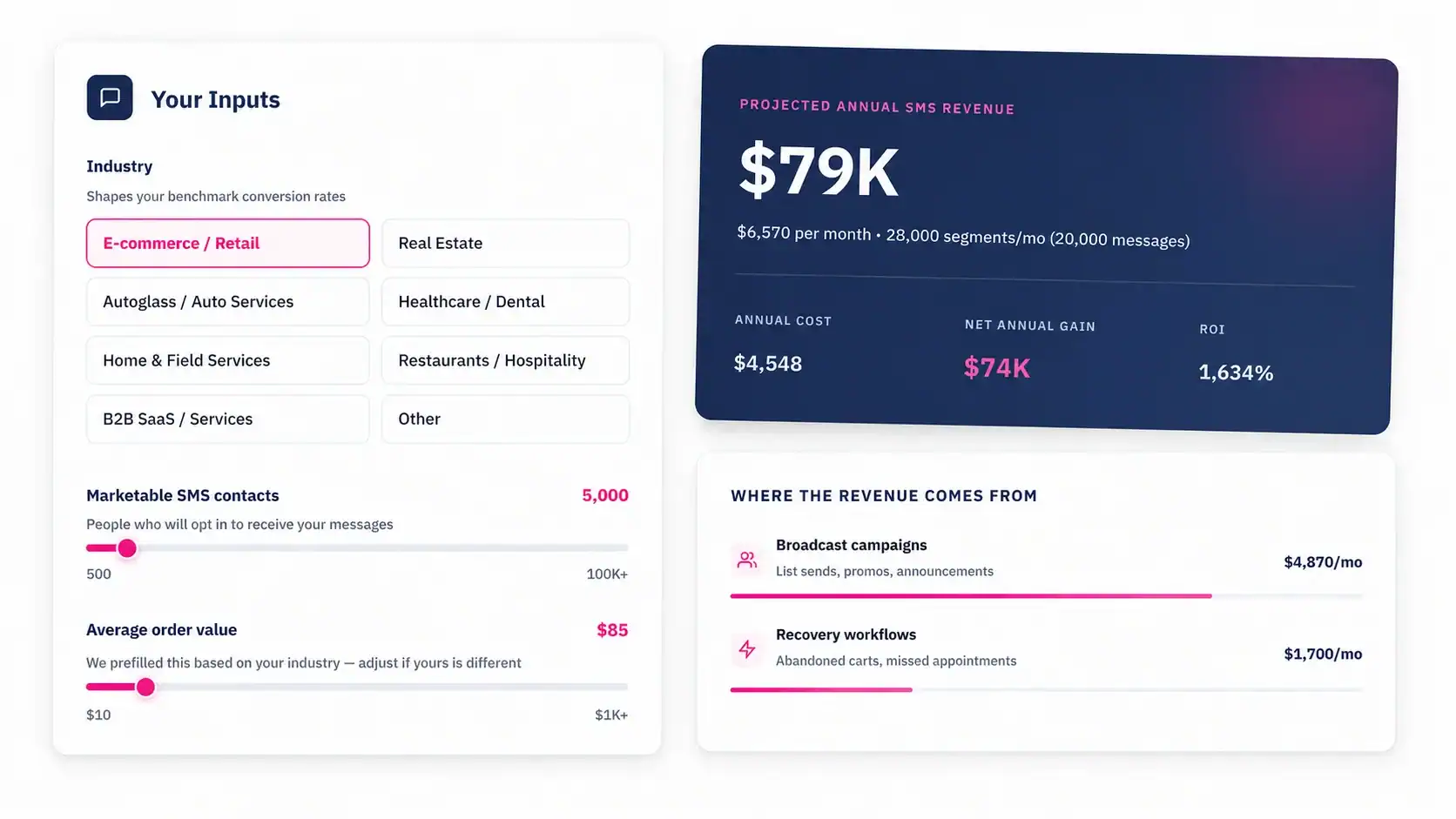
Talk to an Expert